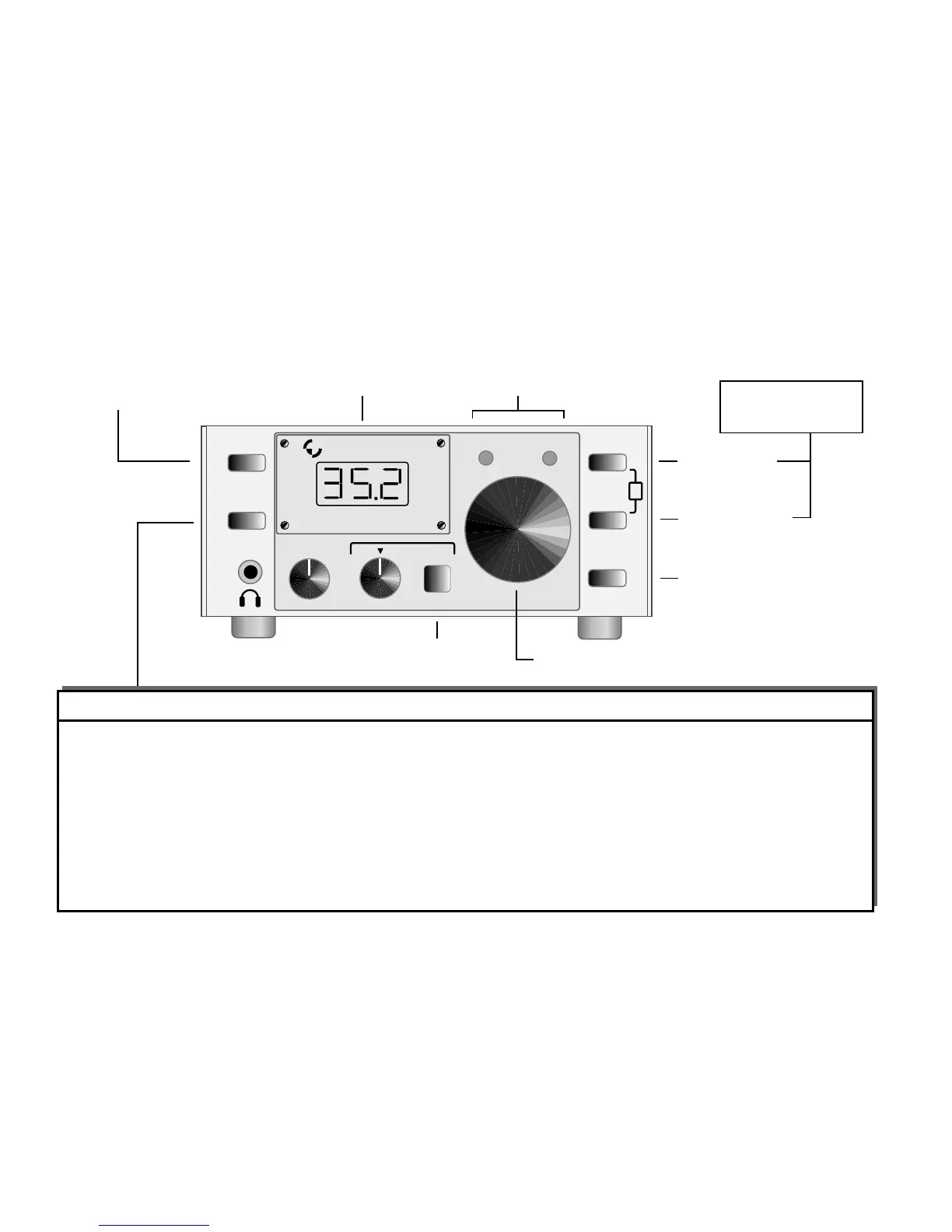
ELECRAFT K1 QUICK REFERENCE
MENU
OUT POWER OUTPUT, 0.1-7.0 W
(hold DISPLAY to select P=0)
STL SIDETONE VOLUME LEVEL, 0-31
STP SIDETONE PITCH (Hz) or SPOT
T-R QSK DELAY, 0 - 900 ms
RPT AUTOREPEAT DELAY, 0-255 sec
INP KEYING DEVICE: Hnd, PDn, PDr
IAB IAMBIC MODE, A or B
AGC On or Off
LED RIT/XIT/ATTN LEDs On or Off
FLx XTAL FILTER BW, 200-900 Hz
(hold XFIL to select FL1/2/3,
then tap WPM +/- to set bandwidth)
Bx BAND ASSIGNMENT, MHz
(tap BAND to select B1 or B2; 30m:
hold DISPLAY to select 10.0/10.1)
CAL Operating freq. cal (OPF), per-band;
hold DISPLAY for VFO display (OSC)
SIG S-METER ZERO SET: Lxx, xx = 30-70
(hold DISPLAY for scale: H x, x = 2-6)
NB NOISE BLANKER: Off, NB1, NB2
ATU AUTO-TUNER mode (see ATU manual)
PFn PROGRAMMABLE FUNCTION;
shortcut to selected menu entry, or
set to "NOR" (normal) to use as XIT
Tap to enter menu, hold to edit; use WPM+/- to scroll menu or modify parameters
Tap once to show band,
tap twice to change bands
Hold to select display
mode: normal, S-meter,
or BAT (supply voltage)
Tap for RIT on/off, hold for XIT on/off
(PFn normally = XIT; see MENU)
RX: VFO freq or S-meter
TX: bargraph, 1 bar per watt
LCD
Tap to play message 1 or 2,
hold to record message 1 or 2
(when prompted with "1-2"
during message play,
tap 1 or 2 for single play,
hold 1 or 2 for auto-repeat)
LEDs
RIT / XIT - GREEN / ORANGE
ATTN - YELLOW
Tap for WPM up,
Hold for FL1/2/3
Tap for WPM down,
Hold for ATTN on/off
Hold both for TUNE;
during TUNE, can
change power w/WPM+/-
MSG
REC
E L E C R A F T
K 1 T R A N S C E I V E R
DISPLAY
BAND
MENU
EDIT
TX
RX
XFIL
WPM
+
WPM
ATTN
-
1
2
AF GAIN
-
+
RIT
XIT [PFn]
RIT / XIT ATTN
T
VFO



 To Previous Page