3.4 Choose your language
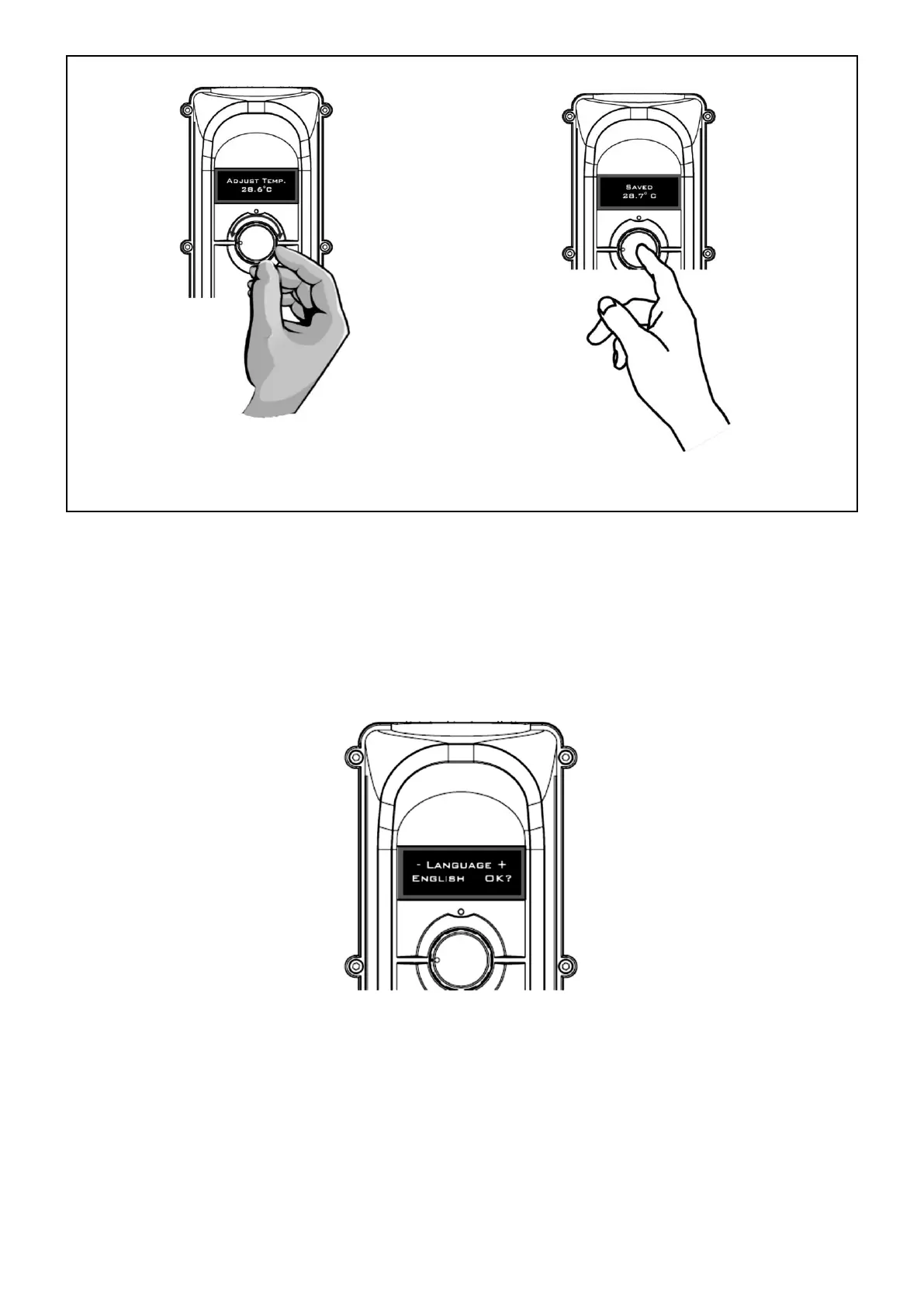
On initial power up, the display will illuminate and show a language message, (see Fig. 12). If the controller
detects inactivity for 3 seconds, it will default the language to English.
Fig. 12
There are five languages to choose from English, French, Spanish, German and Russian.
To select a language, turn the knob clockwise or anti clockwise until the desired language is displayed.
Press the knob button (OK) to accept the changes.
NOTE: To access language mode, press the knob button (during heating only). You can also
access language mode by resetting power to the heater.


 To Next Page