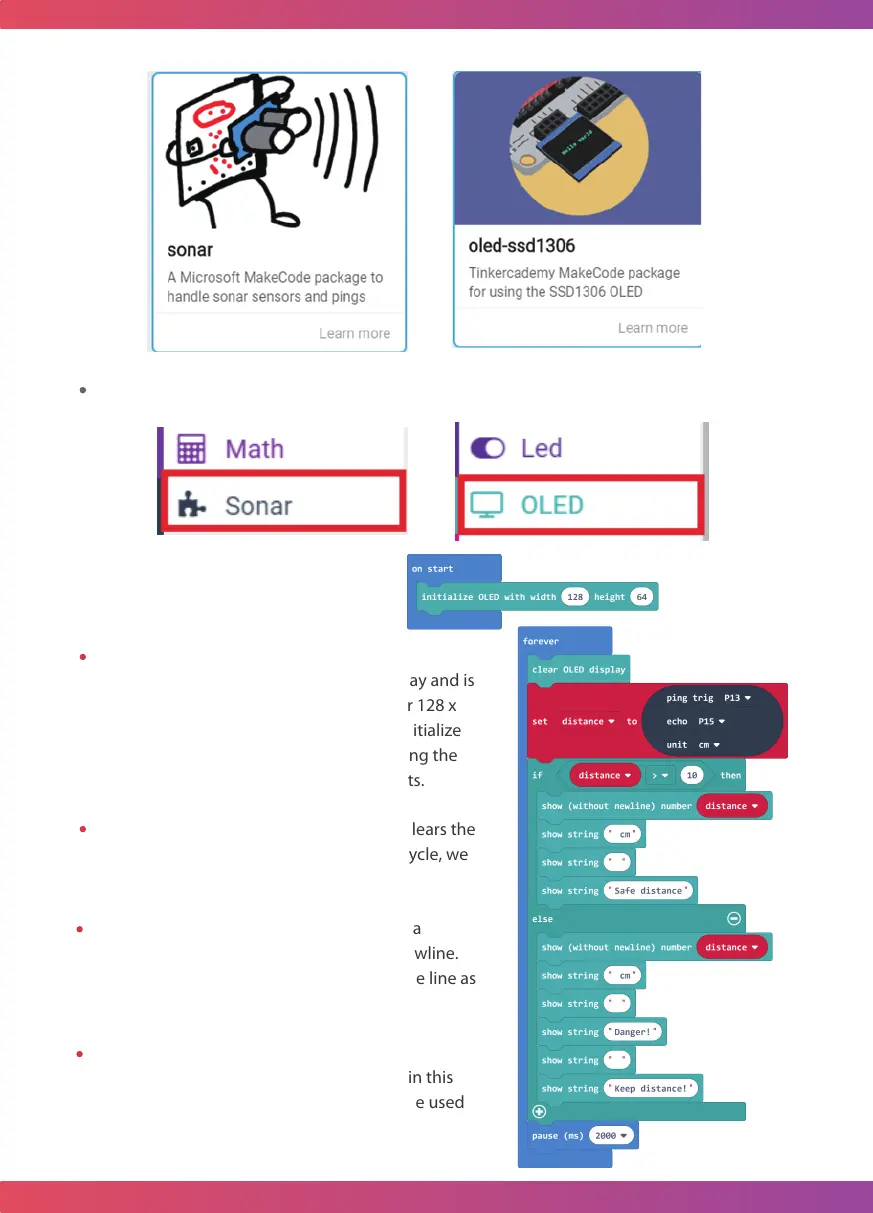
Initialize OLED with width…height…:
This block is used to set up the OLED display and is
ready for micro: bit use. In order to use our 128 x
64 dot matrix OLED module, we need to initialize
the OLED according to the hardware, setting the
width to 128 dots and the height to 64 dots.
Clear OLED display: This block is used to clears the
OLED display. In this case, every time we cycle, we
will display on a clear OLED screen.
Show(without newline) number:Displays a
number on the OLED module without a newline.
Note that the next line(“ cm”) is on the same line as
this block display.
Show string: Displays a string on the OLED
module with a newline. If nothing is filled in this
block, nothing will be displayed. This can be used
for a blank line.
Step2: Add sonar and OLED packages to your Makecode and you can see it.
37



 To Next Page