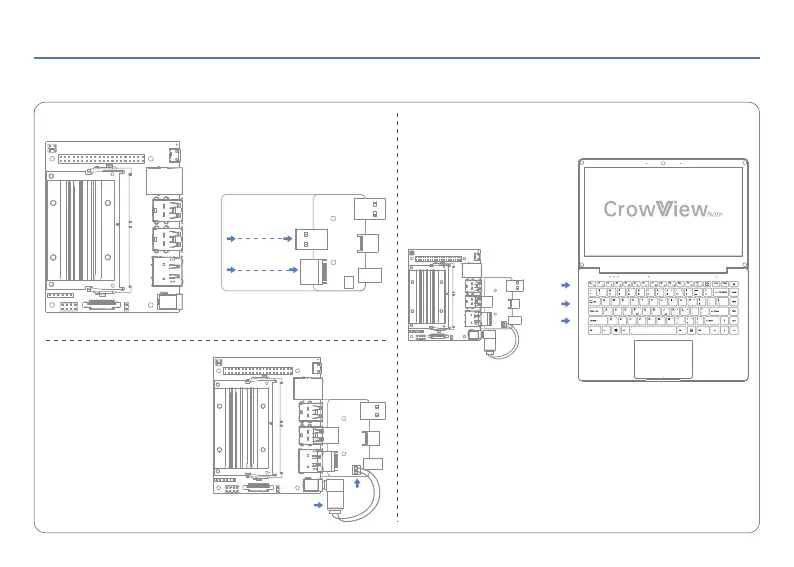
Take the Jetson Nano Developer Kit for example.
Step 3: Connect the assembled Jetson Nano Developer Kit to the
CrowView Note.
Step 2: Connect one side of the
Patch Cord to the Bridge Board
and the other side to the Jetson
Nano Developer Kit to power it.
Step 1: Connect the Jetson Nano Developer Kit to the Bridge Board.
If you don't have the Bridge Board, you can also connect the Jetson
Nano Developer Kit to the CrowView Note using the corresponding
cables.
Note: The Bridge Board is only available for the Jetson Nano Developer
Kit and the Bridge Board is required to be purchased separately.
05 How to connect the Bridge Board
OSD
Signal
Jetson Nano Developer Kit
USB A
Mini HD
Type-C
Bridge Board
USB A
DC5.5-2.5DC5.5-2.5
XH2.54
HD
< 6 >


 To Next Page