EasyManua.ls Logo

ElectrIQ CD12PRO-LE - Device Screen; Device Controls and Functions

ElectrIQ CD12PRO-LE
27 pages
Print Icon
To Next Page IconTo Next Page
To Previous Page IconTo Previous Page
Loading...
19
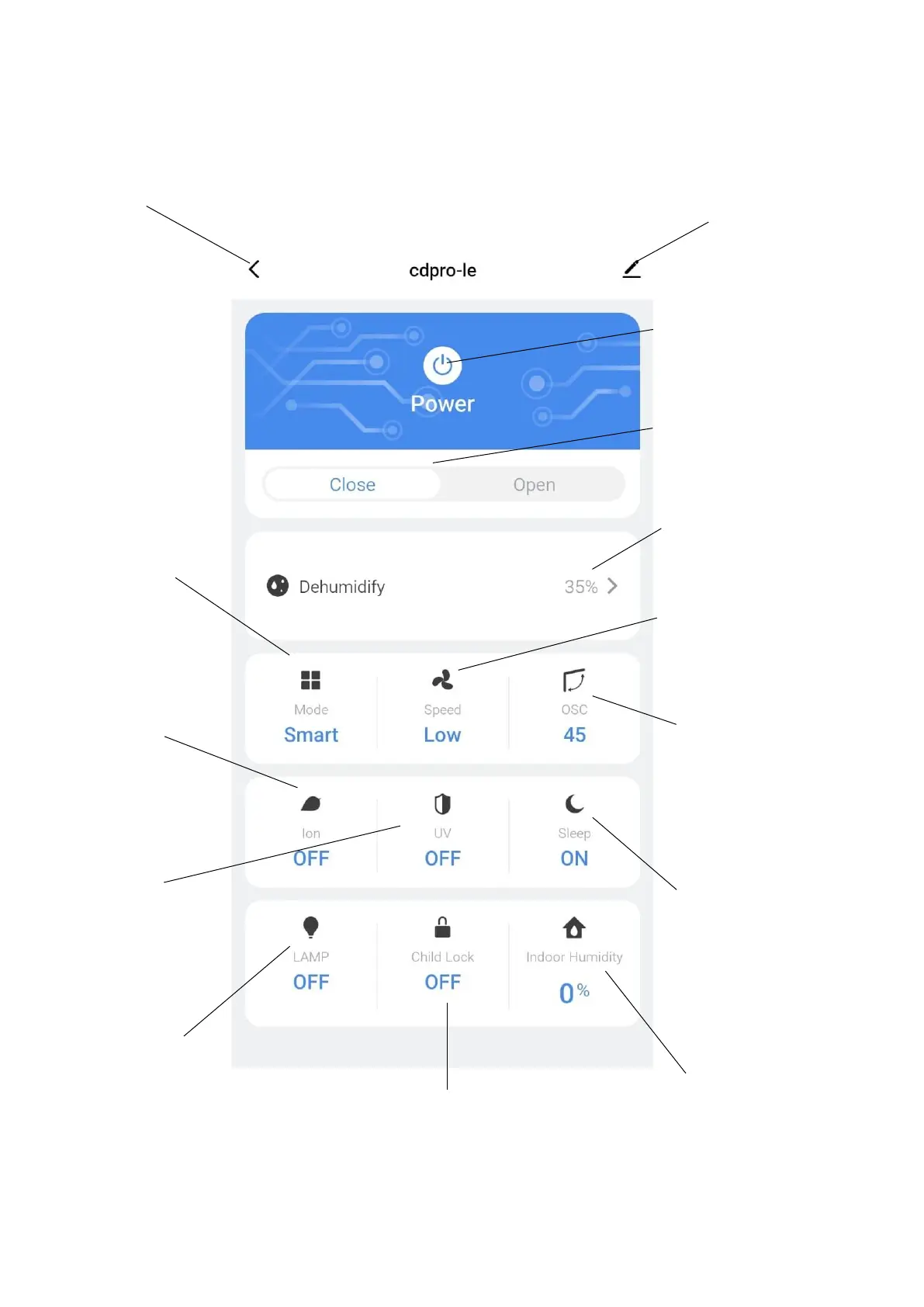
DEVICE SCREEN
The device screen is the main control screen for the dehumidifier, providing access to the controls to
amend the functions of the dehumidifier
Profile: Use to change the
name of the dehumidifier
and amend user settings.
Back: Return to the Home
Screen
On / Off Slider:
Shows if the unit is
turned On or Off.
Mode: Change the
operating mode
between Smart,
dehumidify, Air purify
and laundry.
Desired Humidity:
Change the desired
humidity between
35°C and 80°C
Oscillation: Set the
position of the louvres
Room Humidity:
Shows the current
room humidity.
Lamp: Turns the
humidity indicator
light On and Off.
Ioniser: Allows the
Ioniser to be turned
on and off
UV Light: Allows the
UV Light to be turned
on and off
On / Off Button: Use to
turn the dehumidifier On
and Off.
Speed: Set the fan
speed of the
appliance.
Sleep: Turn the sleep
mode On and Off.
Child Lock: Turn the
Child lock On and Off.

Related product manuals