9
CHARGING YOUR ROBOT
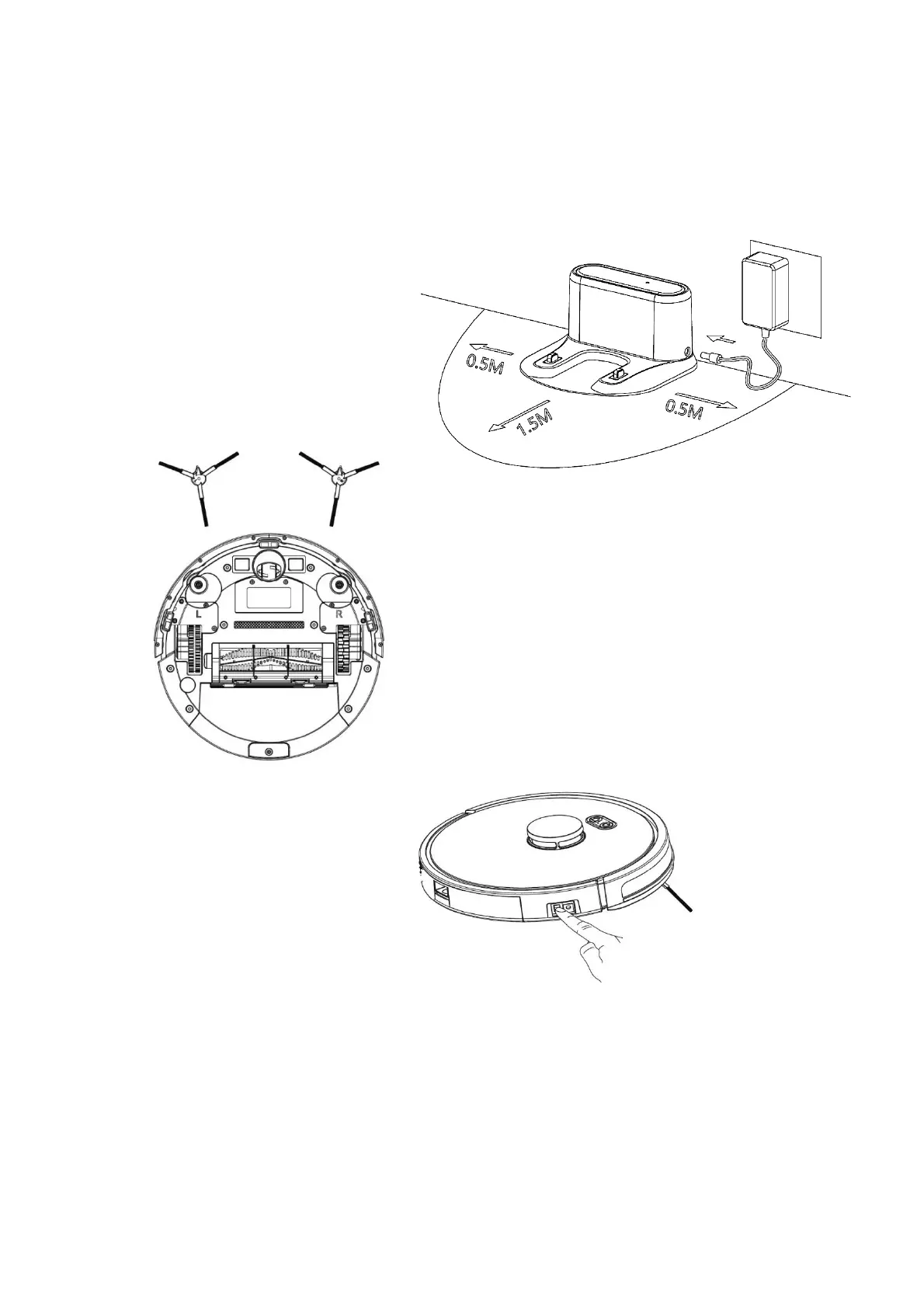
1. Place the charging station against a wall on flat, level ground. Keep the charging
station free of obstructions 0.5m to the left and right and 1.5m in front.
1. Connect the power supply
2. Install the side brushes paying attention
to the ‘L’ and ‘R’ markings
3. Turn on Power Switch
4. Charge. There are two ways to charge the robot:
a. On the charging station
b. Charging directly from the power adapter
When charging, the indicator light flashes. When charging is complete the indicator turns
green.



 To Next Page