8
INITIAL SET UP
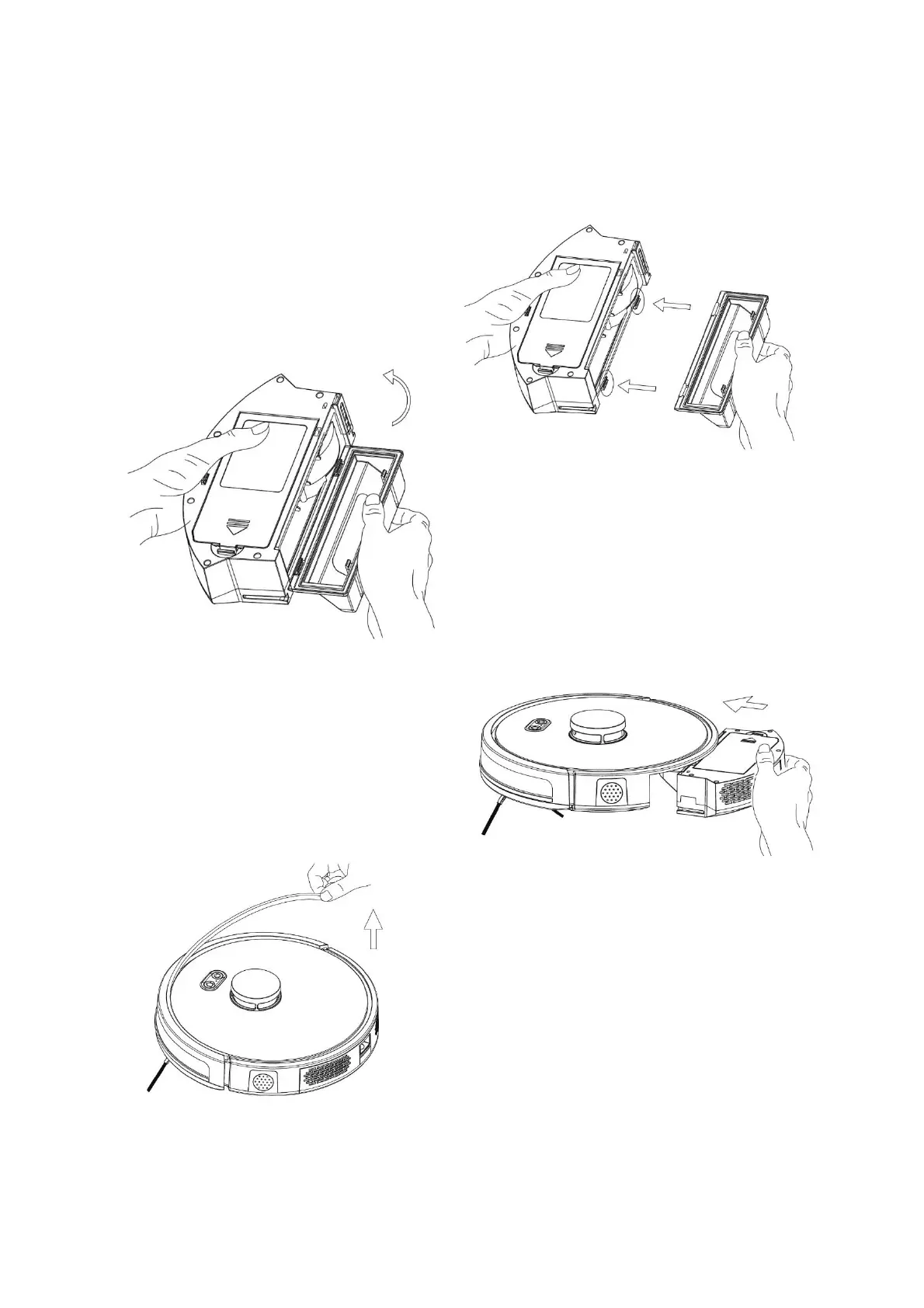
DUST BOX ASSEMBLY
1. Assemble the dust box side
cover. Press the side cover
firmly into position as shown
above.
2. Close the dust box side cover: pivot the
cover as shown by the arrow opposite.
3. Insert the dust box
Finally, remove the protective bumper strip.


 To Next Page