12
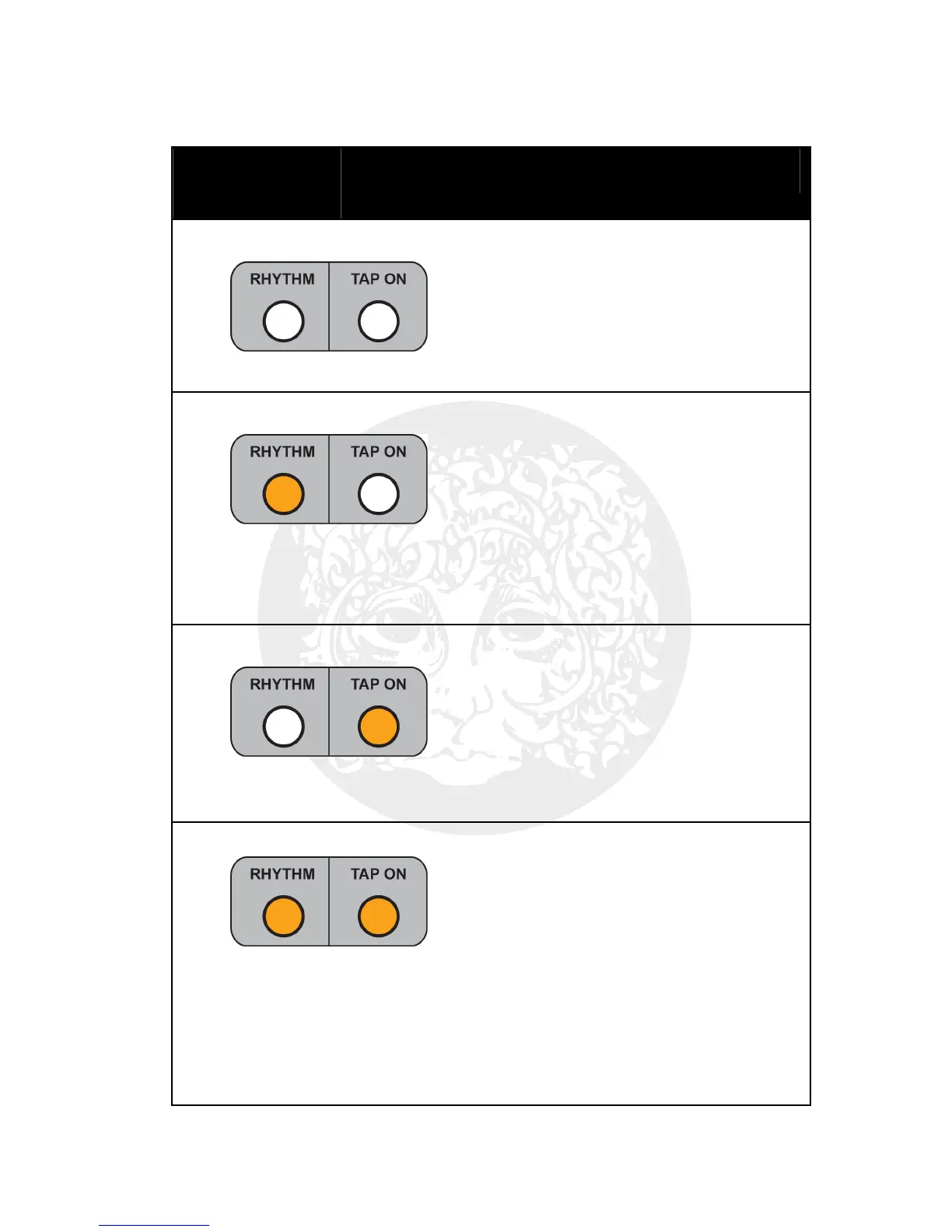
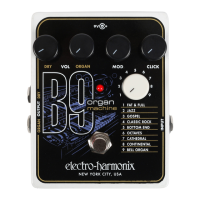
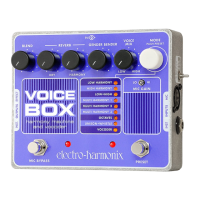
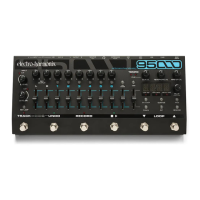
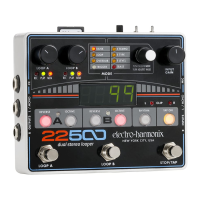
The following table breaks down the function of the STOP/TAP FSW depending
on the buttons that are enabled.
RHYTHM
BUTTON
TAP ON
BUTTON
STOP/TAP FSW FUNCTION
Disabled Disabled 1. A single press of the STOP/TAP
FSW immediately stops playback
of all loops including Rhythm.
2. Press and hold the FSW for 1.5
seconds to return to Loop A’s
originally recorded tempo.
Enabled Disabled 1. A single press of the STOP/TAP
FSW starts and stops Rhythm
playback.
2. A double tap of the FSW stops
everything.
3. Press and hold the FSW for 1.5
seconds to return to Loop A’s
originally recorded tempo.
Disabled Enabled
1. Three or more taps of the
STOP/TAP FSW sets the tempo for
Loops A and B and the Rhythm
loop.
2. Press and hold the FSW for 1.5
seconds to return to Loop A’s
originally recorded tempo.
Enabled Enabled 1. If the Rhythm loop is not playing,
a single press of the STOP/TAP
FSW starts the 22500’s Rhythm
loop.
2. Three or more taps of the
STOP/TAP FSW sets the tempo for
Loops A and B and the Rhythm
loop.
3. Press and hold the FSW for 1.5
seconds to stop all loops.


 To Next Page