4
ENG
Navigator window
The display is showing the active input, the sample rate/bit depth and the
volume setting. The display have two display modes: Input and Status.
Input display mode
Audio
Source
Display
Text
Description
COAX 1 COAX1 Coaxial S/PDIF input up to 192 kHz/24 bit
COAX 2 COAX2 Coaxial S/PDIF input up to 192 kHz/24 bit
TosLink 1 TOSLNK1 Optical S/PDIF input up to 96 kHz/24 bit
TosLink 2 TOSLNK2 Optical S/PDIF input up to 96 kHz/24 bit
USB USB Asynchronous High Speed USB 2.0 input up to
192kHz/24bit
Status display mode
The display mode shows the volume setting and sample rate for the select-
ed input. The display enters into mode "status" when the volume is oper-
ated and when there is a change in input selected or the sample rate.
After 5 seconds the display will revert back to the INPUT mode. In mode
"status" the following information is displayed:
The first part shows the current sample
rate at the input and the last number
shows the volume setting. The volume
has range from 0 to 100.
Front panel
(see illustration, page 7)
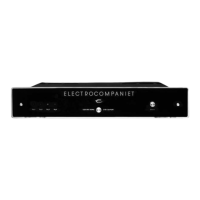
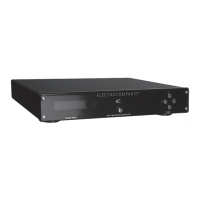
The main switch is located in the center of the front panel. In daily opera-
tion, switch off the ECD 2 by using the STANDBY button on the remote
control. If the ECD 2 has been switched off, allow two hours of warm-up
for optimal sonic performance. When the ECD 2 is not to be used for a
long period of time, use the main switch to turn the unit off. Then discon-
nect the AC main cord for maximum safety.
Navigator
Button Function Description
UP Volume Up Increases the volume level.
DOWN Volume Down Decreases the volume level.
LEFT Select source left Selects the next source to the left.
RIGHT Select source right Selects the next source to the right.
192kHz 100


 To Next Page