12
Preamp function
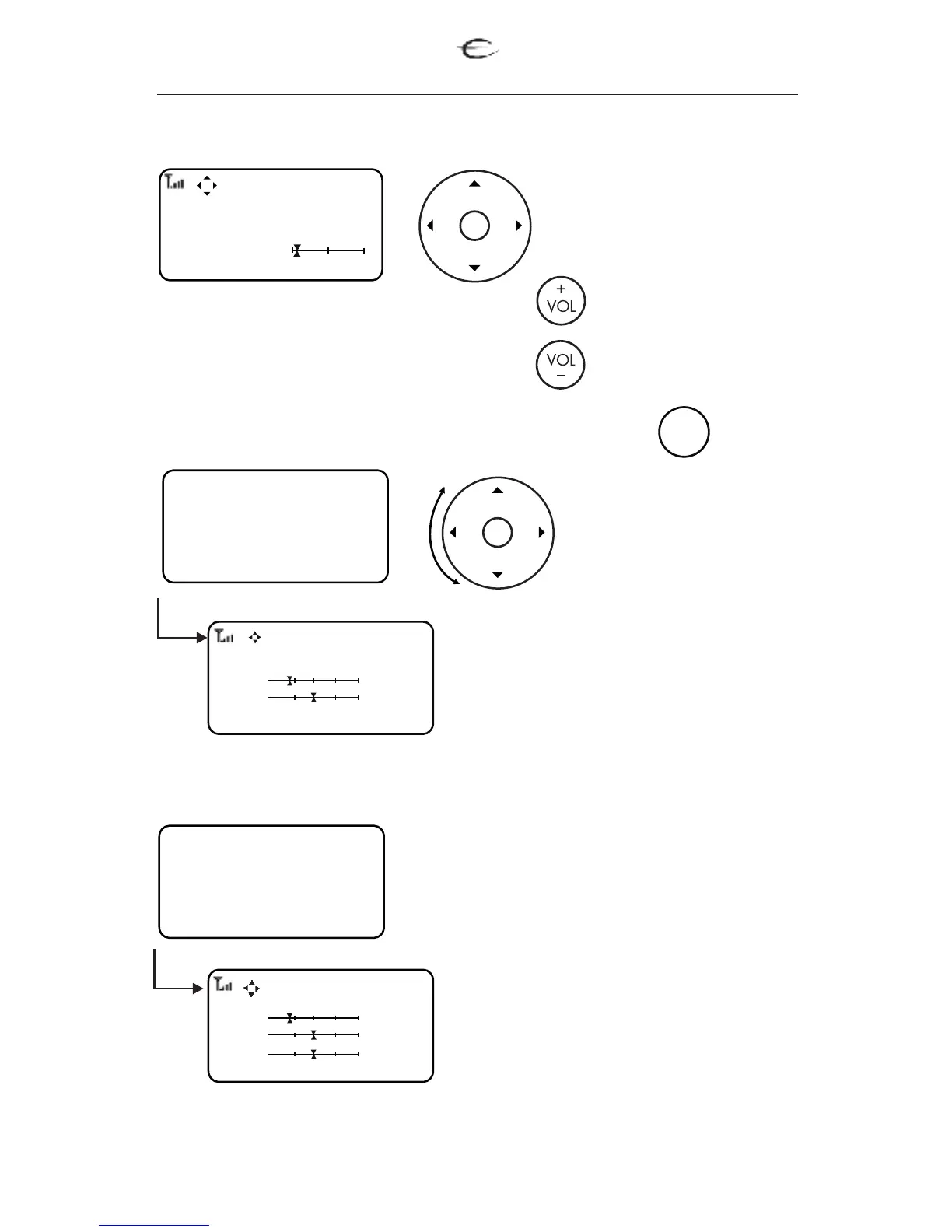
Press the LEFT/RIGHT
to change between
the sources.
Press Menu and the SETUP- EC4.8- page will appear.
for VOLUME UP
for VOLUME DOWN
MENU
1.Balance control
Use arrow up and down for switch-
ing between left and right channel.
Use arrow left and right for adjust-
ing left or right channel to the want-
ed level.
2.Input level
For adapting different input levels
from different sources or for compen-
sating level differences between bal-
anced and unbalanced connections.
Use arrow up and down for choos-
ing the source.
Use arrow left and right for adjust-
ing the source to the wanted input
level.
L
R
Balance 2 channel
Left -2.0 dB
Right -9.0 dB
EC 4.8
CD
1.2
Setup EC 4.8
Balance Control
Input Level
Amp Data
Source Names
By using the wheel you
can scroll to one of the
following options:
Setup EC 4.8
Balance Control
Input Level
Amp Data
Source Names
Input Levels
CD -12.5 dB
Tuner -3.5 dB
Tape -9.0 dB
2.1 EC 4.8 preamplifier


 To Next Page