6
Getting Started
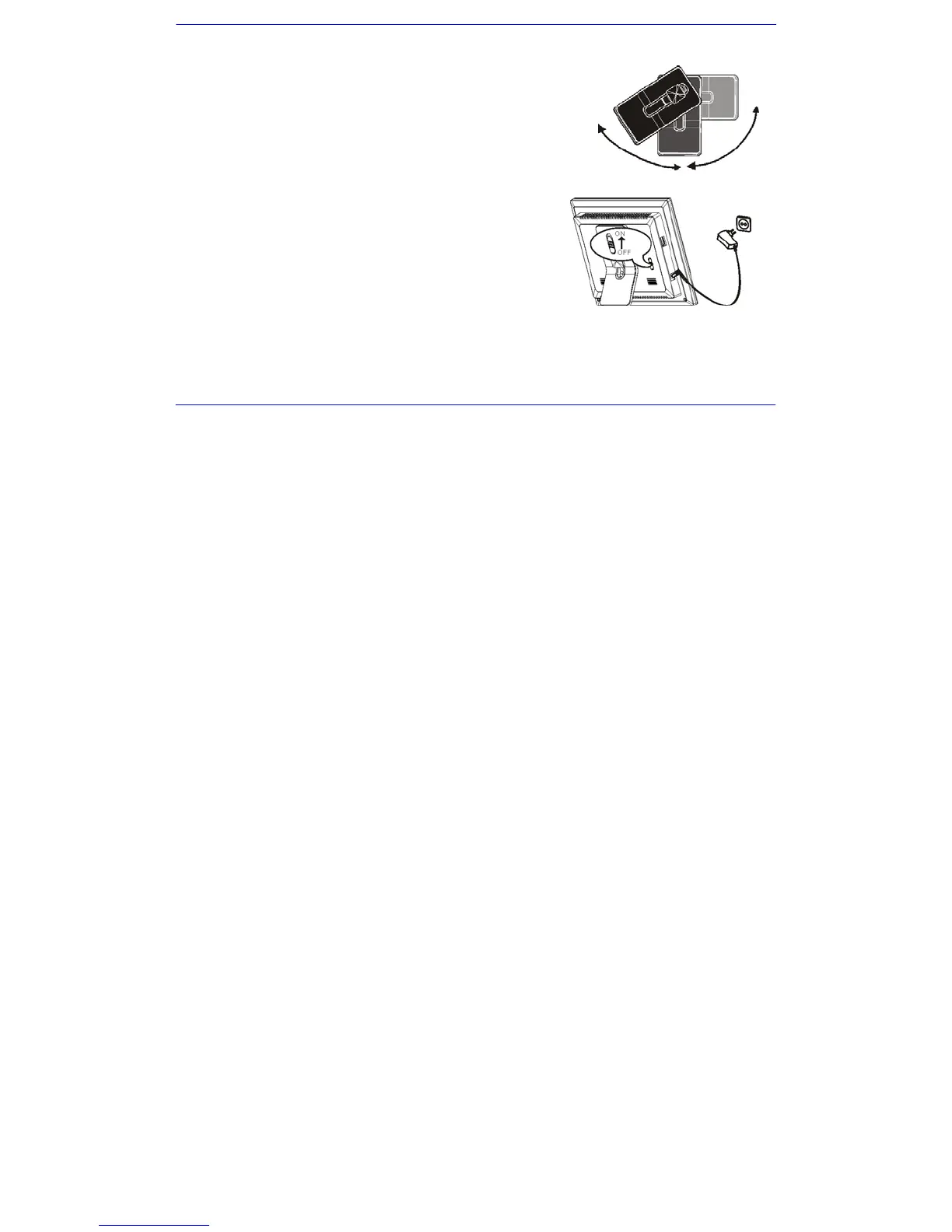
Attaching the Stand
1. Match the stand to the slot on the back of the frame.
2. Rotate anticlockwise until the stand clicks into a landscape position or portrait position.
3. Push the stand up or down to set a comfortable viewing angle and place it on a flat surface.
Connecting Power
1. Use the supplied power adapter to connect the digital photo frame to an electrical
outlet.
2. Slide the power switch on the back of the photo frame from OFF to ON.
3. To turn off the power of the Digital Photo Frame completely, slide the power switch
from ON to OFF.


 To Next Page