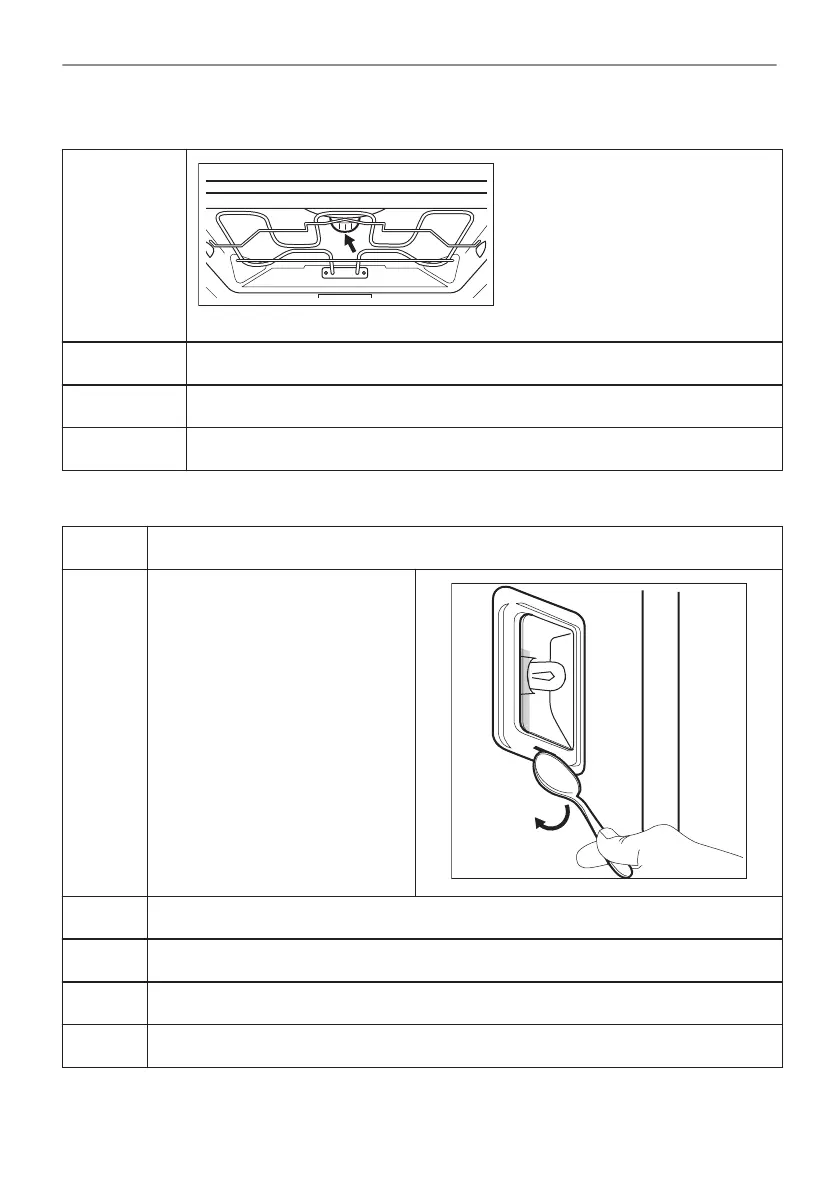
The top lamp
Step 1
Turn the lamp glass cover to remove it.
Step 2 Clean the glass cover.
Step 3 Replace the lamp with a suitable 300 °C heat-resistant lamp.
Step 4 Install the glass cover.
The side lamp
Step 1 Remove the left shelf support to get access to the lamp.
Step 2 Use a narrow, blunt object (e.g. a
teaspoon) to remove the glass
cover.
Step 3 Clean the glass cover.
Step 4 Replace the lamp with a suitable 300 °C heat-resistant lamp.
Step 5 Install the glass cover.
Step 6 Install the left shelf support.
42/56
CARE AND CLEANING



 To Next Page