+
Watt
min gr
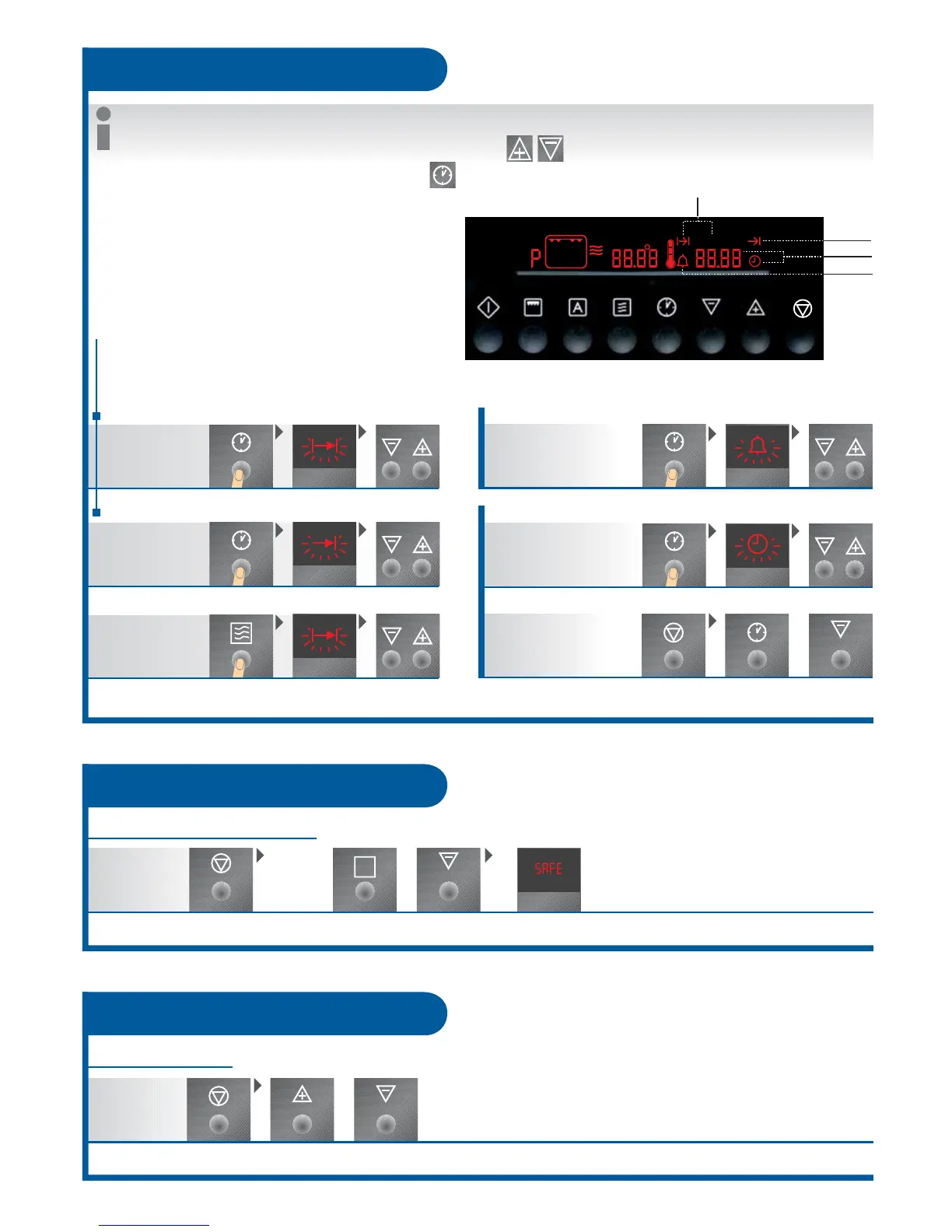
Is the time faded out:
- Display is illuminated when
switched on
- Display goes out when switched off
(first select oven function)
DURATION
0 to 99 minutes
SHORT TIME
change (e.g. Summer-/ Wintertime)
TIME
set
DURATION / END can be used simultaneously, if:
- the oven shall be switched on and off
automatically at the later time
- a programme is selected.
- After setting a time, symbol flashes for 5 sec., afterwards the time, short time or duration is illuminated, and the time starts.
- While the corresponding symbol flashes (5 sec.): Set/change times
- By repeated touch the current time can be prompted
Clock functions
Time can only be faded out, if no other display is active!
fading in/out
Switching off Press off button at the same
time for about 2 seconds until
display goes out/lights up
End
Short time
Duration
0 to 23 hrs 59 min.
No impact on
microwave / oven operation
+
Buttons-signal
Press simultaneously for about 2
seconds until the signal is audible
Press the same button again for
about 2 seconds in order to switch on
the signal again!
Switching on/off
Swtching off
When will the meal be ready?
END
set time
set duration
Time
DURATION MICROWAVE
set duration
Page
5
+
A
Child lock
Button locking mechanism
No function
can be
selected!
Press the same button again for
about 2 seconds in order to switch on
the signal again!
Switching off Press simultaneously for about 2
seconds until the signal is audible
Kindersicherung ein



 To Next Page