15
Delay Start Timer
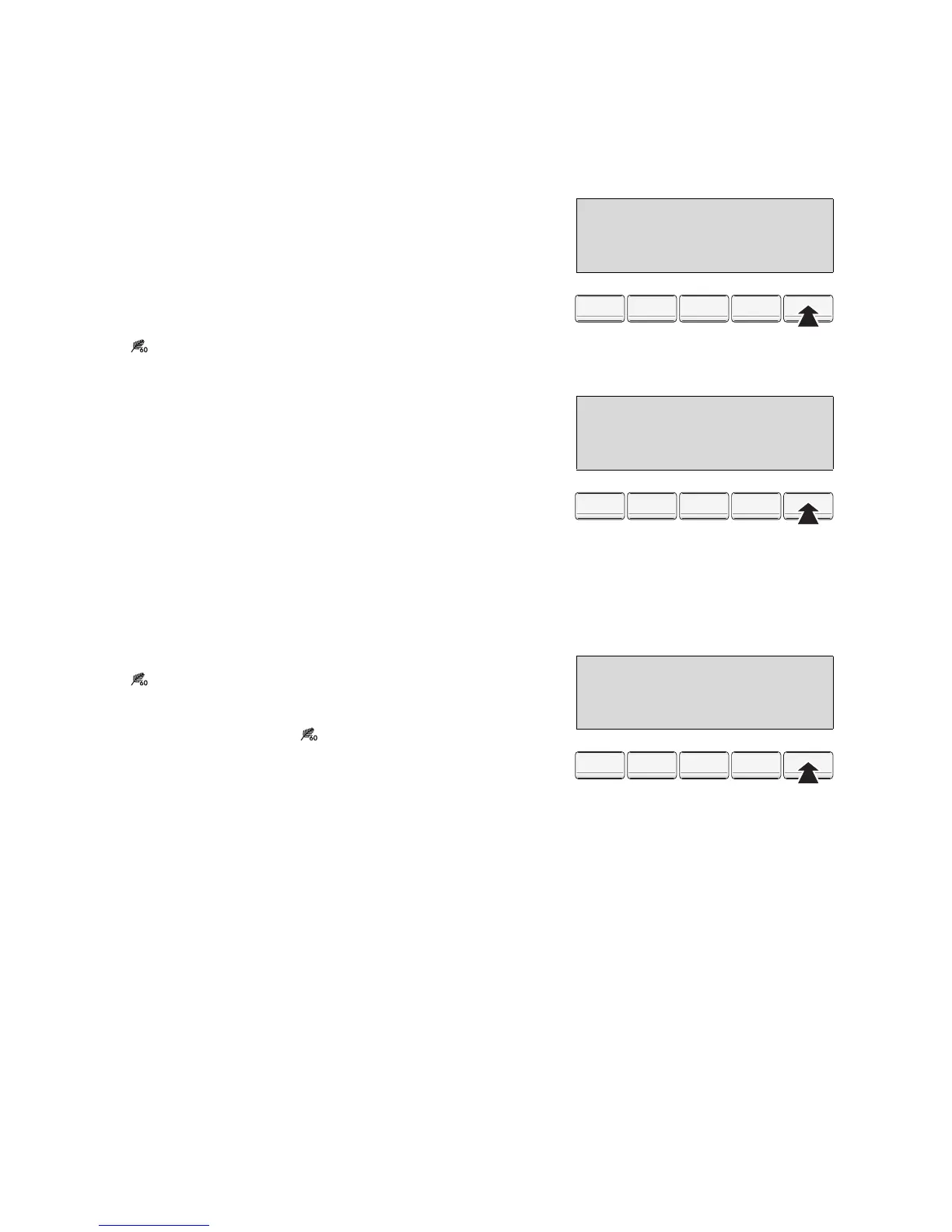
1. Press the TIME (ZEIT) button repeatedly until the
T DELAY START symbol flashes.
2. Press the OK button. In the display, “Start in 0 min”
is displayed.
3. Press the TIME (ZEIT) button repeatedly, until the
display shows the desired period by which you
want to delay the start, e. g. “Start in 4 hours”. A
black bar appears under the T symbol.
3 If 20 hours is displayed and you press the but-
ton again, the delay start timer is cancelled.
4. Press the OK button. The display changes to the
LONG ANTICREASE symbol, this means that
by pressing the OK button a 60-minute anti-crease
phase can be set.
5. Press the TIME (ZEIT) button, if the 60-minute anti-
crease phase is not to be set. The display shows
the T DELAY START symbol as well as the time re-
maining until the end of the programme (including
the period by which the start has been delayed).
6. To activate the Delay Start Timer, press the START/
PAUSE button. The display now shows e. g., “Start
in 4.00” (=4hours). The display for the time remain-
ing until the start of the programme is reduced in
30 minute intervals (e. g., 4.00, 3.30, 3.00, ... 0.30,
0).
Long Anticrease
1. Press the TIME (ZEIT) button repeatedly until the
LONG ANTICREASE symbol flashes.
2. Press the OK button. A 60 minute anti-crease
phase is set. The display changes to the initial dis-
play. It now shows the LONG ANTICREASE
symbol.
Starting the programme
1. Press the START/PAUSE button.
The programme is started or it starts after the time
delay set has elapsed.
3 If after pressing the START/PAUSE button the
display shows ”PLEASE CLOSE THE DOOR”,
the door has not been shut properly. Push the
door closed firmly and press the START/
PAUSE button again.
Delay Start
12.45
Start in 4 hours
19.01
aýaýa aýaýaýaýaýaýaýT_ýk
Tür
Porte
U/Min
T/Min.
Option
Options
Ok
Ok
Zeit
Te mp s
EXTRA DRY
12.45
Cycle end at
19.01
dýaýa aýaýaýaýaýaýaýTýa
Tür
Porte
U/Min
T/Min.
Option
Options
Ok
Ok
Zeit
Te mp s
EXTRA DRY
12.45
Long Anticrease
15.01
aýaýa aýaýaýaýaýaýaýTýk
Tür
Porte
U/Min
T/Min.
Option
Options
Ok
Ok
Zeit
Te mp s



 To Next Page