COOKING WITH YOUR TIMER
18
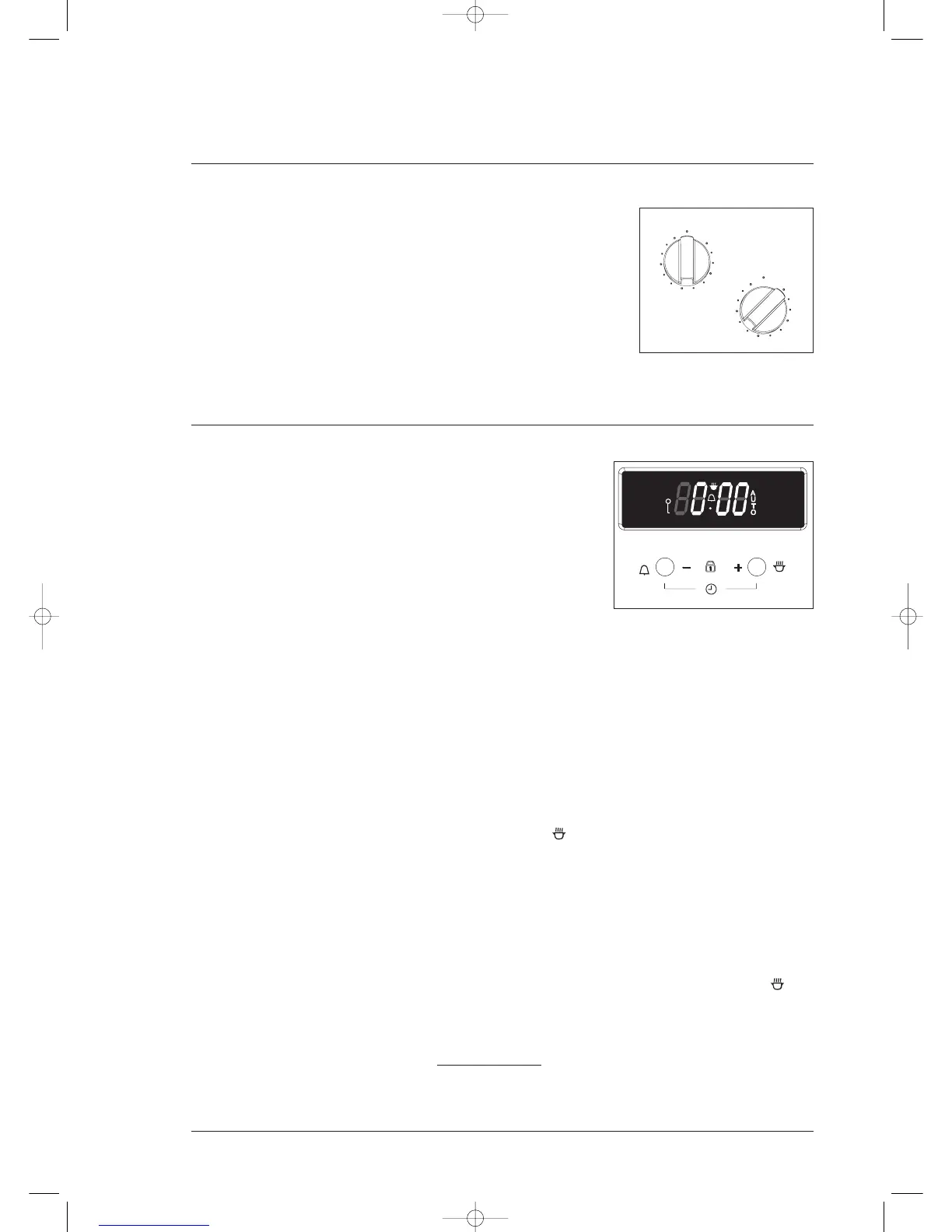
2-hour “AUTO OFF” timer
Manual operation
The timer needs to be set at the ”OFF” position so that the oven
can be used manually.
Automatic operation
The 2-hour timer features an automatic oven “cut off”. This means
that a cooking period of up to 120 minutes can be set.
When the timer has counted back to “AUTO OFF” a bell will sound
and the oven will automatically switch off.
Once automatic baking is complete, return to manual operation by setting the timer to the “OFF”
position.
NOTE: It is not recommended to use this timer for short durations (e.g. boiling eggs).
2 button electronic timer
General features
Your 2 button electronic timer has the following features:
• Cooking time – you can set a cooking time. A timer will count
down the preset cooking time, beep when the time has
elapsed and turn the appliance off.
• Child-proof lock – you can child-proof your appliance to
ensure no heating sources are accidentally activated
NOTE: Your 2 button electronic timer only operates with your
main oven/top oven.
Setting the time of day
You must set the time of day before you can operate your appliance. When power is first supplied
to your oven “0.00” and “AUTO” will alternately flash on the clock display.
1. Press and hold buttons – and + at the same time. You now have 4 seconds to start setting the
time of day.
2. Enter the time of day in hours and minutes by pressing the – or + buttons.
NOTE: The clock has a 24-hour display.
Setting the cooking time
1. Set the oven cooking function and temperature required. The oven indicator light will glow if
the oven is not at the preset temperature.
2. Press either the – or + button once. The cook symbol will appear in the clock display.
3. Set the cooking time required by using the + button first and then adjust with either the – or
+ button. The word “AUTO” will appear in the display. After approximately 5 seconds the
current time will reappear on the display.
4. Press the – or + button once while the timer is counting down to view the remaining cooking
time.
5. The cooking time can be changed at any time by pressing either the – or + button once then
adjusting with either the – or + button as required.
When the cooking time has finished the oven will turn off automatically, the cook symbol will
disappear, “AUTO” will flash and the beeper will sound for two minutes.
1. To stop the beeper, press the – or + button once.
2. To change back to manual operation, press the – or + button once again, the word “AUTO” will
disappear from the display and the oven will restart
.
3. If the food is ready, turn both the function and temperature selectors back to the off position.
4. If the food is not ready, leave the food in the oven and allow the oven to continue cooking.



 To Next Page