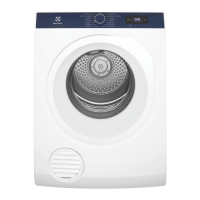
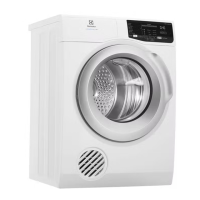
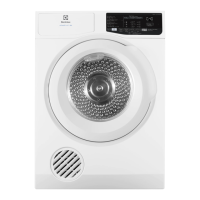
This document is a user manual for Electrolux tumble dryers, specifically models EDV705HQWA and EDV805JQWA. It provides comprehensive instructions for safe operation, installation, use, maintenance, and troubleshooting.
Function Description
The Electrolux tumble dryer is designed for drying clothes, towels, and linen in a domestic setting. It operates by tumbling items in a drum while circulating heated air to remove moisture. The dryer offers various programs and settings to accommodate different fabric types and desired dryness levels, ensuring efficient and gentle drying. A key feature is its reversing action, where the drum rotates both clockwise and anti-clockwise to reduce tangling and promote more even drying in a shorter time. The appliance is designed with safety in mind, incorporating features like a door safety switch and a lint filter to prevent fire hazards and ensure optimal performance.
Usage Features
The dryer features a user-friendly control panel that allows for easy selection of drying programs and settings.
- On/Off Button: Used to switch the appliance on or off.
- Program Selector Button: Allows users to choose from a variety of drying programs tailored for different fabric types, such as Cottons, Mixed, Synthetics, Delicates, Bedding, Refresh, Fast 40, and Time Drying. The selected program's light remains illuminated throughout the cycle.
- Dryness Mode Settings: Users can select desired dryness levels:
- Extra Dry: Ideal for heavy items like towels and bathrobes.
- Cupboard Dry: Suitable for items that will be put away without ironing, such as cottons, linens, synthetics, and mixed fabrics.
- Iron Dry: Designed for items that will be ironed, including sheets, tablecloths, and shirts.
- Note: Dryness level settings are not available for the "TIME DRYING" program and can be changed based on the main program selected.
- Start/Pause Button: Initiates or pauses the drying cycle. Pressing this button allows users to check contents or add more clothes. The appliance enters standby mode if no program is operated within 5 minutes to save energy. The dryer will not start unless the door is closed.
- Display: Shows the selected program's duration in hours and minutes, calculated based on the maximum recommended load for each fabric type.
- Progress Indicators: Lights indicate the current stage of the drying cycle: Drying, Cooling, and Anticrease.
- Anti-Crease Cycle: This feature operates after the drying cycle to prevent wrinkles. The drum rotates clockwise and counter-clockwise for approximately 1 hour. Users can remove clothes at any time during this process.
- Extra Anti-Crease Cycle: An additional 2 hours of anti-crease time can be added by pressing and holding the "TEMP" and "TIME" buttons for 2 seconds. This is indicated by a "2.00" display.
- Lock Function: Protects against accidental program changes during operation. It is activated by pressing and holding "Dryness" and "Temp" for 2 seconds, displaying "LOC." Deactivation is done by repeating the action, displaying "unL."
- Delay Start: Allows users to set a delayed start time from 30, 60, 90 minutes, or 2 to 20 hours in 1-hour increments. The selected time is displayed with a clock icon.
- Time Drying: Provides options to select specific drying times (30, 60, or 90 minutes) for various fabrics. The remaining time is updated every minute once the program starts.
- Temp Option: Users can choose between "Boost" (high heat for most fabrics) and "Low" (lower heat for delicates and synthetics) settings. An "Airing" setting is also available, which circulates unheated air to shake out dust and refresh clothes, but it is not available in drying programs.
- Last Memory Setting: The dryer remembers the last program, temperature, and option settings used, making it ready for the next use.
- Loading: It is recommended to load the dryer loosely, no more than two-thirds full, to allow clothes to tumble freely. Overloading reduces efficiency, increases drying time, and raises the risk of creasing.
- Checking the Load: The door can be opened during a cycle to check dryness or add clothes. The dryer will beep, and drying can resume by closing the door and pressing Start/Pause. For best results, it's advised to add or remove clothes only at the beginning of the cycle.
Maintenance Features
Regular maintenance is crucial for the dryer's efficiency, safety, and longevity.
- Lint Filter Cleaning: The lint filter, located at the bottom of the door opening, must be cleaned after every load. This reduces drying times, saves energy, prevents overheating, and minimizes fire hazards. The filter is easily removed by pressing two pads, opened apart, and lint can be wiped or peeled off. It "clicks" when correctly replaced. Operating the dryer without the lint filter or with a torn/damaged filter is not recommended.
- Professional Cleaning: To avoid potential fire hazards, it is recommended to have a qualified service technician periodically clean the dryer, especially when changing its mounting from upright to inverted or vice versa.
- Ventilation: Proper ventilation is essential. The exhaust duct should not exceed 2 meters in length at 100mm diameter. If a venting kit is used, the exhaust grille at the front is replaced with an outlet cover from the back, and the exhaust air must not be discharged into a flue used for other fuels. Adequate ventilation (e.g., open window or external door) is necessary to prevent overheating and backflow of gases.
- Sorting Laundry: For best results, sort laundry by fabric type. Heavy items take longer to dry. Avoid drying dark clothes with light-colored items, as lint may transfer. Separate lint-giving fabrics (towels, nappies) from lint-collecting fabrics (corduroy, synthetics) to minimize lint issues.
- Fabric Softeners: To avoid static charge, use a fabric softener during washing or a fabric conditioner specifically for tumble dryers. However, sheet-type fabric conditioners added to the drum are strongly advised against, as they can cause rapid blockage of the lint filter and inefficient operation.
- Pre-Spinning: Laundry should be thoroughly spun in a washing machine before tumble drying to save time and money. Easy-care items like shirts can be briefly pre-spun (around 30 seconds) to reduce creasing.
- Item Preparation: Close all press studs, hooks, eyes, and zips. Tie all belts and apron strings to prevent tangling. Check and empty pockets to remove clips, pens, nails, pins, matches, or cigarette lighters, as these can damage the dryer and clothes, or cause a fire.
- Over-drying Prevention: Do not over-dry laundry, as this can cause creasing and waste energy.
- Addressing Uneven Dryness: If uneven dryness occurs on the "Cupboard" program due to variations in fabric texture and thickness, use "Extra Dry" or "Timer Program," being mindful not to over-dry certain fabric types.
- Environmental Factors: Drying time is affected by voltage fluctuations, room temperature, and humidity. Clothes will dry more slowly on cool or humid days.

 Need help?
 General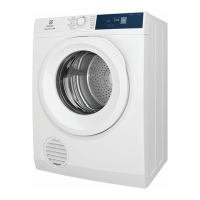



 To Next Page