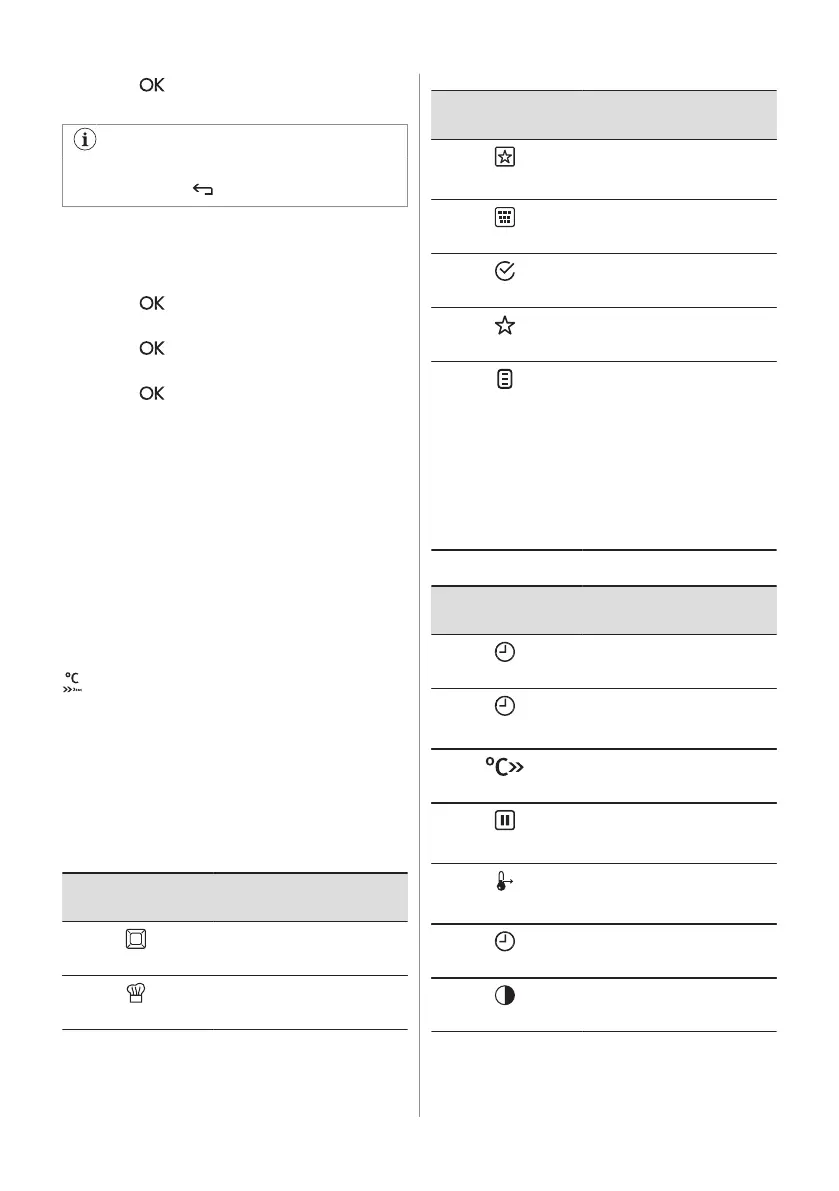
3. Press to move to the submenu or
accept the setting.
At each point you can go back to the
main menu with .
6.2 Setting a heating function
1. Turn on the oven.
2. Select the menu: Heating Functions.
3. Press to confirm.
4. Select a heating function.
5. Press
to confirm.
6. Set the temperature.
7. Press to confirm.
6.3 Heat-up indicator
When you turn on a heating function, the bar
shows that the temperature increases. When
temperature is reached the signal sounds 3
times, the bar flashes and disappears.
6.4 Using: Fast Heat Up Indicator
Use this function before you put the food in
the oven.
This function reduces the heat-up time. It is
not available for some oven functions.
- press and hold.
6.5 Residual heat
When you turn off the oven, the display
shows the residual heat. You can use the
heat to keep the food warm.
6.6 The menus in overview
Main menu
Symbol / Menu
item
Application
Heating Functions
Contains a list of heating
functions.
Recipes
Contains a list of automatic
programmes.
Symbol / Menu
item
Application
Favourite Programme
Contains a list of favourite
cooking programmes created
by the user.
Catalysis
Catalytic cleaning.
Basic Settings
Used to set the appliance
configuration.
Specials
Contains a list of additional
heating functions.
Assisted Cooking
Contains recommended oven
settings for a wide choice of
dishes. Select a dish and
start the cooking process.
The temperature and time
are only guidelines for a bet‐
ter result and can be adjus‐
ted. They depend on the rec‐
ipes and the quality and
quantity of the used ingredi‐
ents.
Submenu for: Basic Settings
Symbol / Menu
item
Description
Set Time of Day
Sets the current time on the
clock.
Time Indication
When ON, the display shows
the current time when you
deactivate the appliance.
Fast Heat Up
When ON, the function de‐
creases the heat-up time.
Set + Go
To set a function and activate
it later with a press of any
symbol on the control panel.
Heat + Hold
Keeps the prepared food
warm for 30 minutes after a
cooking cycle finished.
Time Extension
Activates and deactivates the
time extension function.
Display Contrast
Adjusts the display contrast
by degrees.
10 ENGLISH



 To Next Page