operating the appliance electrolux 19
Selecting a cooking zone
The heat setting indicator of the se-
lected cooking zone goes out, as
long as the timer time can be set.
If the pilot light is flashing more
slowly, the heat setting indicator ap-
pears again and the heat setting can
be re-set or modified.
If other timer functions are set, after
a few seconds the shortest remain-
ing time of all the timer functions is
displayed and the corresponding pi-
lot light flashes.
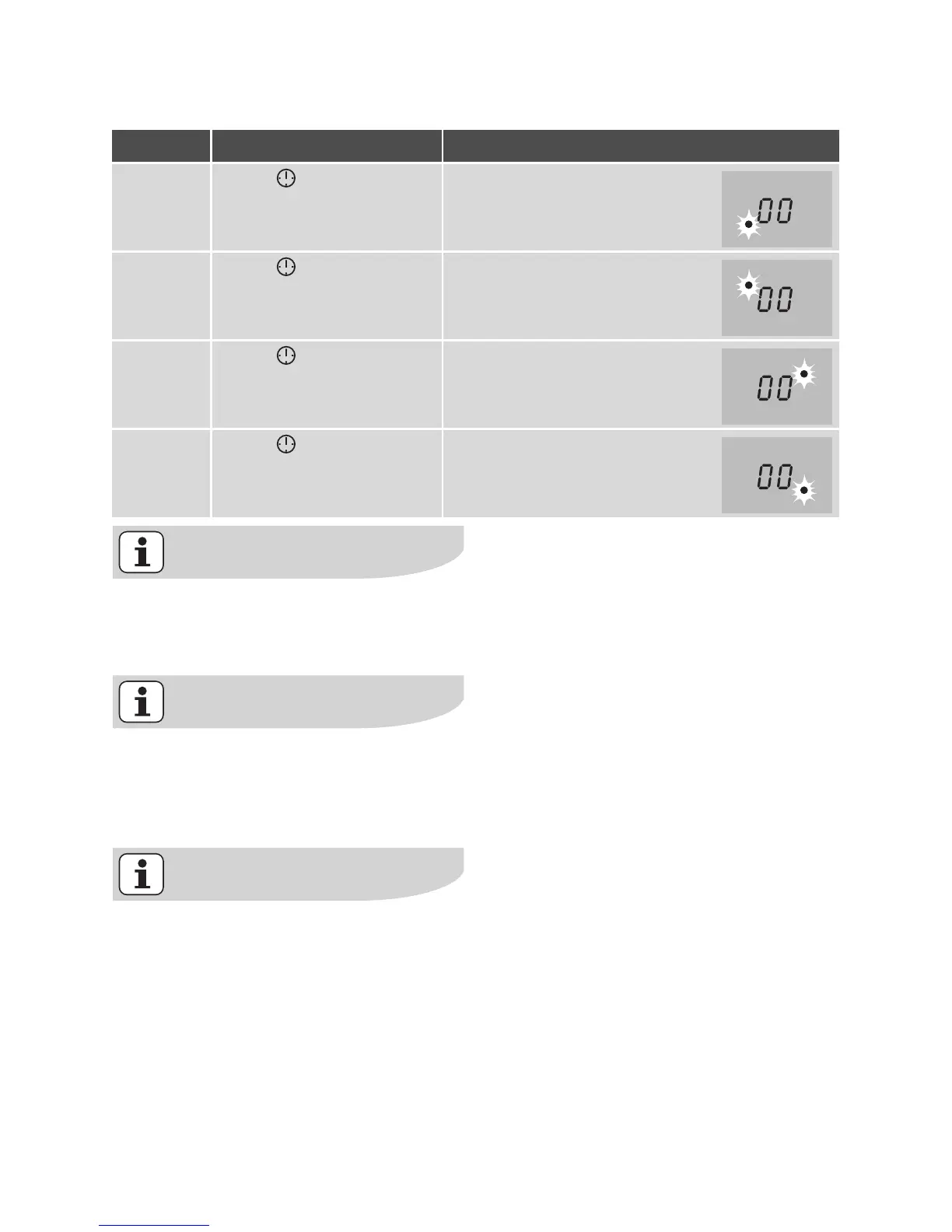
Step Control panel Display
1. Touch once Pilot light of the first cooking
zone flashes
2. Touch once Pilot light of the second cook-
ing zone flashes
3. Touch once Pilot light of the third cooking
zone flashes
4. Touch once Pilot light of the fourth cooking
zone flashes




 To Next Page