10 electrolux operating the appliance
Operating the appliance
Use the induction cooking zones
with suitable cookware.
Switching the appliance on and off
After switching on, within approx.
10 seconds a heat setting or a func-
tion must be set, otherwise the ap-
pliance automatically switches
itself off.
Setting the heat setting
The keep warm setting lies be-
tween and . It is used to keep
food warm.
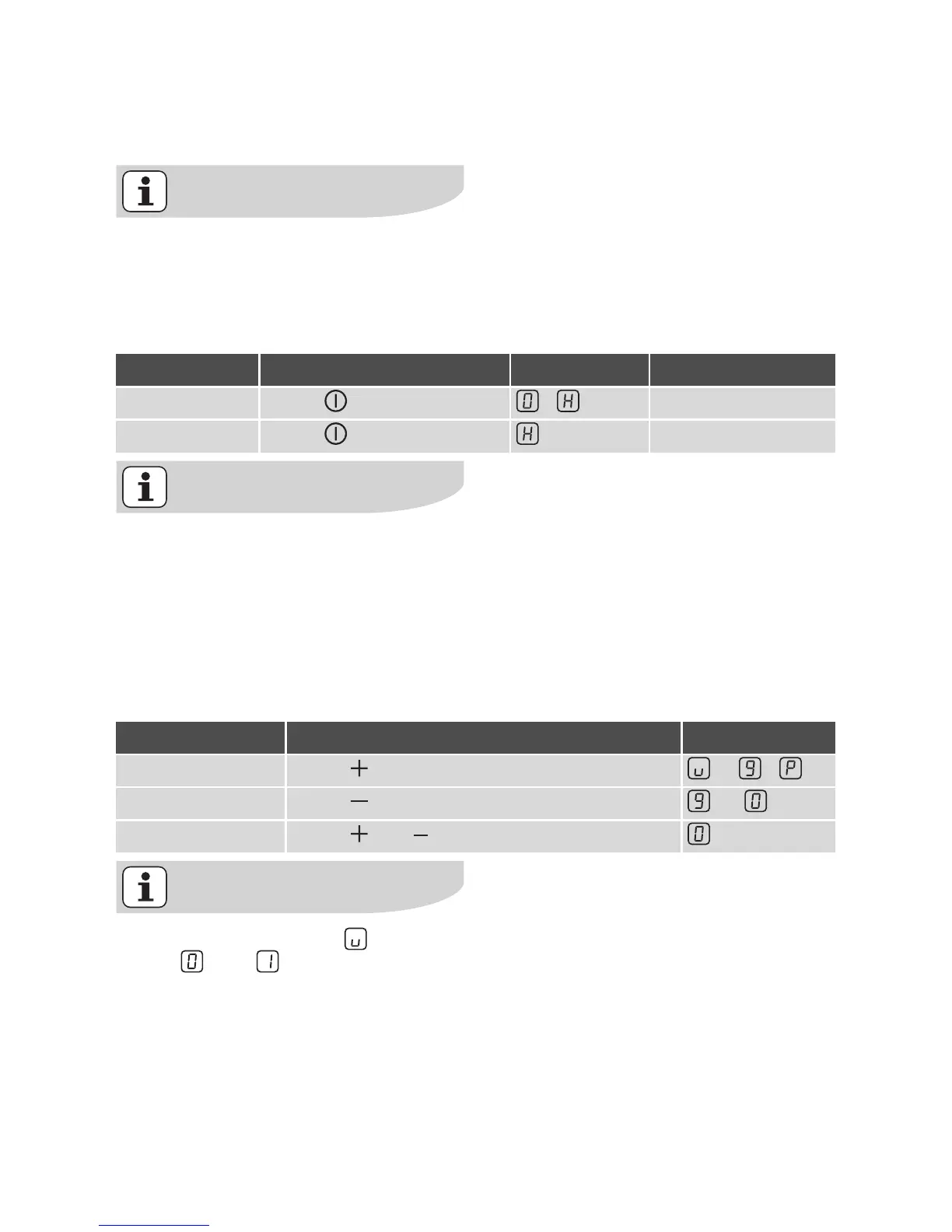
Control panel Display Pilot light
Switch on Touch for 2 seconds / lights up
Switch off Touch for 1 second / none goes out
Control panel Display
Increase Touch to /
Decrease Touch to
Switch off Touch and at the same time





 To Next Page