Controls
WaveoTouch TM (select modeJs)
Your refrigerator is equipped with a Wave=Touch TM
control panel display. It is only necessary to gently
touch the glass. There are three (3) levels of display,
1"t Level: Sleep Mode
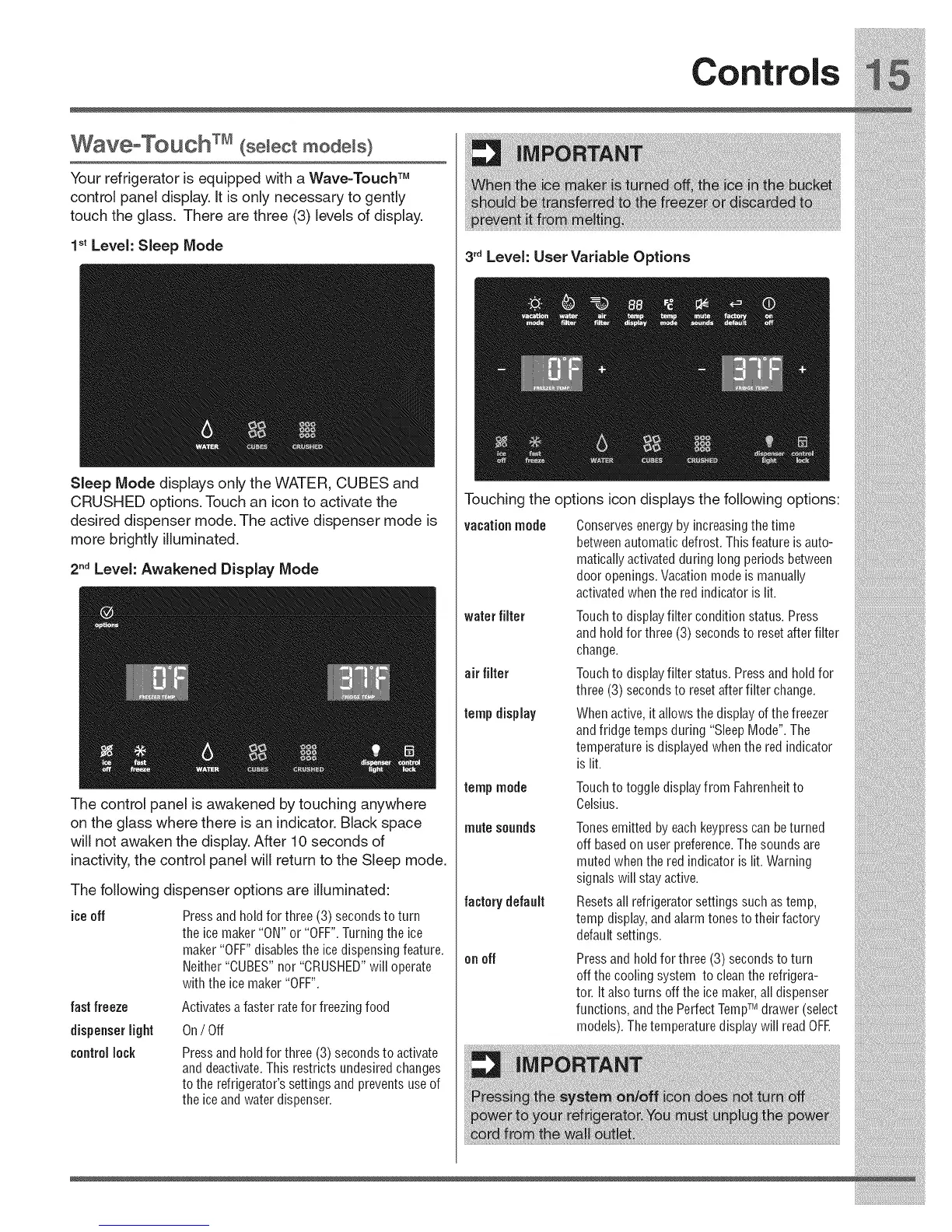
Sleep Mode displays only the WATER, CUBES and
CRUSHED options. Touch an icon to activate the
desired dispenser mode. The active dispenser mode is
more brightly illuminated.
2"d Level: Awakened Display Mode
3'dLevel: User Variable Options
Touching the options icon displays the following options:
vacationmode
Conservesenergyby increasingthe time
betweenautomatic defrost.Thisfeature is auto-
matically activatedduring long periods between
door openings.Vacationmode is manually
activatedwhenthe red indicator is lit.





 To Next Page