AUTO COOKING
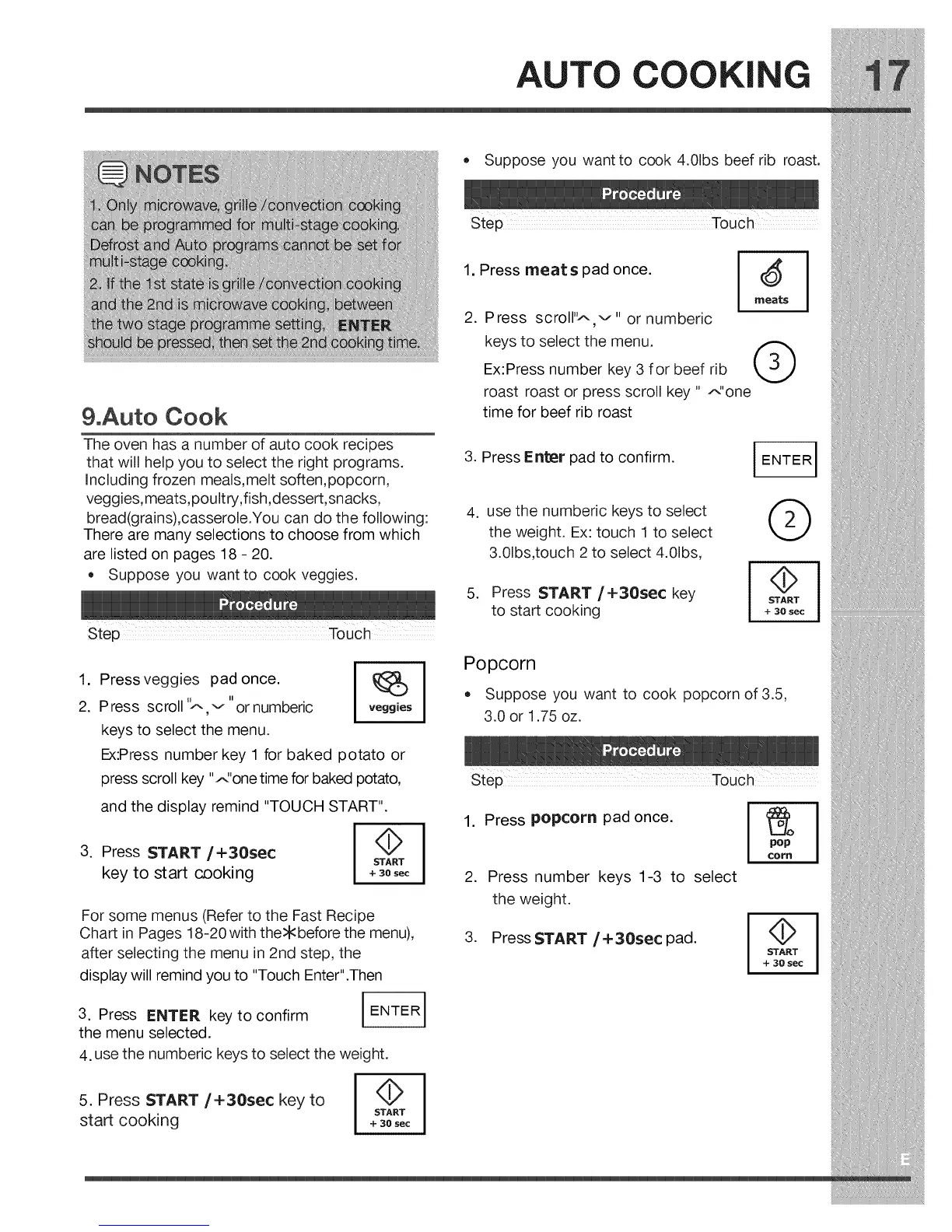
• Suppose you want to cook 4.01bs beef rib roast.
&Auto Cook
The oven has a number of auto cook recipes
that will help you to select the right programs.
Including frozen meals,melt soften,popcorn,
veggies,meats,poultry,fish,dessert,snacks,
bread(grains),casserole.You can do the following:
There are many selections to choose from which
are listed on pages 18 - 20.
Suppose you want to cook veggies.
Step Touch
1. Press meats pad once.
2. Press scroll'_,,,v" or numberic
keys to select the menu.
Ex:Press number key 3 for beef rib
roast roast or press scroll key " _'one
time for beef rib roast
I
3. Press Enter pad to confirm.
I ENTER I
.
.
use the numberic keys to select (,)_
the weight. Ex: touch 1 to select
3.01bs,touch 2 to select 4.01bs,
Press START/+30sec key
to start cooking
I STAR_T
+ 30 sec
I
1. Pressveggies pad once.
2. Press scroll '_ "
v or numberic
keys to select the menu.
.
veggies
Ex:Press number key 1 for baked potato or
press scroll key ".,,_'onetime for baked potato,
and the display remind "TOUCH START".
Press START/+30sec
key to start cooking
4>
START
+ 30 sec
For some menus (Refer to the Fast Recipe
Chart in Pages 18-20with the>kbefore the menu),
after selecting the menu in 2nd step, the
display will remind you to "Touch Enter".Then
3. Press ENTER key to confirm
the menu selected.
I
I ENTER I
4. use the numberic keys to select the weight.
I STAR_T
+ 30 sec
I
5. Press START/+30sec key to
start cooking
Popcorn
Suppose you want to cook popcorn of 3.5,
3.0 or 1.75 oz.
1. Press popcorn pad once.
.
Press number keys 1-3 to select
the weight.
3. PressSTART/+30sec pad.
pop
COP_
START
+ 30 sec




 To Next Page