Clock function Application
Time of day Shows the time. To set, change or check the time.
Minute minder To set a countdown time.
A signal sounds, after the time period is completed.
This function has no effect on the operation of the oven.
Duration To set how long the oven has to be in operation.
End To set the switch-off time for an oven function.
Duration and End can be used at
the same time, if the oven is to be
switched on and off automatically later.
In this case first set Duration
, then
End
.
Cancelling the clock functions
1. Push the Selection button again and
again until necessary function indicator
flashes.
2. Push and hold button " - ".
After some seconds the clock function
goes out.
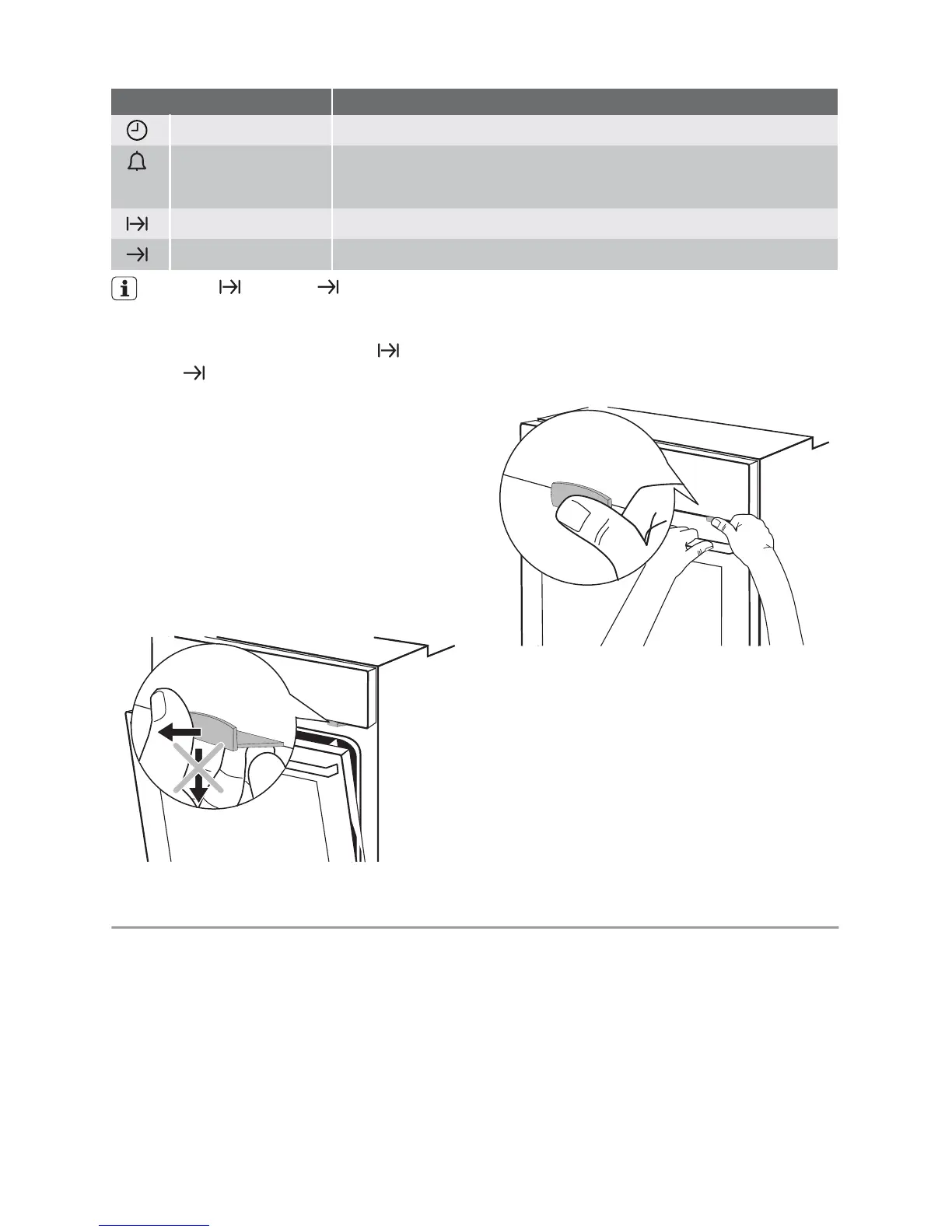
Door lock
The door lock is deactivated when the appli-
ance comes from the factory.
Activating the door lock: Pull the door lock
forward until it locks in place.
Deactivating the door lock: Push the door
lock back into the panel.
Opening the appliance door:
1.
Push and hold the door lock.
2. Open the door.
Do not push the door lock when closing the
appliance door!
Important! Switching off the appliance does
not cancel the mechanical door lock.
Helpful hints and tips
Baking
General instructions
• Your new oven may bake or roast differ-
ently to the appliance you had before.
Adapt your usual settings (temperature,
cooking times) and shelf levels to the val-
ues in the tables.
• With longer baking times, the oven can be
switched off about 10 minutes before the
end of baking time, to use the residual
heat.
When you use frozen food, the trays in
the oven can twist during baking. When
the trays get cold again, the distortion
will be gone.
How to use the Baking Tables
• We recommend to use the lower temper-
ature the first time.
• If you cannot find the settings for a special
recipe, look for the one that is almost the
same.
6 electrolux



 To Next Page