42 electrolux operating the oven
Meatprobe
The oven switches itself off when the
core temperature set by you is reached.
Important!: Only the Meatprobe
supplied may be used. If replacing,
please use only original replace-
ment parts.
Setting Meatprobe core tempera-
ture
1. Switch the appliance on with .
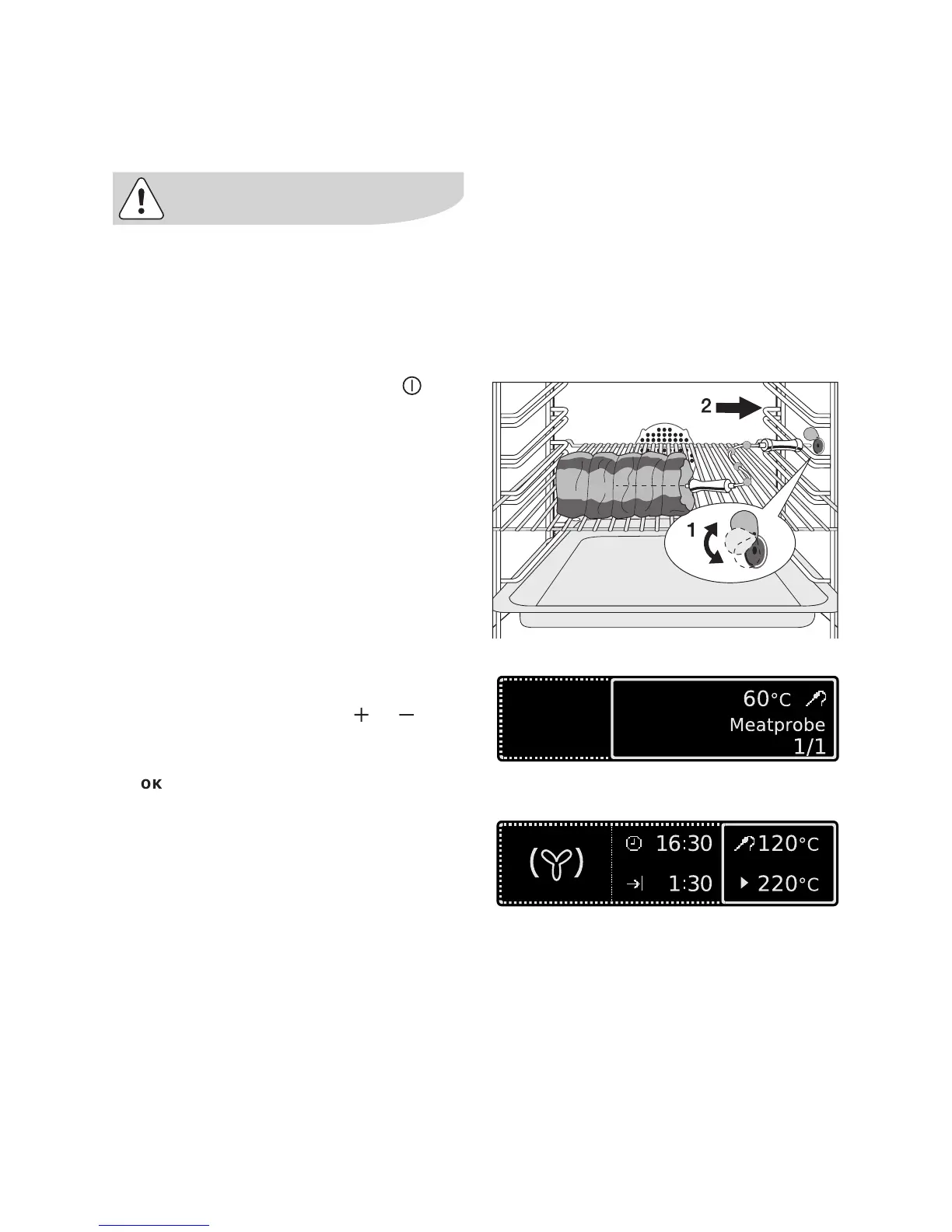
2. Push the tip of the Meatprobe right
into the meat so that the tip is in the
centre of the meat.
3. Insert the plug of the Meatprobe as
far as it will go into the socket on the
side wall of the oven.
The window ”Meatprobe” is displayed.
4. Within 5 seconds using or set
the desired core temperature.
5. Confirm set core temperature with
.
6. Select oven function.
The menu for the oven function is dis-
played.
7. If necessary, set oven temperature.






 To Next Page