operating the oven electrolux 31
The menu Basic Settings
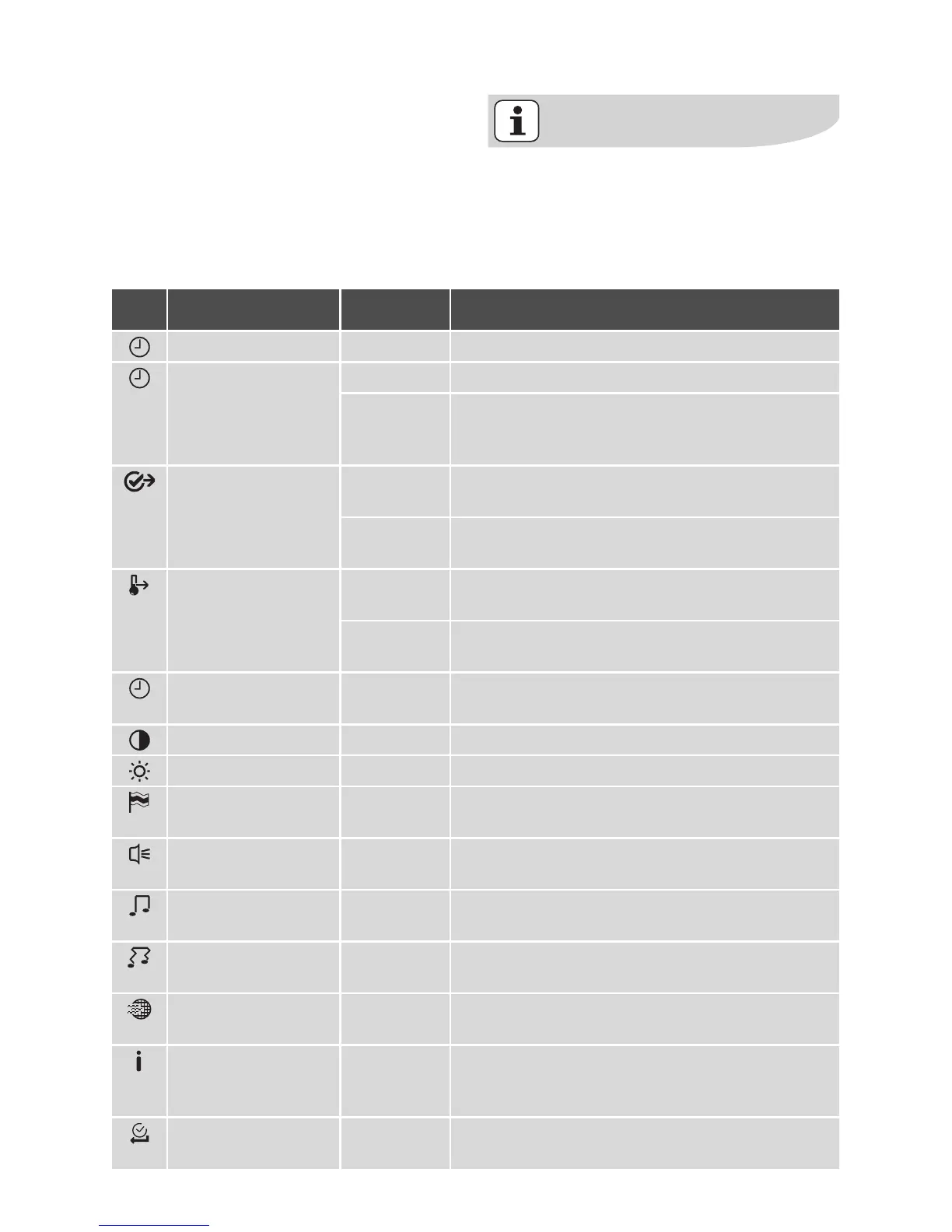
The Basic Settings in overview
You can change certain basic set-
tings regardless of the task the
oven is performing.
The settings can only be changed if
no oven function is selected.
Setting Display Description
Set Time of Day 12:15 Set the current time on the clock.
Time Indication
–
On Time is shown when appliance is switched off.
–
Off
Time is not shown when appliance is switched off,
because display is switched off completely to save
energy.
Set+Go
–
On Set+Go function is shown in the Select Options
window and can be activated.
–
Off Set+Go function is not shown in the Select Op-
tions window.
Heat+Hold
–
On Heat+Hold function is shown in the Select Options
window and can be activated.
–
Off Heat+Hold function is not shown in the Select Op-
tions window.
Time Extension
–
On
–
Off
Switch Time Extension function on/off.
Display Contrast 1 ..... 10 Adjust display contrast by degrees.
Display Brightness 1 ..... 10 Adjust display brightness by degrees.
Set language
–
English
–
....
Select and set language for display.
Buzzer Volume 1 ..... 10 Adjust volume of touch-tones and signals by de-
grees.
Key Tones
–
On
–
Off
Touch-tones confirm each time a key is pressed by
emitting a sound. Switch touch-tones on/off.
Alarm/Error Tones
–
On
–
Off
Alarm tones sound if a step cannot be carried out.
Switch alarm tones on/off.
Smell Filter
–
On
–
Off
Smell Filter on/off.
Service ECAIA207
V03IA003
24
Shows the software version and configuration.
Factory Settings Reset all settings to factory settings (including My
Programmes).






 To Next Page