22 electrolux.com.au
EVEP614 (CONTINUED)
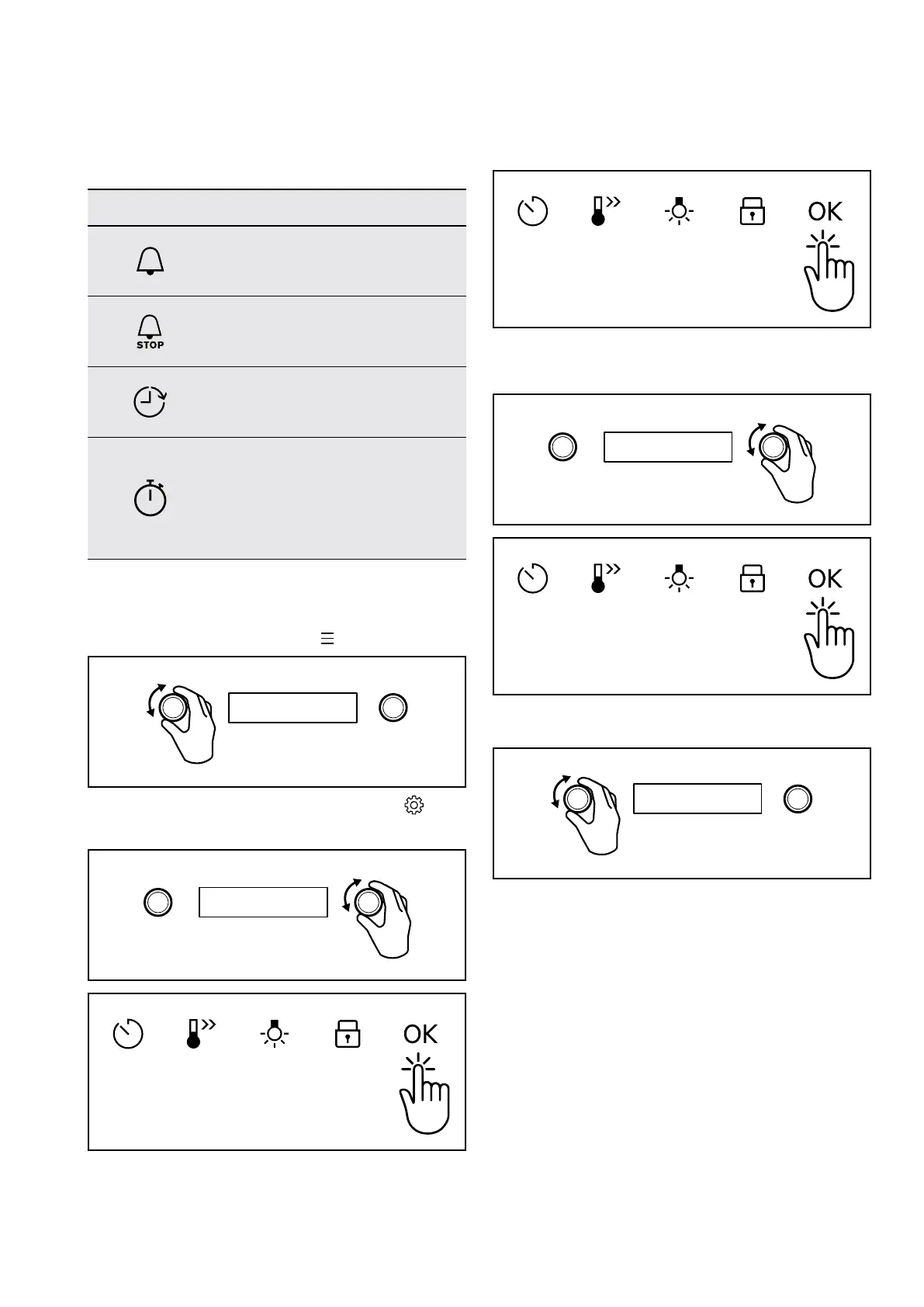
CLOCK FUNCTIONS
Clock function Application
Minute minder. When the timer ends,
the signal sounds.
Cooking time. When the timer ends,
the signal sounds and the heating
function stops.
Time Delay. To postpone the start
and / or end of cooking.
Uptimer. Maximum is 23 hours 59
minutes. This function has no effect
on the operation of the oven. To turn
the Uptimer on and off, select: Menu,
Settings.
How to set: clock functions
How to set: Time of day
1. Turn Function Selector to Menu
.
2. Turn Temperature Selector to select Settings and
Press OK.
3. Press OK again.
4. Rotate Temperature Selector until the current time is
reached. Press OK.
5. Turn Function Selector to Off.
6. After 6 seconds has elapsed, the time is set.




 To Next Page