5.4 Software licences
The software in this product contains components that are based on free and open source soft‐
ware. Electrolux gratefully acknowledges the contributions of the open software and robotics com‐
munities to the development project.
To access the source code of these free and open source software components whose license
conditions require publishing, and to see their full copyright information and applicable license
terms, please visit: http://electrolux.opensoftwarerepository.com (folder NIU5).
6. DAILY USE
WARNING!
Refer to Safety chapters.
6.1 How to set: Heating functions
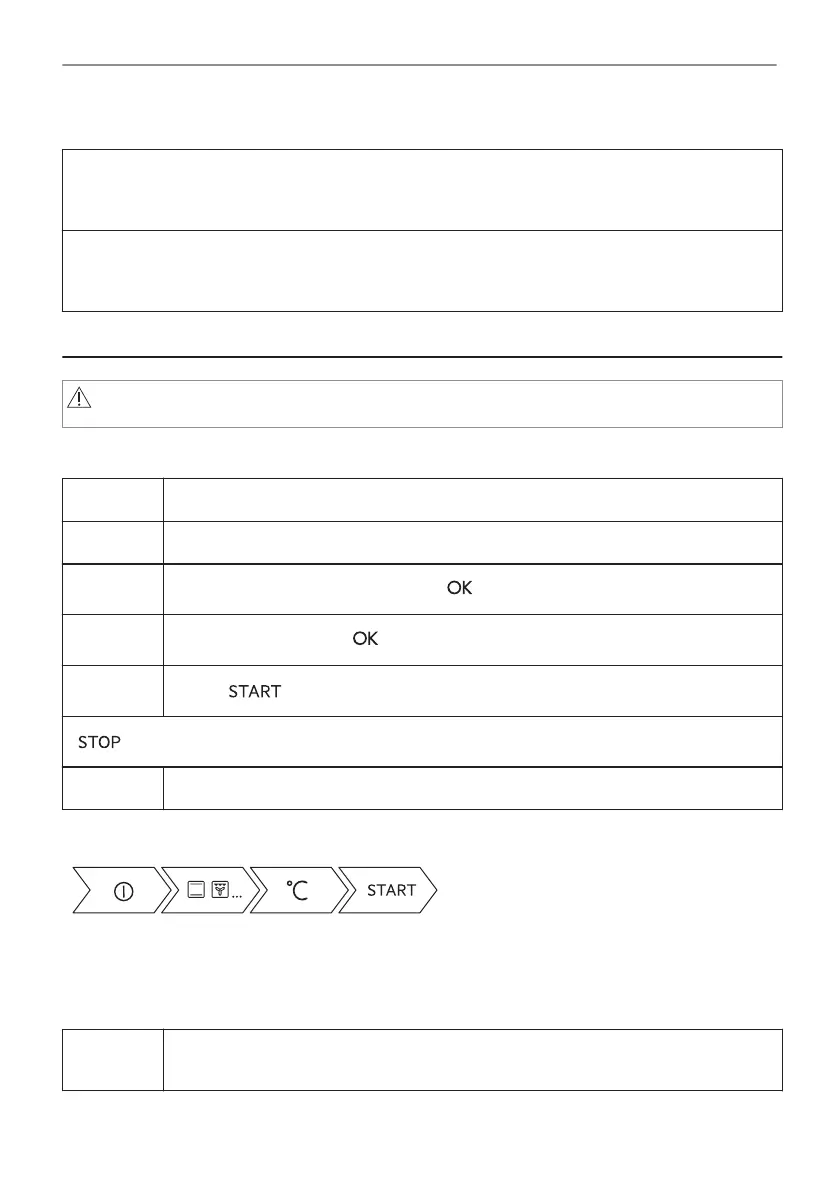
Step 1 Turn on the oven. The display shows the default heating function.
Step 2 Press the symbol of the heating function to enter the submenu.
Step 3
Select the heating function and press: . The display shows: temperature.
Step 4
Set: temperature. Press: .
Step 5
Press: .
- press to turn off the heating function.
Step 6 Turn off the oven.
Take a shortcut!
6.2 How to set: Microwave heating functions
Step 1 Remove all accessories and turn on the oven.
Insert microwave bottom glass plate.
15/40
DAILY USE



 To Next Page