2. Touch the Start/Pause button to
activate the Remote Start before the
indicator stops blinking.
The indicators and appear on the
programme summary screen and the
door is locked. Now it is possible to start
the programme remotely.
When touching the Start/
Pause button after the
indicator stops
blinking, the Remote Start is
not activated, but the set
programme starts.
To remove the Remote Start, tap on the
Remote start
button and confirm by
pressing the Start/Pause button.
The reset position
deactivates the Remote
Start.
9.4 Over-the-air update
The App may propose an update for
downloading new features.
The update is accepted via App only.
If a programme is running, the App
notifies that the update will start at the
end of the programme.
During the update, the appliance shows
in the display.
The appliance will usable again at the
end of the update, without any
notification about successful update.
If an error occurs, the appliance shows
in the display: just press any
buttons or turn the knob to return to
normal use.
10. DAILY USE
WARNING!
Refer to Safety chapters.
10.1 Activating the appliance
1. Connect the mains plug to the mains
socket.
2. Open the water tap.
3. Press the On/Off button for a few
seconds to activate the appliance.
A short tune sounds.
10.2 Loading the laundry
1. Open the appliance door.
2. Empty the pockets and unfold the
items before you put them in the
appliance.
3. Put the laundry in the drum, one item
at a time.
Do not put too much laundry in the drum.
4. Close the door firmly.
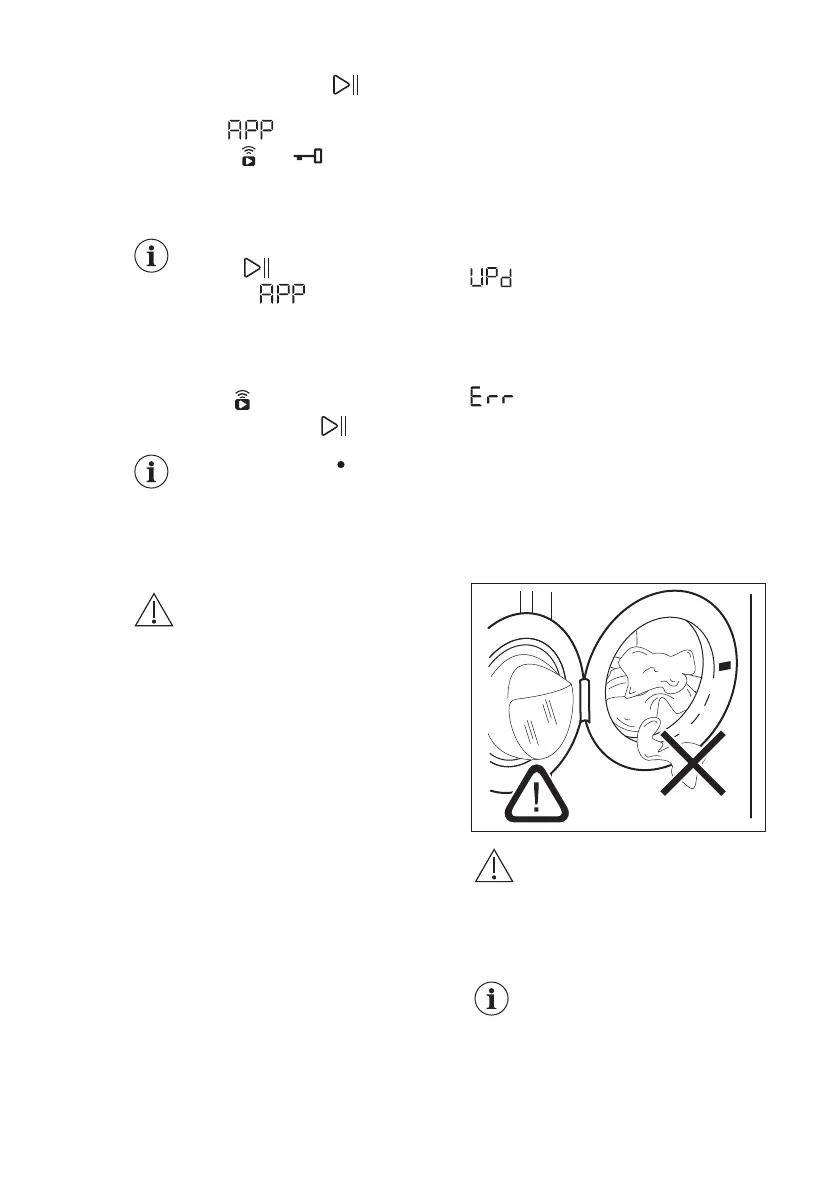
CAUTION!
Make sure that no laundry
gets caught between the
seal and the door to avoid
risk of water leakage and
damage to the laundry.
Washing heavily oiled,
greasy stains could cause
damage to rubber parts of
the washing machine.
ENGLISH 31



 To Next Page