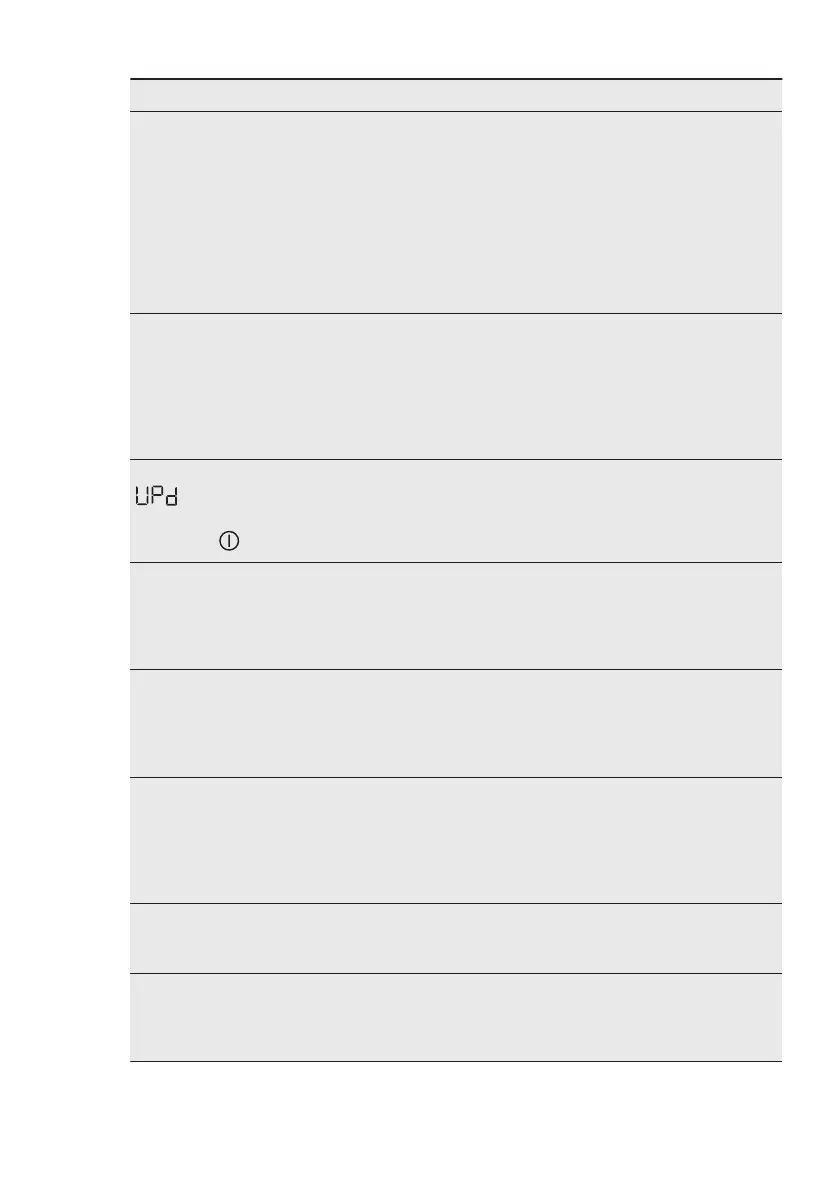
Problem Possible solution
The App cannot con‐
nect to the appliance.
• Check the wireless signal.
• Check if your smart device is connected to the wireless
network.
• Check your home network and router.
• Restart the router.
• Contact your wireless service provider if there are prob‐
lems with the wireless network.
• The appliance, the smart device, or both, need to be con‐
figured again because a new router has been installed or
the router configuration has been changed.
The App cannot fre‐
quently connect to
the appliance.
• Make sure that the wireless signal reaches the appliance.
Try to move the home router as near the appliance as
possible or consider purchasing a wireless range extend‐
er.
• Make sure the wireless signal is not disrupted by micro‐
wave. Turn the microwave off. Avoid using the microwave
and the remote control at the same time.
The display shows
. All buttons are
inactive, except the
the On/Off .
• The appliance is downloading any available updates. Wait
until the update process is complete. If you deactivate the
appliance during update, it resumes when you activate the
appliance again.
The appliance makes
an unusual noise and
vibrates.
• Make sure the levelling of the appliance is correct. Refer
to "Installation instruction".
• Make sure that the packaging and/or the transit bolts are
removed. Refer to "Installation instruction".
• Add more laundry in the drum. The load may be too small.
The programme du‐
ration increases or
decreases during
programme execu‐
tion.
• The SensiCare System is able to adjust the programme
duration according to the type and the laundry load size.
Refer to "The SensiCare System load detection" in "Daily
Use" chapter.
The washing results
are not satisfactory.
• Increase the detergent quantity or use a different deter‐
gent.
• Use special products to remove the stubborn stains before
you wash the laundry.
• Make sure that you set the correct temperature.
• Decrease the laundry load.
Too much foam in
the drum during the
washing cycle.
• Reduce the quantity of detergent or the number of tablets
or single-dose detergents.
After the washing cy‐
cle, there are some
detergent residues in
the dispenser drawer.
• Make sure that the flap is in the correct position (UP for
powder detergent - DOWN for liquid detergent).
• Make sure you have used the detergent dispenser accord‐
ing the indications given in this user manual.
ENGLISH 51



 To Next Page