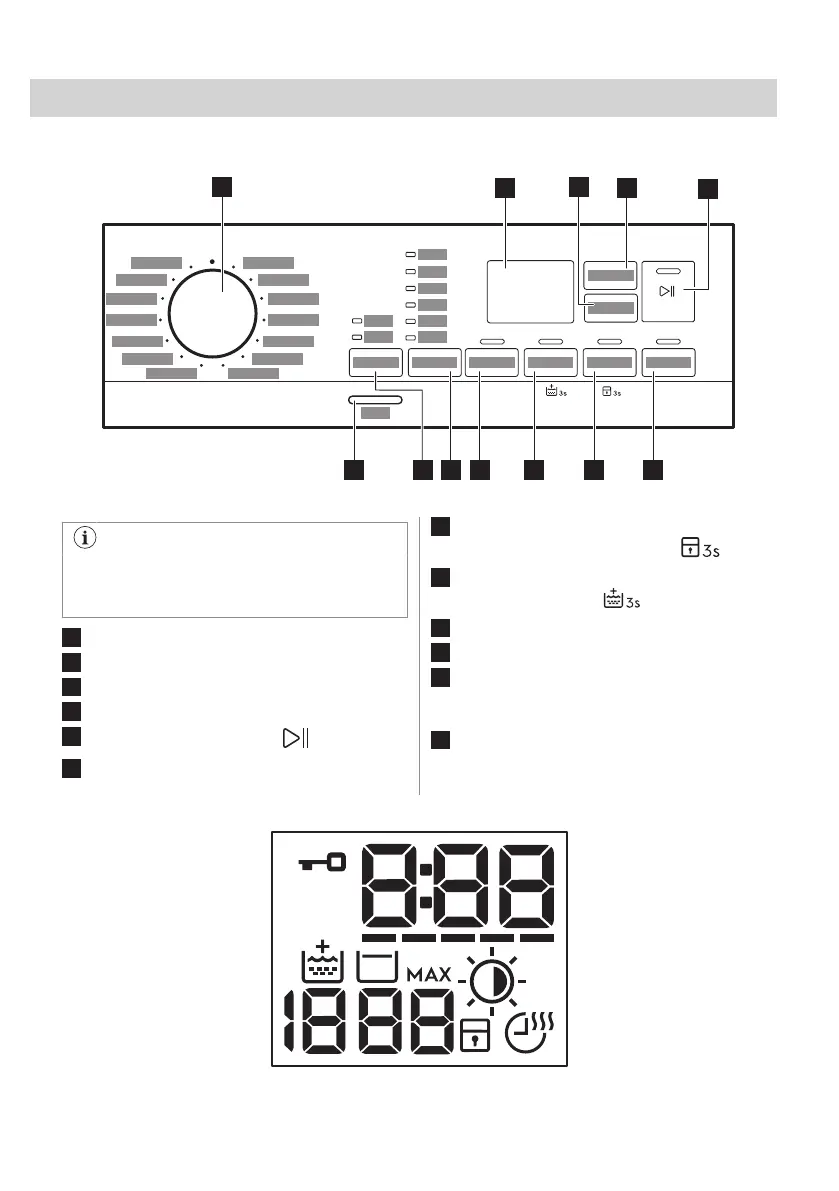
6. CONTROL PANEL
6.1 Control panel description
The permanent options are set by
holding pressed the relative button for at
least 3 seconds.
1
Programme dial
2
Display
3
Time Dry touch button
4
Auto Dry touch button
5
Start/Pause touch button
6
Delay Start touch button
7
Time Manager touch button and
permanent Child Lock option
8
Prewash touch button and permanent
Extra Rinse option
9
Spin touch button
10
Temperature touch button
11
Mode touch button:
• Mode - Wash
• Mode - Dry
12
On/Off push button
6.2 Display
20 ENGLISH



 To Next Page