26
www.electrolux.com
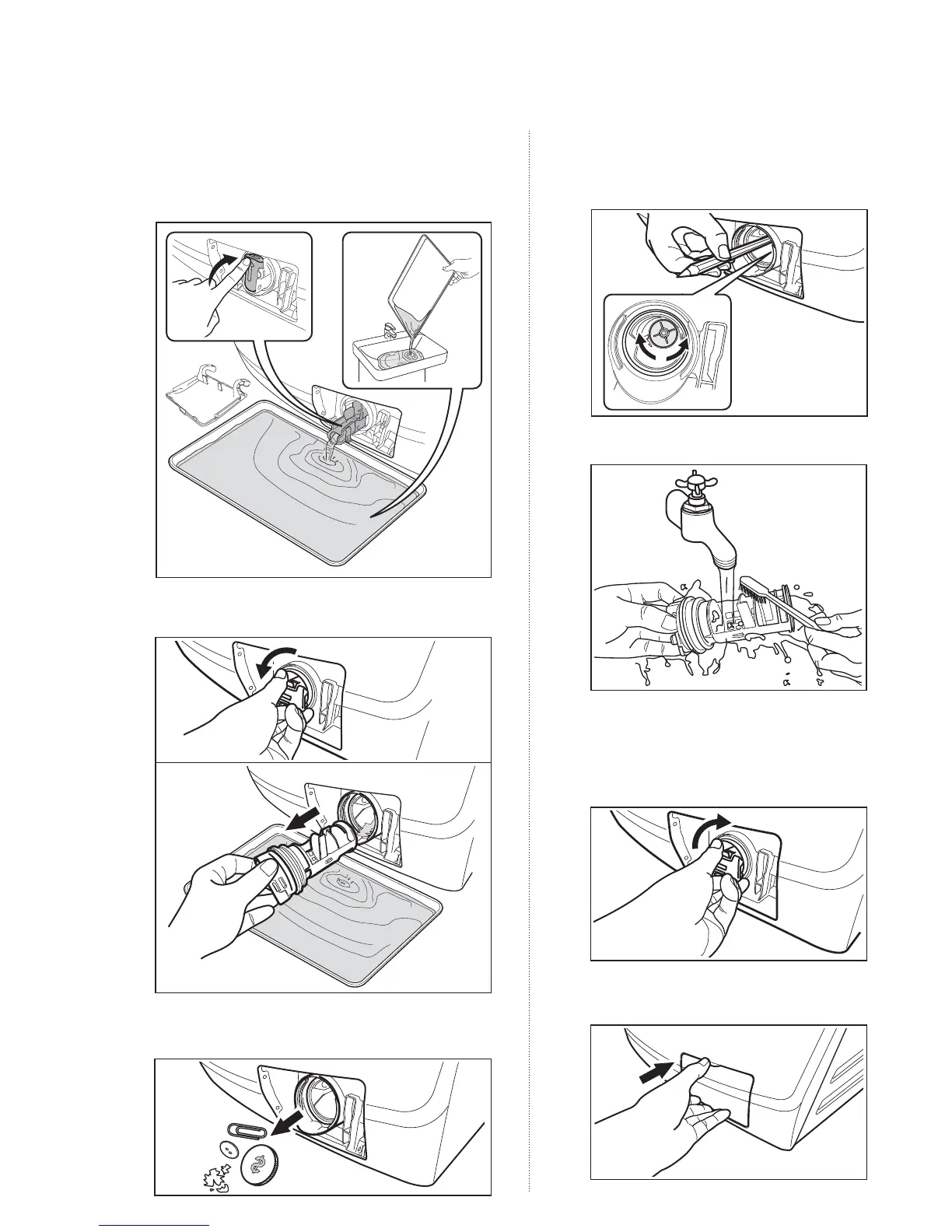
6. Remove fluff and objects from the pump
(if there are any).
7.
Make sure that the impeller of the
pump can turn. If this does not
occur, contact the service centre.
8.
Clean the filter under the water tap.
9.
Put the filter back in the pump into
the special guides. Make sure that
you correctly tighten the filter to
prevent leakages.
10.
Put the flap back and close the
drain pump door.
4. When the container is full of water, put the
drainage duct back again and empty the
container. Repeat step 3 until no more
water flows out from the drain pump.
5. Pull back the drainage duct and turn the
filter anti-clockwise to remove it.
1
2



 To Next Page