8 www.electrolux.com
2.2 Product Feature
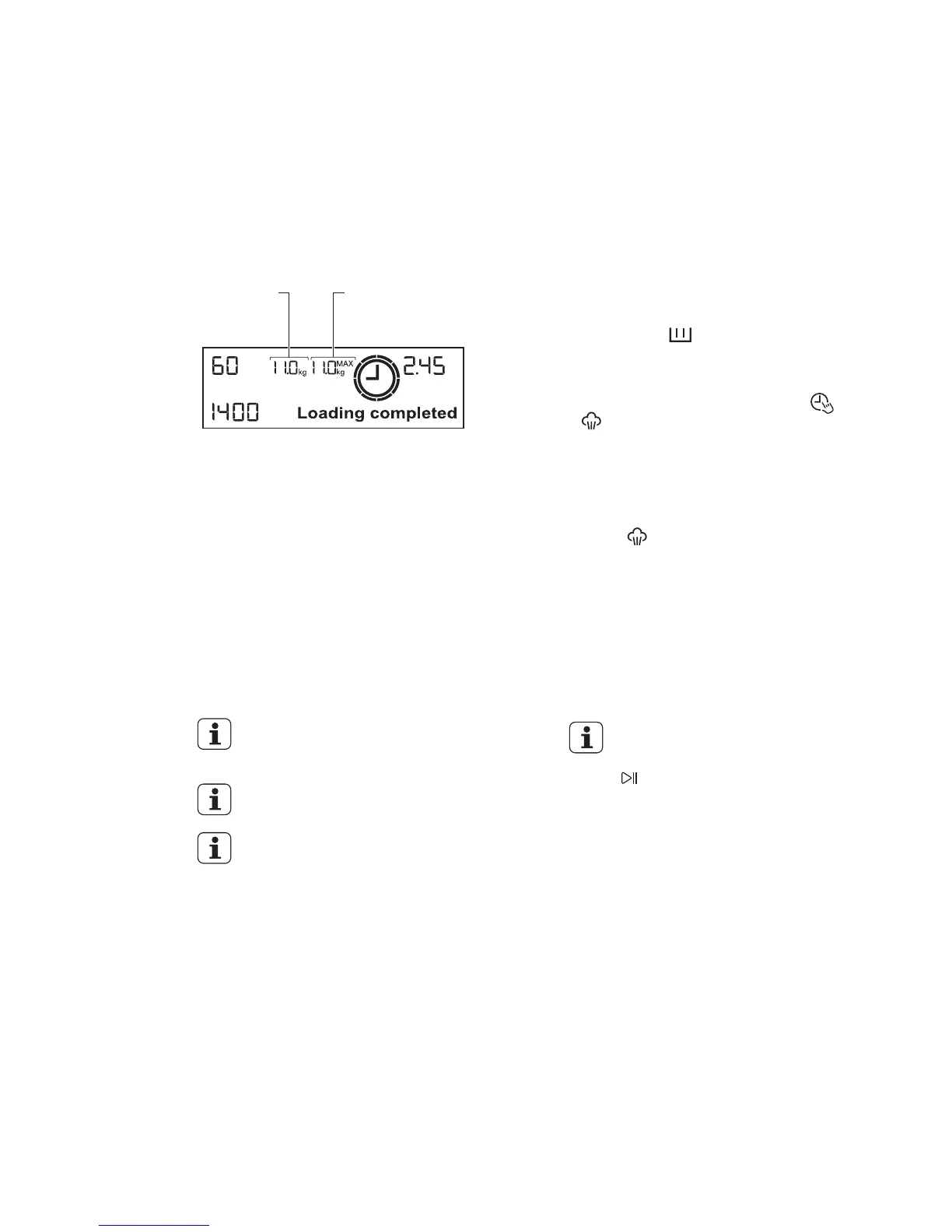
Load Sensor
●
This machine has “Load Sensing
Device” which shows how much load
you put in the machine and maximum
load recommended for selected wash
program.
The display will show “Loading
completed” when max limit is
reached for selected program.
On the display, the weight of the
laundry updates by 0.5 kg steps.
The weight is a general indication
that changes with the type of the
laundry.
The weight shown on display
is an approximate weight only.
For correct operation of the
load sensor, activate the
appliance and set a wash
program BEFORE loading the
laundry in the drum.
The display shows these
indicators when the door is
open.
Maximum load
capacity of
selected program.
Load
Weight
-
-
-
If you exceed the max weight limit
of a program, the max limit number
will flash along with buzzer warning
sound.
-
●
The message “Set dosage
detergent” comes on in the text
bar.
Press “ ” repeatedly to set the
detergent dosage to maximum
manufacturer recommendation on
the packaging which is the 100%
equivalent.
For the maximum detergent
quantity, see the detergent
manufacturer recommendation
on packaging.
You can set 100% equivalent
0 ml to 330 ml.
Press to confirm.
The text bar also gives the indication
about the detergent quantity, when the
door is closed after the laundry load.
By default, the detergent quantity
indication is given as a percentage.
100% is the maximum detergent
quantity (quantity as per the product
manufacturers’ instructions) that you
can put in the “ ” compartment of
the detergent drawer.
Detergent Quantity Indicator
You can set the indication as “ml” to
have more precision, by pressing
and at the same time for
approximately 3 seconds.
-
-
-
-



 To Next Page