17
Operating Instructions
Cycle Selection, continued
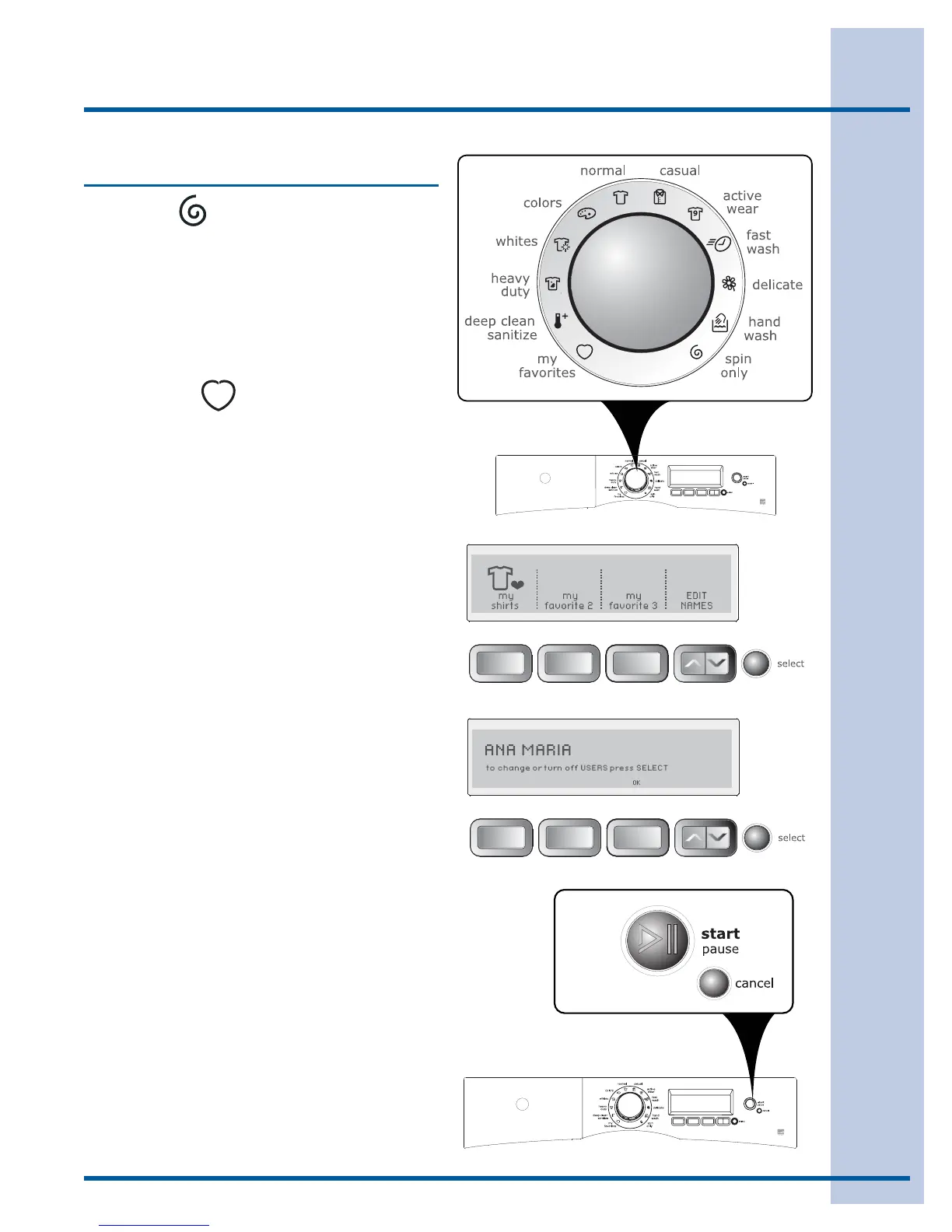
SPIN ONLY
Use the spin only cycle anytime you want to drain
water from the washer and spin out the load or
as a follow-up to the no spin setting. Select the
speed appropriate for the load for 8 minutes of
spin.
To add a cold water rinse prior to the spin, select
the extra rinse option.
MY FAVORITE
To select one of your 3 favorite cycles:
Turn the cycle selector knob to • my favorites.
Press the button corresponding to the favorite •
cycle desired. The custom cycle, settings, and
options you saved will automatically be dis-
played.
Press the • start button to begin the cycle.
For example, to select your my shirts cycle, turn
the cycle selector knob to my favorites. Press the
button corresponding to my shirts, and then press
start.
(See save as favorite in the “Operating User Inter-
face Preferences” section of this guide for instruc-
tions on customizing up to 3 cycles.)




 To Next Page