31
Setting Preferences, continued
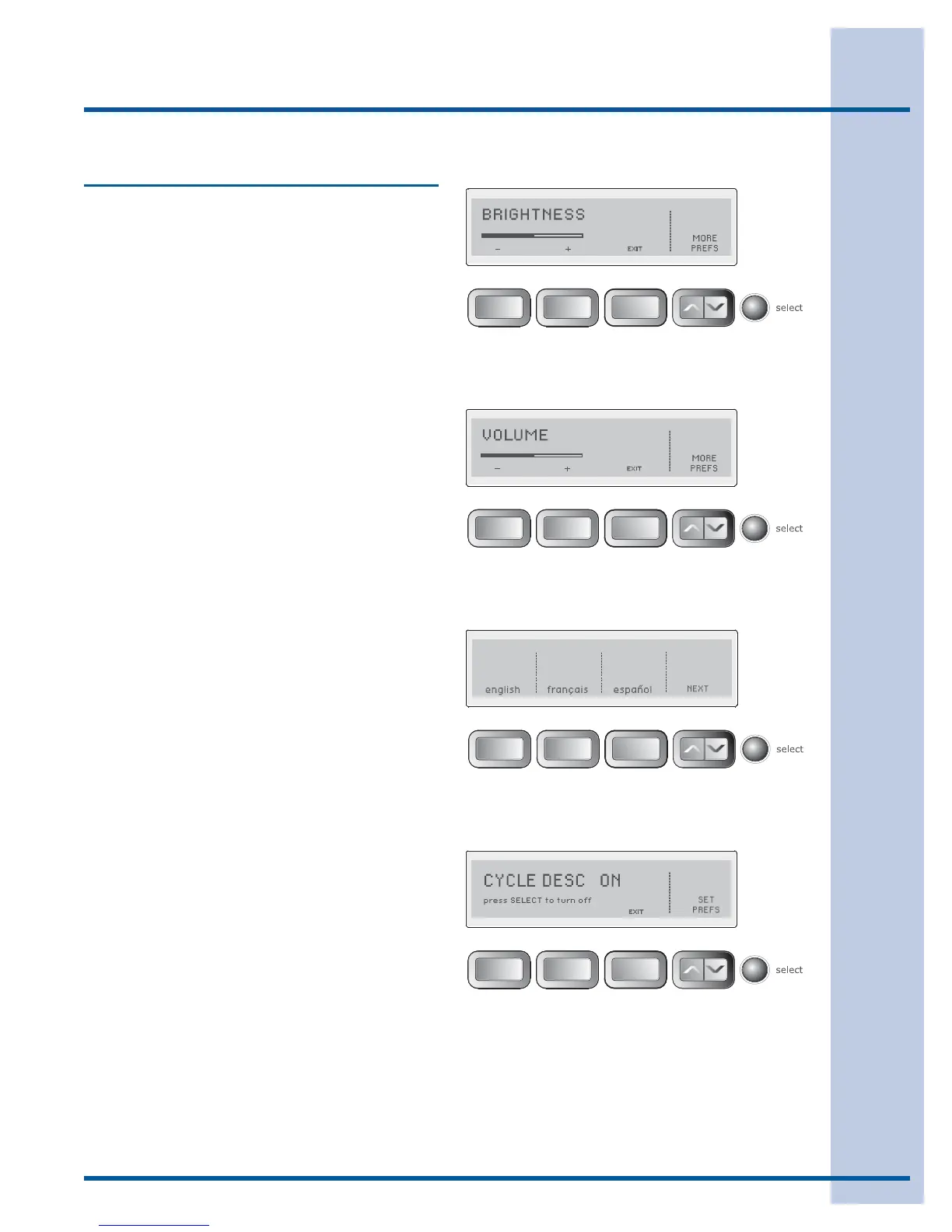
BRIGHTNESS
Press the button beneath the plus (+) or minus (-)
symbols to increase or decrease the brightness of
the display. Press select to accept the change or
press the button under EXIT to return to normal
operation without any changes.
VOLUME
Press the button beneath the plus (+) or minus (-)
symbols to increase or decrease the volume of the
chime. Press select to accept the change or press
the button under EXIT to return to normal opera-
tion without any changes.
LANGUAGE
Select English, French or Spanish for the display
language.
CYCLE DESCRIPTION
The name, an icon and a brief description are dis-
played for each cycle. To delete the display, press
select. To restore the display, press select and
CYCLE DESC ON - press SELECT to turn OFF
will appear in the LCD User Interface.
Operating User Interface Features






 To Next Page