ii control panel [b[YjhebknmWj[hW_ZmWi^_d]cWY^_d[
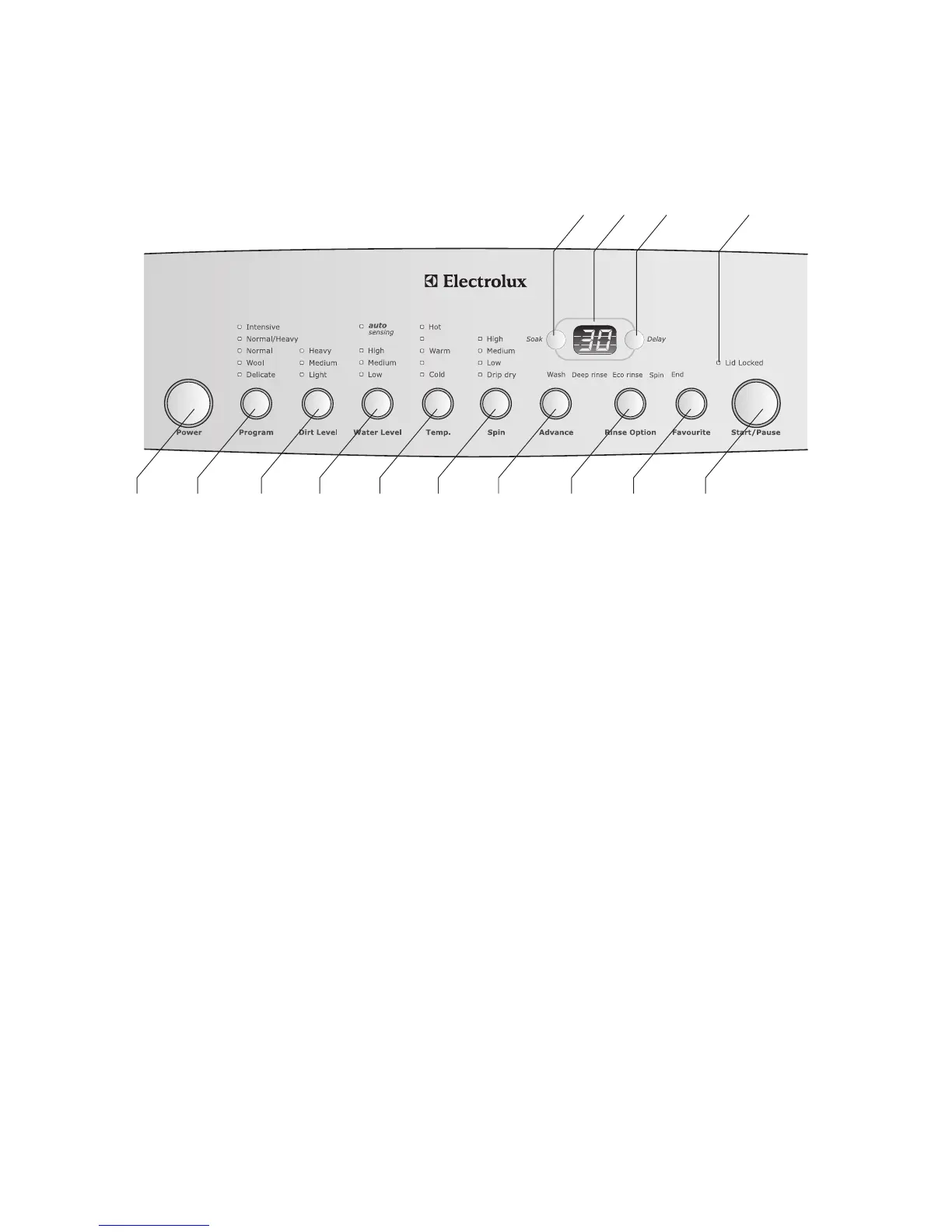
Control panel
'Power button
2 Program button – press to select options
3 Dirt level button – press to select wash time
*Water level button – press to select water level or auto
+Temp. button – press to select wash temperature
6 Spin button – press to select spin speed
7 Advance button – press to advance wash program
.Rinse Option button – press to change rinse type
/Favourite button – allows you to save a wash program
'&Start/Pause button
''Soak button – press to select soak time
'(Digital display
')Delay button – press to delay wash program
'*Lid Locked indicator light
1
2 3 4 5 6 7 8 9 10
11 13 1412




 To Next Page