9
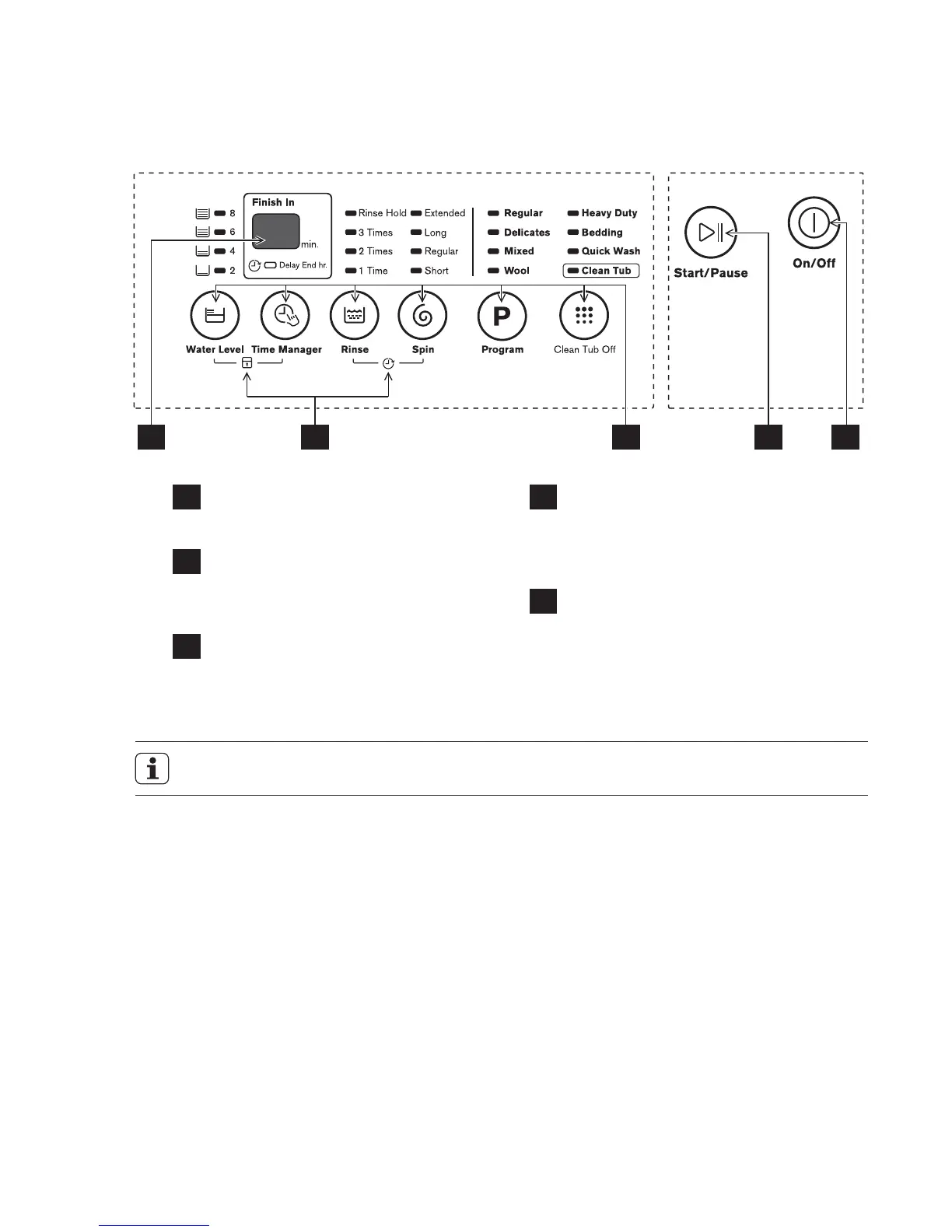
Product is switched On or Off.
Press the button to start or pause
the washing cycle.
Note: The chart is for reference only, please refer to real product as standard.
1
2
CONTROL PANEL3.
On/Off button
This allows you to select an
additional function and will light
when selected.
4
Options
The display shows the settings,
estimated time remaining, options,
and status messages for your
washer. The display will remain on
trough the cycle.
5
Display
Start/Pause button
Available according to the laundry
type.
3
Program buttons
3.1 Control Panel Description
1235 4




 To Next Page