ii control panel [b[YjhebknmWj[hW_ZmWi^_d]cWY^_d[
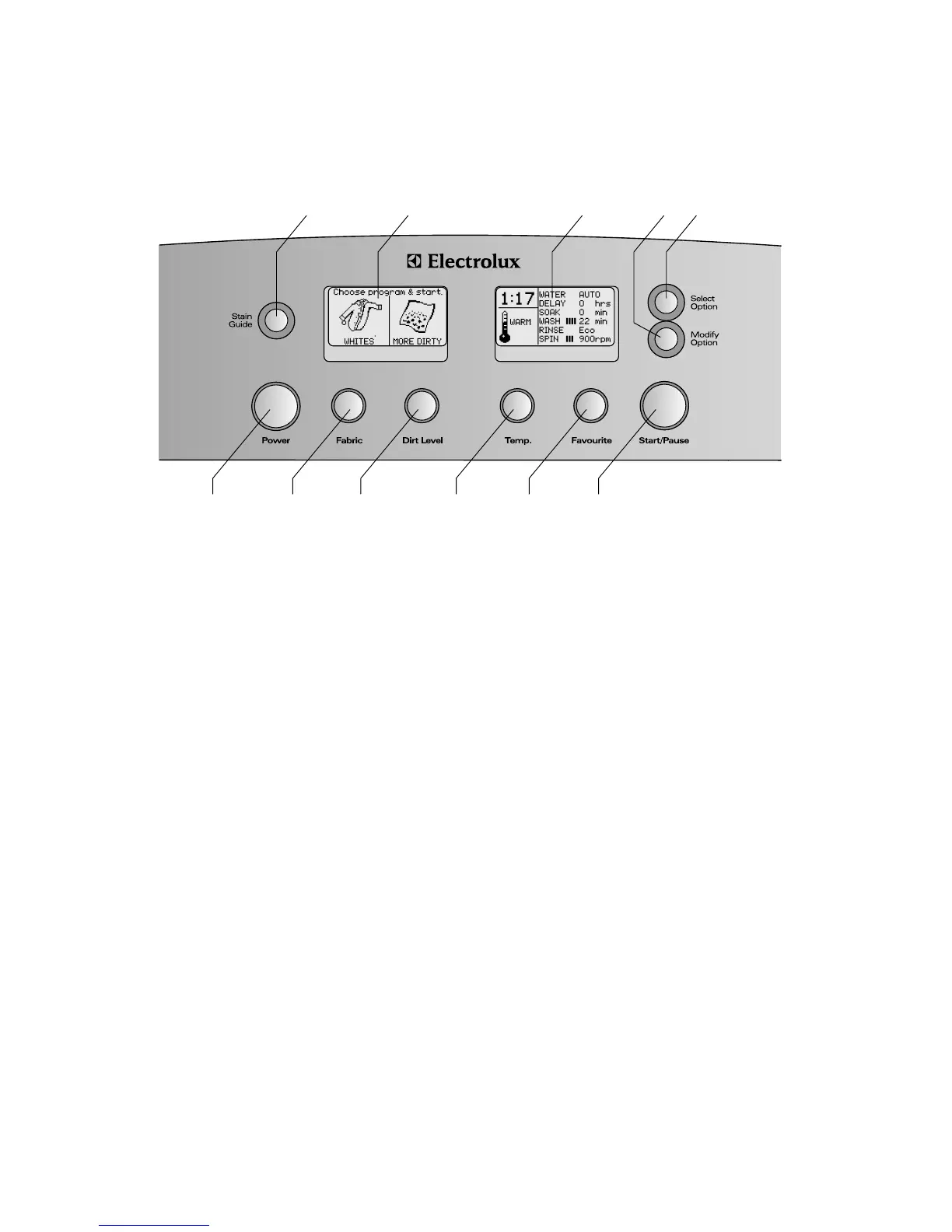
Control panel
'Power button
2 Fabric button – press to select wash program
3 Dirt level button – press to select wash time
*Temp. button – press to select wash temperature
5 Favourite button – select and save a wash program
6 Start/Pause button
-Stain Guide button – press to enter User Help Menu
.Left LCD display screen
/Right LCD display screen
'&Modify Option button
''Select Option button
1
2 3 *5 6
7 8 9 10 11




 To Next Page