5
OPERATING INSTRUCTIONS
Quick Start
To run your dishwasher, follow these basic steps:
• Load Dishwasher. (Refer pages 9 - 11)
• Add Detergent. (Refer page 12)
• Add Rinse Aid. (Refer page 13)
Rinse aid must be added to ensure good drying performance.
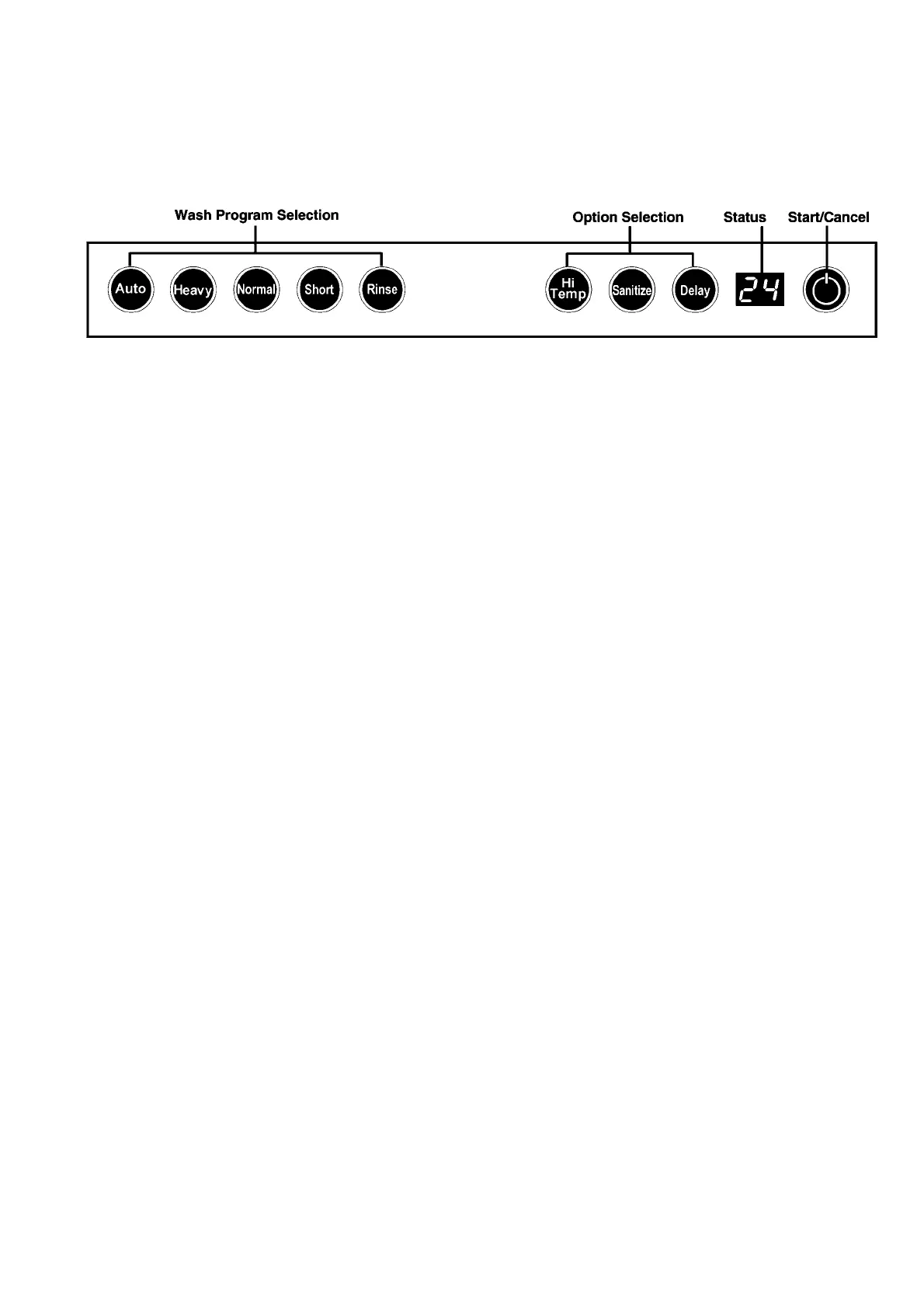
• Select desired Wash Program. The light will glow when selected.
When using detergent tablets, we recommend “Auto”, “Heavy”
or “Normal” with the “Hi-Temp” option (Refer page 6)
• Select desired Heat Option/s. Light will glow when selected (Refer page 7)
(Hi Temp - Better Wash) – (Sanitize - Better dry).
• To start, press START/CANCEL and close door. (Refer page 8)
Status window will display “Cd” reminding you to close the door.
NOTE
• The dishwasher is designed to have the controls hidden under the kitchen bench
top, and the door will have to be opened to operate controls.
• The dishwasher is programmed to remember the last cycle you selected.
To start the dishwasher using the same cycle and options selected on the
previous wash, press the Start/Cancel button.
• Some models have a status indicator in the front of the door:
Blue indicates wash cycle in progress. Green indicates cycle is complete.
Blue flashes when door is opened or unit is paused.
• Graphics & details may differ depending on model & market.


 To Next Page