8
OPERATING INSTRUCTIONS
Operation Selection Guide
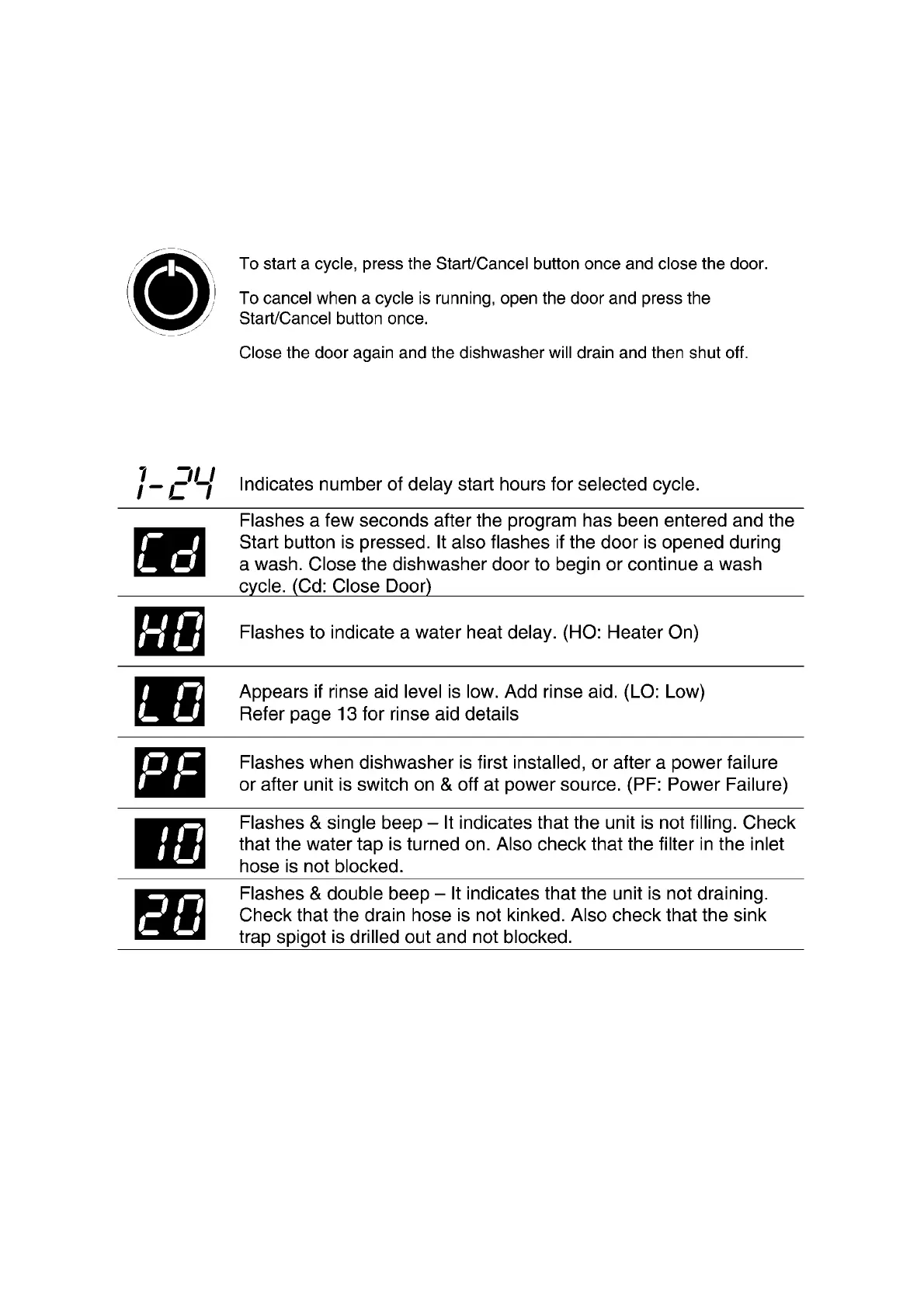
Start / Cancel
Status Window
To pause unit or to add / remove items after wash cycle starts.
• Open door slightly and wait a few seconds until wash action stops before
completely opening.
• Add/remove the item.
• Close door firmly to latch and cycle will automatically resume.
CAUTION
• TO AVOID BURN INJURY: Slightly open door and wait until spray arms and
wash action stop. Hot water may splash out of dishwasher.


 To Next Page