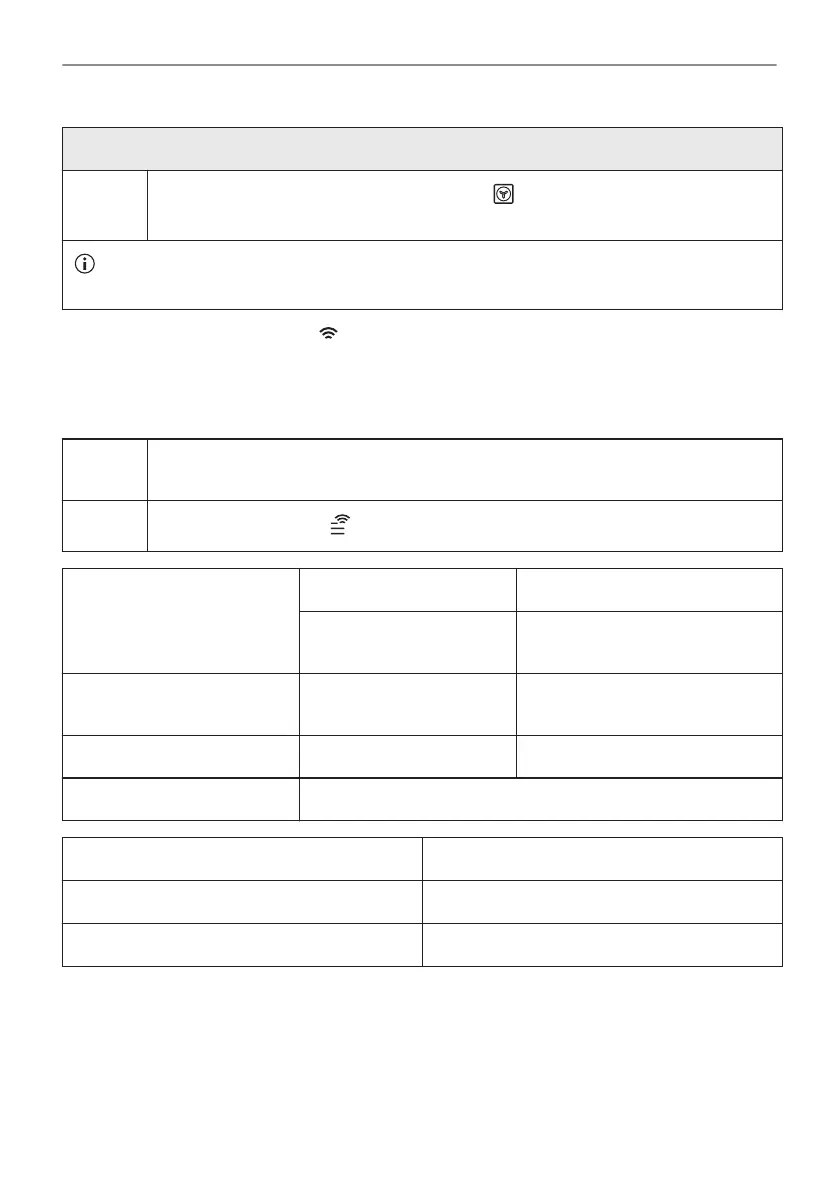
Preheat the empty oven before the first use.
Step 3
Set the maximum temperature for the function: .
Let the oven operate for 15 min.
The oven can emit an odour and smoke during preheating. Make sure that the room is ventila‐
ted.
6.3 Wireless connection
To connect the appliance you need:
• Wireless network with the Internet connection.
• Mobile device connected to your wireless network.
Step 1 Download the mobile app My Electrolux Kitchen and follow the instructions for the
next steps.
Step 2
Turn the knob to select: .
Frequency 2.4 GHz WLAN 5 GHz WLAN
2400 - 2483.5 MHz 5150 - 5350 MHz
5470 - 5725 MHz
Protocol IEEE 802.11b DSSS,
802.11g/n OFDM
IEEE 802.11 a/n OFDM
Max Power EIRP < 20 dBm (100 mW) EIRP < 23 dBm (200 mW)
Wi-Fi module NIU5-50
Frequency Bluetooth 2400 - 2483.5 MHz
Protocol LE: DSSS
Max Power EIRP < 4 dBm (2.5 mW)
Countries covered by the provision of Directive 2014/53/EU: Belgium, Bulgaria, Czech
Republic, Denmark, Germany, Estonia, Ireland, Greece, Spain, France, Croatia, Italy, Cyprus,
Latvia, Lithuania, Luxembourg, Hungary, Malta, Netherlands, Northern Ireland, Austria, Poland,
Portugal, Romania, Slovenia, Slovakia, Finland, Sweden, Norway, Iceland, Liechtenstein,
Switzerland, Turkey.
15/44
BEFORE FIRST USE




 To Next Page