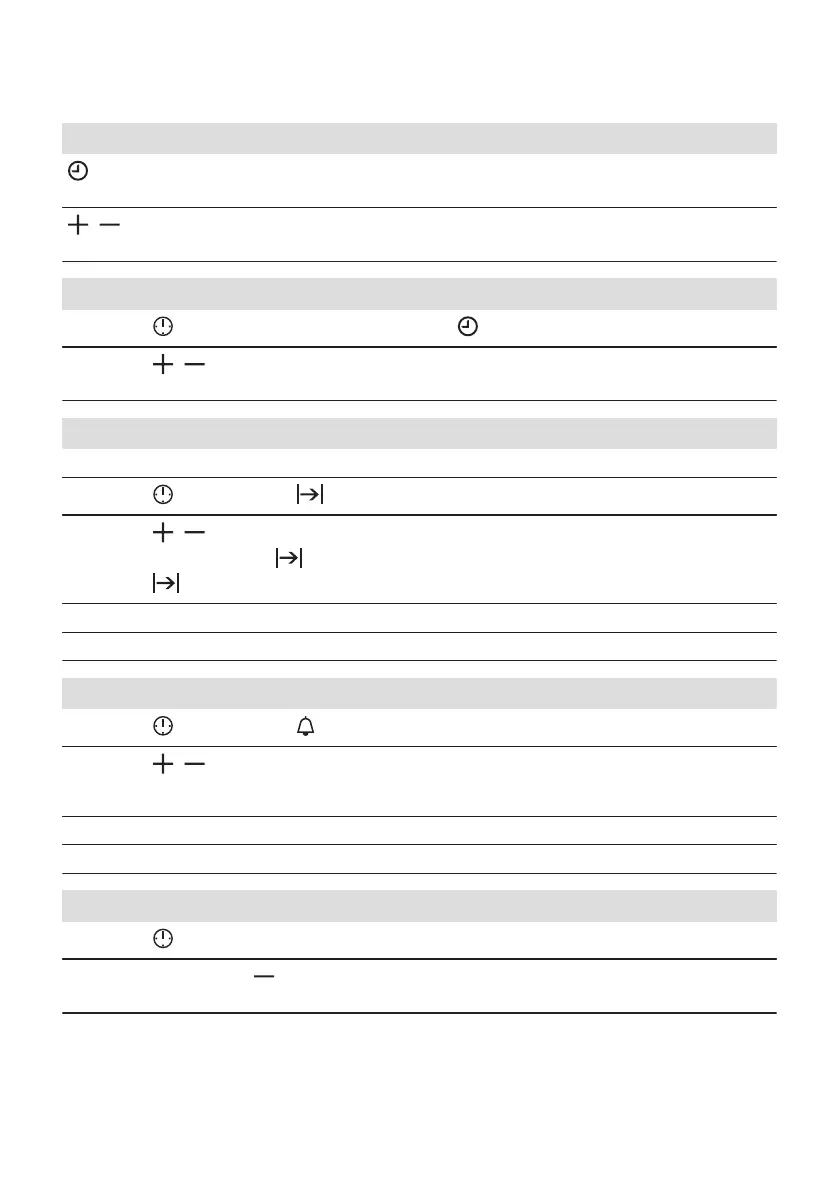
8.2 How to set: Clock functions
How to set: Time of Day
- flashes when you connect the oven to the electrical supply, when there was a power cut or when the timer is
not set.
, - press to set the time.
After approximately 5 sec., the flashing stops and the display shows the time.
How to change: Time of Day
Step 1
- press repeatedly to change the time of day. - starts to flash.
Step 2
, - press to set the time.
After approximately 5 sec., the flashing stops and the display shows the time.
How to set: Duration
Step 1 Set an oven function and the temperature.
Step 2
- press repeatedly. - starts to flash.
Step 3
, - press to set the duration.
The display shows: .
- flashes when the set time ends. The signal sounds and the oven turns off.
Step 4 Press any button to stop the signal.
Step 5 Turn the knobs to the off position.
How to set: Minute Minder
Step 1
- press repeatedly. - starts to flash.
Step 2
, - press to set the time.
The function starts automatically after 5 sec.
When the set time ends, the signal sounds.
Step 3 Press any button to stop the signal.
Step 4 Turn the knobs to the off position.
How to cancel: Clock functions
Step 1
- press repeatedly until the clock function symbol starts to flash.
Step 2
Press and hold: .
The clock function turns off after few seconds.
12 ENGLISH




 To Next Page