12
Handling
3.2Howtostartthemachine
Thismanualcoverdifferenttypesofmachinemodels.Checkthepanelonyourmachineand
followthedescriptionforyourtypeofmachine.
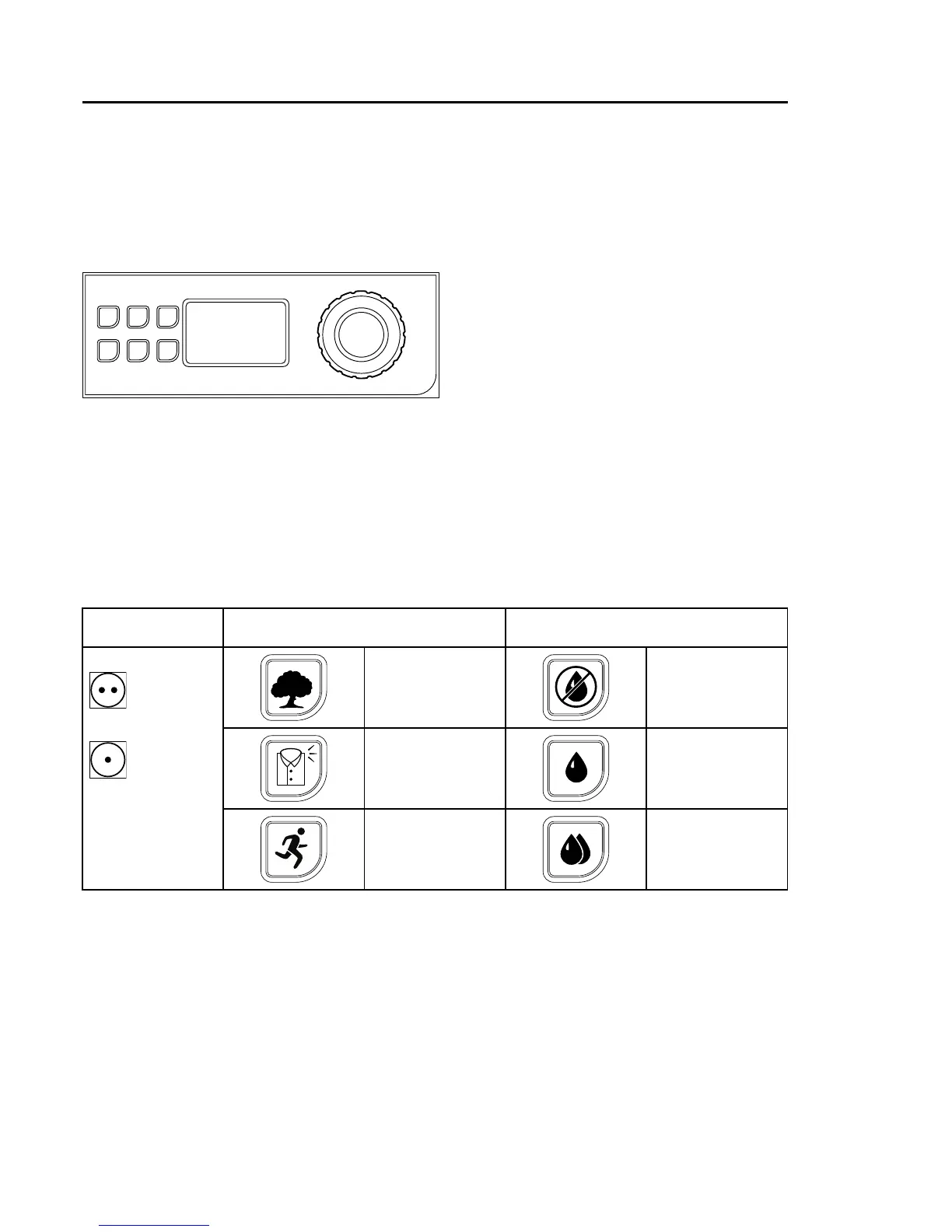
3.2.1Panelwithbuttonsandcontrolknob
Selectprogram:
Automaticprograms
Selectprogrambyturningthecontrolknob.
Forautomaticprogramsitispossibletoselectoneofthedryingtriangleoptionsand/oroneof
thedrynessoptions.
Exampleof
programs
DryingtriangleoptionsDrynessoptions
ECOPROGRAM
EXTRADRY
CAREPROGRAM
DRY
NORMAL
LOW
QUICKPROGRAMIRONDRY
Startthemachinebypressingthecontrolknob.


 To Next Page