21. Controls
Service
manual
487 03 29 41
10
21
487 03 29 41487 03 29 41
1b
1a
2
Programming
Inside of operating box
Programming
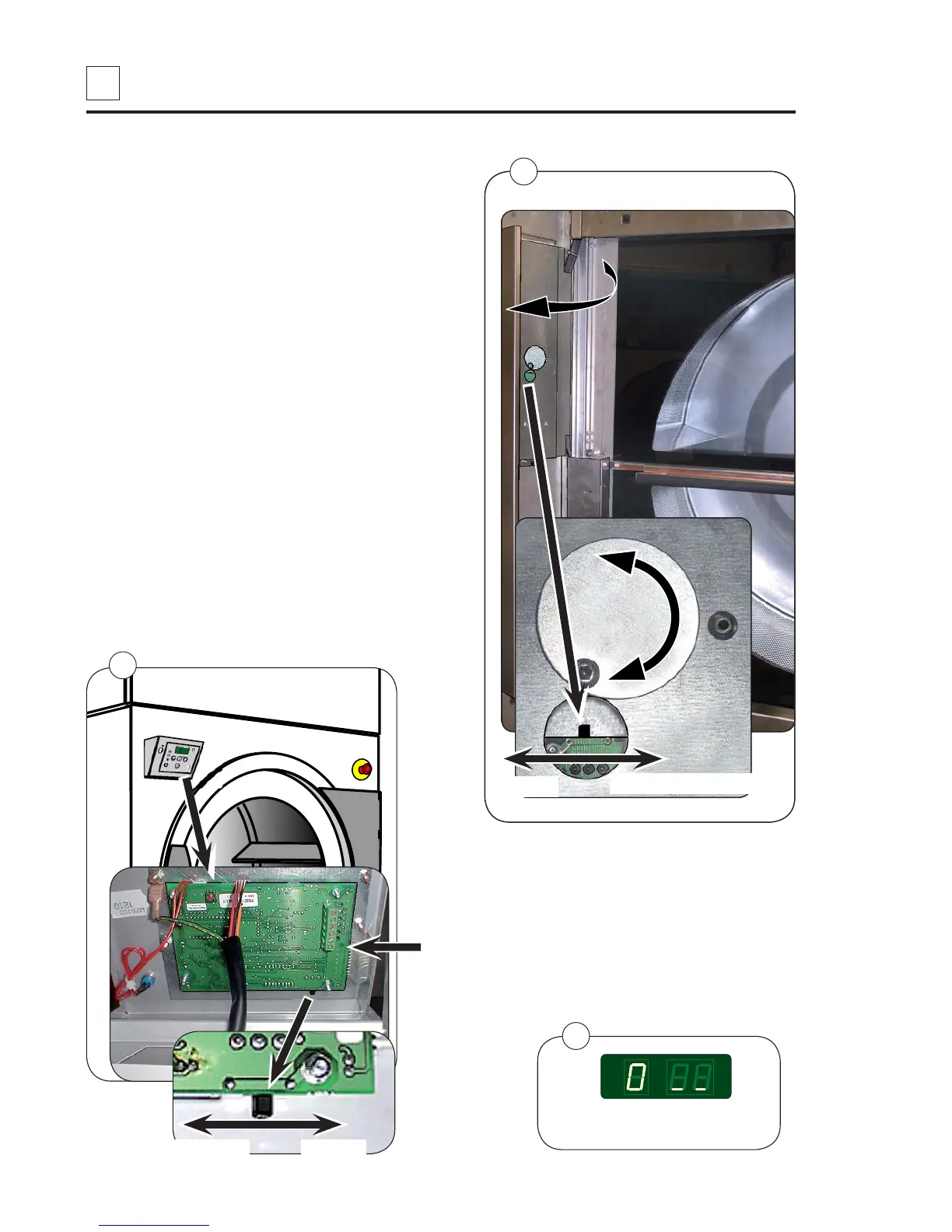
To enter the programming mode on the User
Module:
1. Fig. 1 a Standard Door: Open the operating
box.
Fig. 1 b Sliding Door: Open the operating
panel.
2. Fig. 1 Move the mode switch on the board
into the position indicated by the arrow.
3. Fig. 2 The display shows 0 _ _ and is ready
for programming.
Refer to Selecta Control Service Manual for
programming details.
Note! Remember to move the mode switch
back to normal position after programming.
Function check
Test the dryer, see section 11: Function
check.
Caution! Static-sensitive components!
Do not touch the circuit board.
Programming mode
Sliding Door
Standard Door
Programming mode
Normal
Normal






 To Next Page