23
23. Programme unit
16
438 9149-81/06
04.03
Service
Manual
Changing wash program parameters
It is possible to change parameters in the wash programs and add or
remove program sequences.
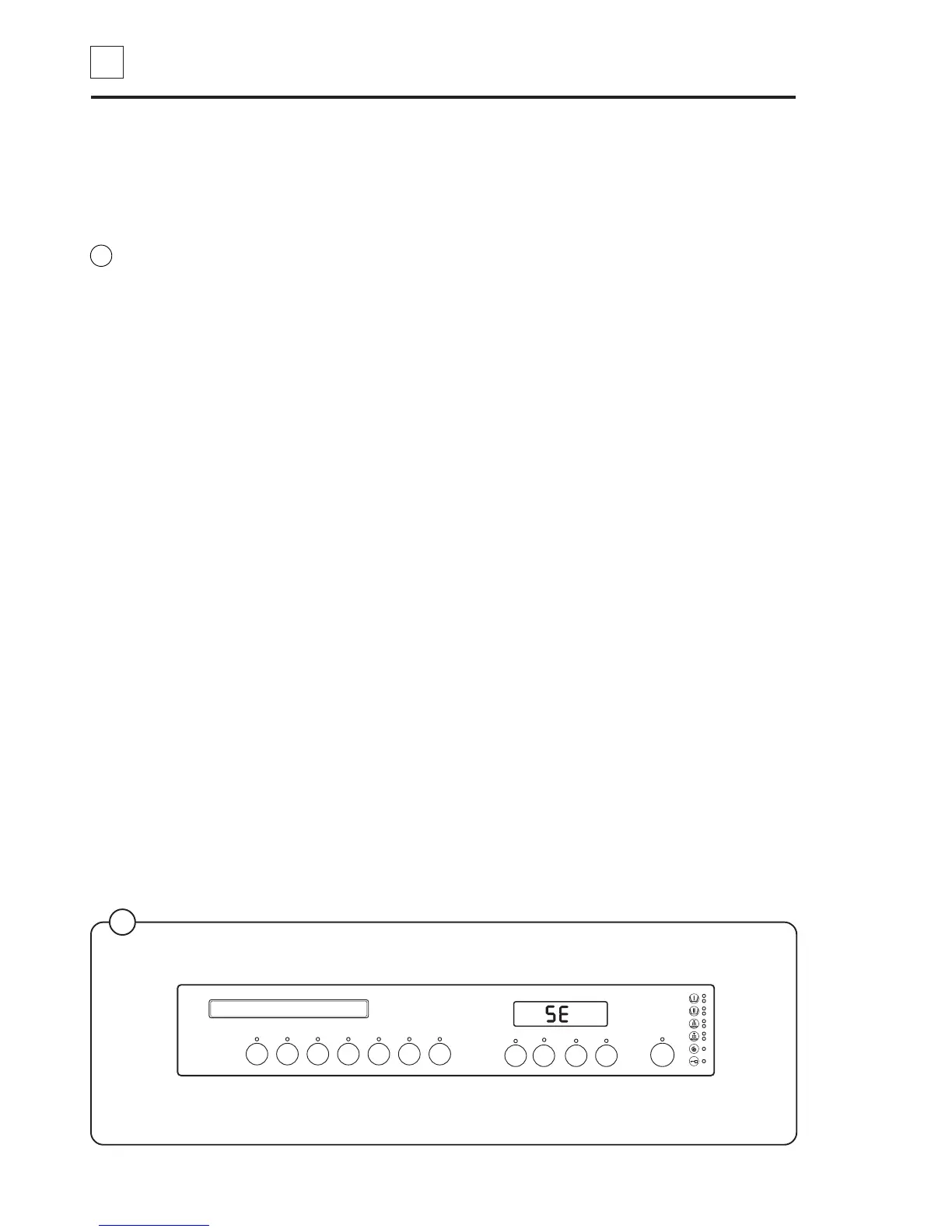
When service button has been pressed, the push button alter to a
numerical fuction. The START-button will work as ON/OFF. The R is a
reset button for resetting a sercive pogram number. When reset button is
pressed the display will show 00 until a service number is given.
Adding or deleting a function, a Yes or No question has to be answered.
For example to delete one rinse, which is service code 86, the display will
show 0:86. To delete one rinse, press ON/OFF button and the display will
show 1:86
(0 = No and 1 = Yes). The selected changes will be stored when a new
service code is entered or when service button is pressed.
Changing a value e.g. wash time, temp, etc.
Press ON/OFF button twice. The display will change from showing service
code to show the actual configuration value.
Decrease the value by pressing button 9 and increase with button 0. Press
ON/OFF button and the value will be stored and the display will return to
show the service code.
If the service button is pressed to leave the service program, when the ON/
OFF button has been pressed twice (value selection mode entered), the
old configuration value will be kept and the present value on the display will
be scrapped.
The ON/OFF button must be pressed once to store the new value before
leaving the service program.
18
3
2
1
7
6
5
4
8
R
9
0
5192 A
Fig.
18



 To Next Page