143
Programme unit
3972
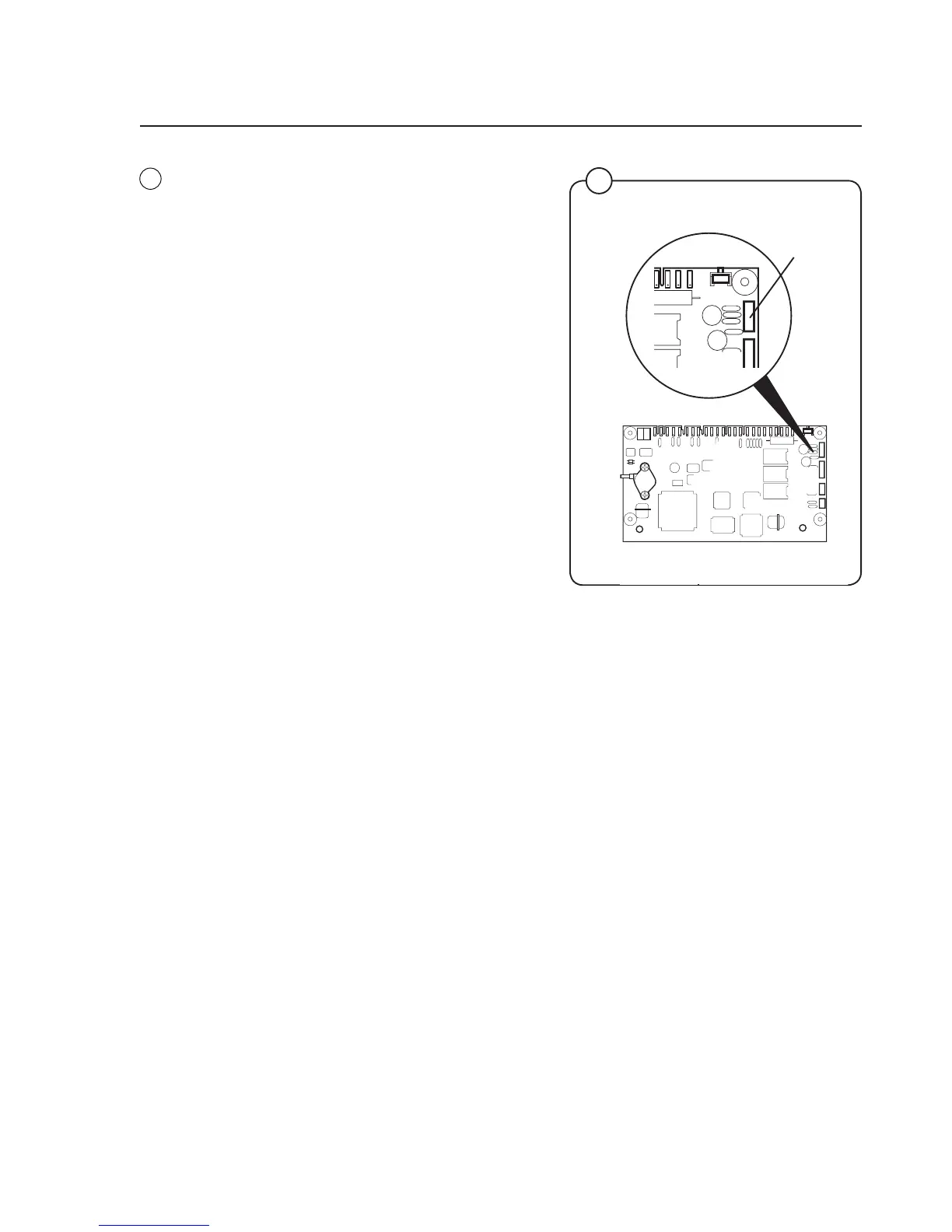
X7
6
6
6. Switch off the machine’s main power switch.
Install the new CPU board and connect all the
PCB connectors. Connect the correct cable
between the computer (COM1 port) and the
interface connector X7 on the CPU board.
Switch the machine’s main power switch
back on.
7. Click OK. The downloading is started. An indi
-
cation that downloading is working OK is that
the two LED's at the lower left corner Red Tx
and Yellow Rx are flashing within one minute.
The computer will now process and adapt
the five files for downloading onto the CPU
board. This will take a minute or so.
8. When downloading is finished, the PC
screen will tell you that the software is OK.
9. Switch off the machine’s main power switch.
Remove the cable linking PC and CPU
board. Switch the machine’s main power
switch back on. The PCU will now start up
with the new software.
CPU circuit board



 To Next Page