76
Programme unit
3
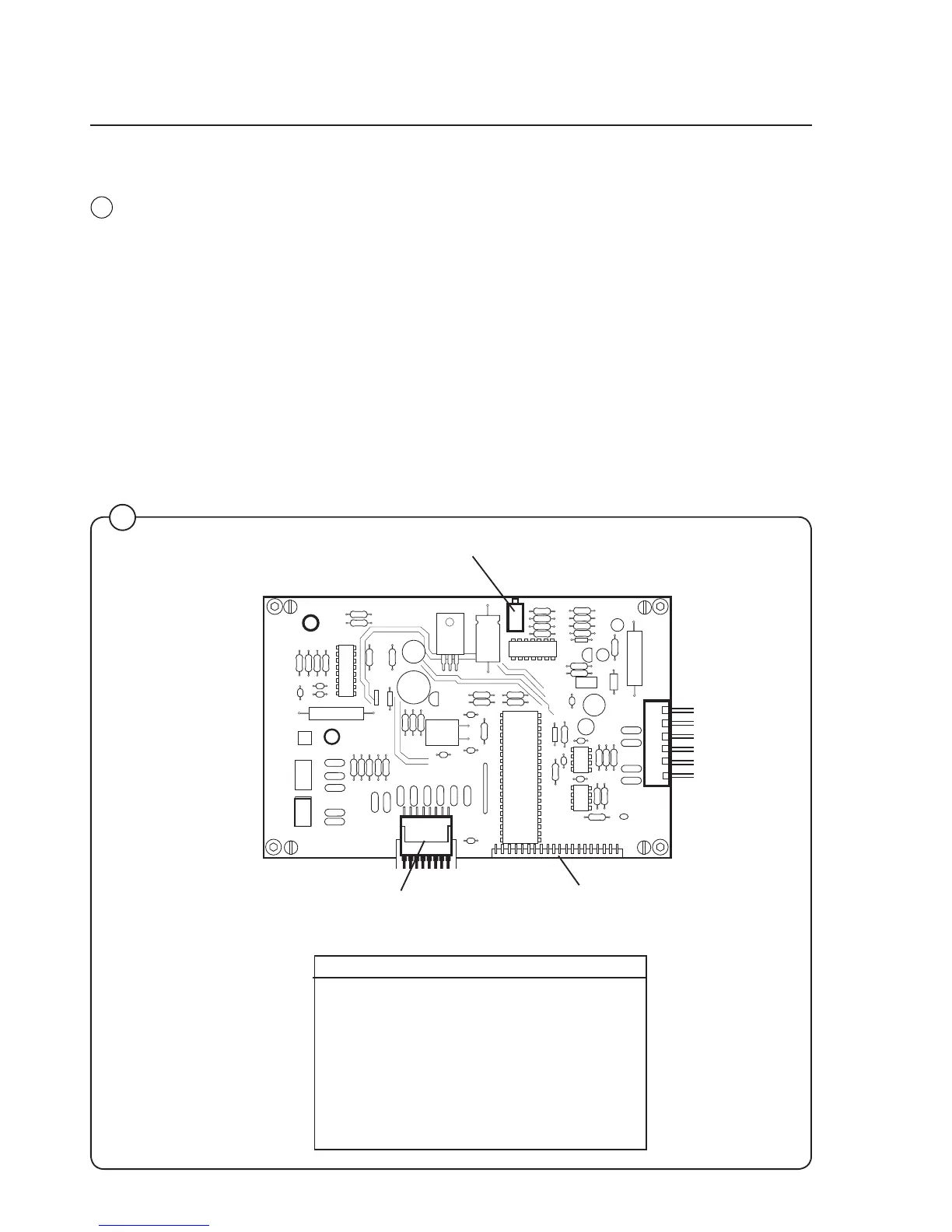
Display card A2
The display card communicates with the CPU card through a serial
interface. The CPU card informs what should be displayed in the
display window and the display card converts these messages to
information that controls the alphanumeric display window.
The display card also detects which buttons are pressed on the con-
trol panel and sends these signals to the CPU card.
Card switch Function
X1 Not used
X2 Communication with card reader
for memory cards
X3 Not used
X4 Not used
X5 Connection from front key board
X6: 1-2 Voltage supply from CPU card
X6: 3-7 Serial communication with CPU card
X3
X2
X1
X6
Flat cable for keypad
Connection block for
display window
Adjusting of display contrast
X5
4233
3







 To Next Page