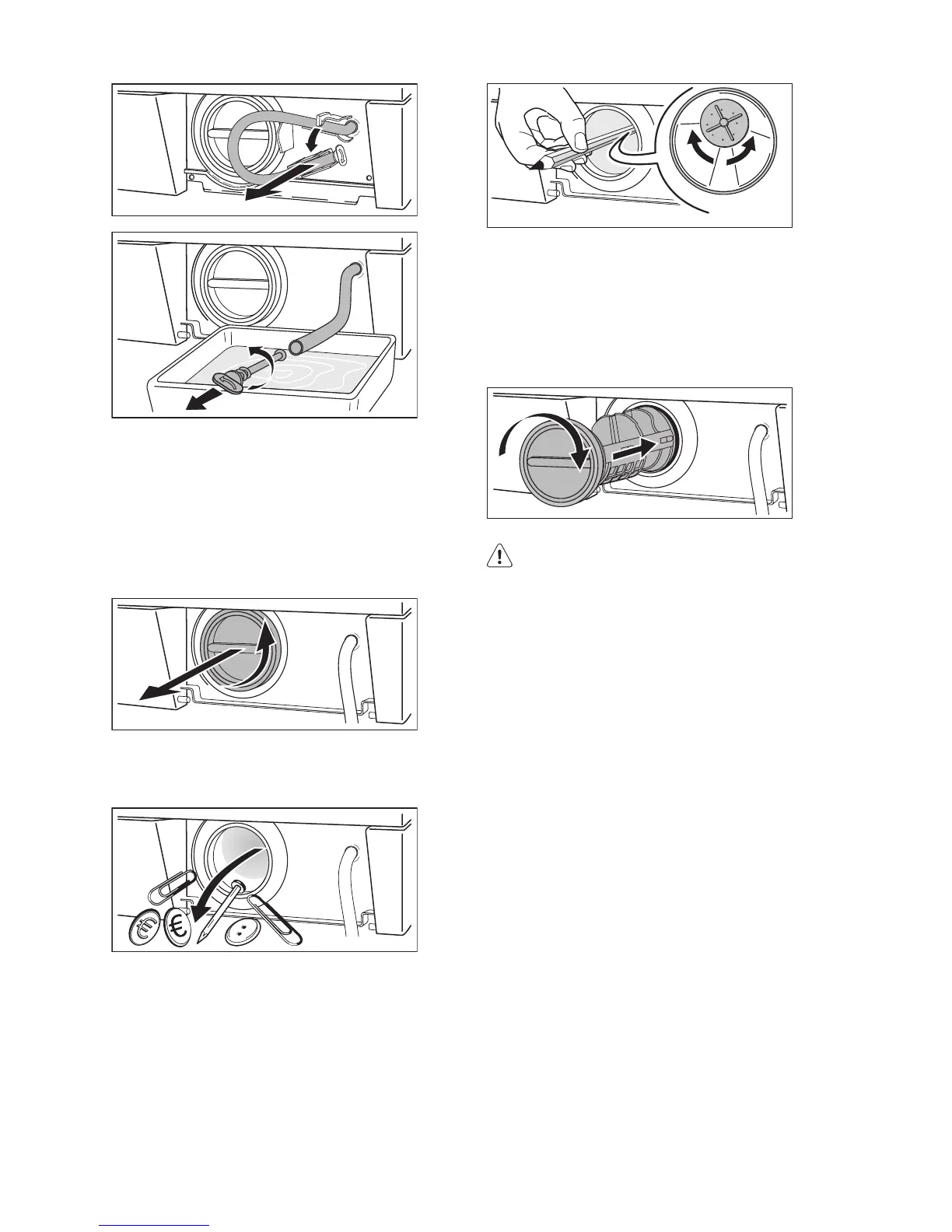
7. When no more water comes out, un-
screw the pump cover by turning it anti-
clockwise and remove the filter. Use pli-
ers, if necessary. Always keep a rag
nearby to dry up any water spillages
when removing the cover. Clean the fil-
ter under a tap, to remove any traces of
fluff.
8. Remove foreign bodies and fluff from
the filter seat and from the pump impel-
ler.
9. Check carefully whether the pump im-
peller rotates (it rotates jerkily). If it
doesn’t rotate, please contact your
Service Centre.
10. Put the cap back on the emergency
emptying hose and place the latter
back in its seat.
11. Replace the filter into the pump by in-
serting it correctly into the special
guides. Screw the pump cover firmly by
turning it clockwise.
12. Refit the flap and close the pump door.
Warning!
When the appliance is in use and depend-
ing on the programme selected there can
be hot water in the pump.
Never remove the pump cover during a
wash cycle, always wait until the appliance
has finished the cycle, and is empty. When
refitting the pump cover, ensure it is secure-
ly re-tightened so as to stop leaks and
young children being able to remove it.
Cleaning the water inlet filters
Important! If the appliance doesn't fill,
takes long to fill water, the starting button
blinks yellow or the display (if available)
shows the relevant alarm (see chapter
"What to do if..." for more details), check if
the water inlet filters are blocked .
To clean the water inlet filters:
1. Turn off the water tap.
2. Unscrew the hose from the tap.
3. Clean the filter in the hose with a stiff
brush.
50 electrolux




 To Next Page