DGS-TDS-N 05.2006 © Electrolux 17 168 650
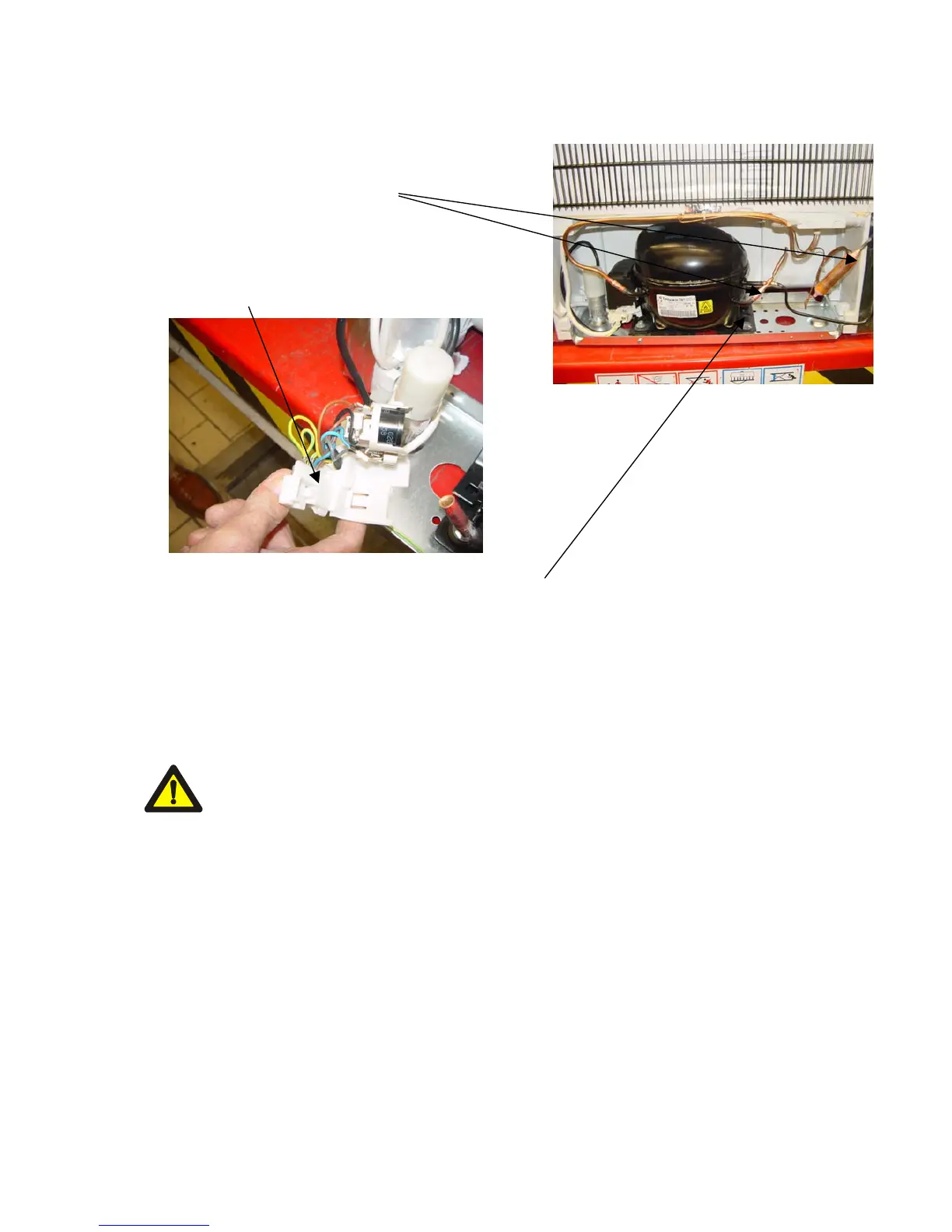
6.3.5 Replacing the compressor
1. Warm up the capacitor connections with a soldering
flame and loosen them.
2. Loosen the protective cover from the
connecting box.
3. Loosen the connections
4. Loosen the screwed connection and remove the compressor
5. Screw a new compressor on
6. Push on the connections and replace the protective cover
7. Solder the tubes on again
Risk of Explosion (see 6.3.1)




 To Next Page