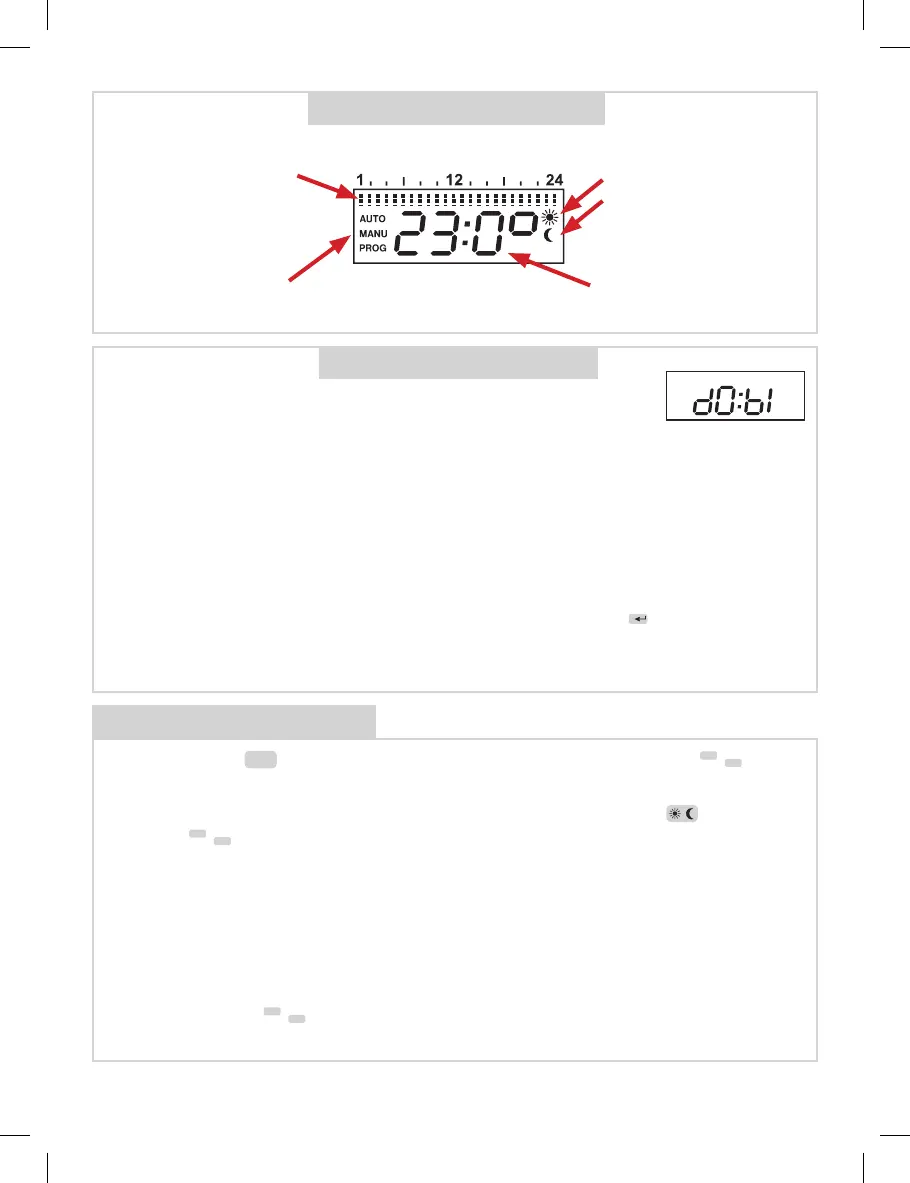
DISPLAY DESCRIPTION
OPERATING INSTRUCTIONS
1. FUNCTIONS OF TS10
indication of set time
and temperature
program
After connection in 230V-socket is TS10 immediately ready for use
and can be programmed according following instructions.
If sign dO:bI is ashing on the display, the back-up battery is not
fully charged and it is necessary let the TS10 in 230V-socket to
charge for minimal 2 days (full charge take about 4 days). After
charging it is possible to remove TS10 from socket without losing
the actual time and you can provide the programming outside the
230V-socket. (Maximal backup time is 50 hours).
1. AUTO : thermo-switch socket works according to program as set.
2. MANU : serves for manual setting of temperature (the selection by
or by
/
-
+
buttons), the temperature should be constant up to next change of
mode.
3. CLO : setting of present day and time.
4. PAr : setting of parameters (constants).
5. PROG : programming mode.
6. OFF : in this mode is TS10 permanently switched-o (antifreeze is 3°C activ).
After pushing the
Fce
button you can select following functions by pushing
/
-
+
buttons.
indication of temp.
comfort
economy
indication of
operating mode or
selected function
ATTENTION! If we disconnect TS10 from the network 230V, the TS10
comes to stand-by mode and only actual time will be shown on display
(the colon symbol will not be ashing) and the buttons will be functionless.
The activation of the buttons you can make by pressing the
i
button.
!
Note: If you do not push any button in 2 minutes, TS10 returns into set mode.
Longer pushing of
/
-
+
buttons speeds up their functions.
indication of
required
temperature
2
If the TS10 is not in 230V-socket the showed temperature is 2 °C lower than real
actual temperature.


 To Next Page
 Loading...