• press the
Fce
button, by pressing
/
-
+
select PA:r (PARAMETERS)
and conrm by
i
button.
• PA:r2 shows on the display
• PA:r3 is showed on the display
• conrm by
i
and by pressing
/
-
+
buttons
set comfort temperature, again conrm by
pressing
i
button.
• PA:r2 is showed on the display
• conrm by
i
and by pressing
/
-
+
buttons
set economic temperature, again conrm by
pressing
i
button.
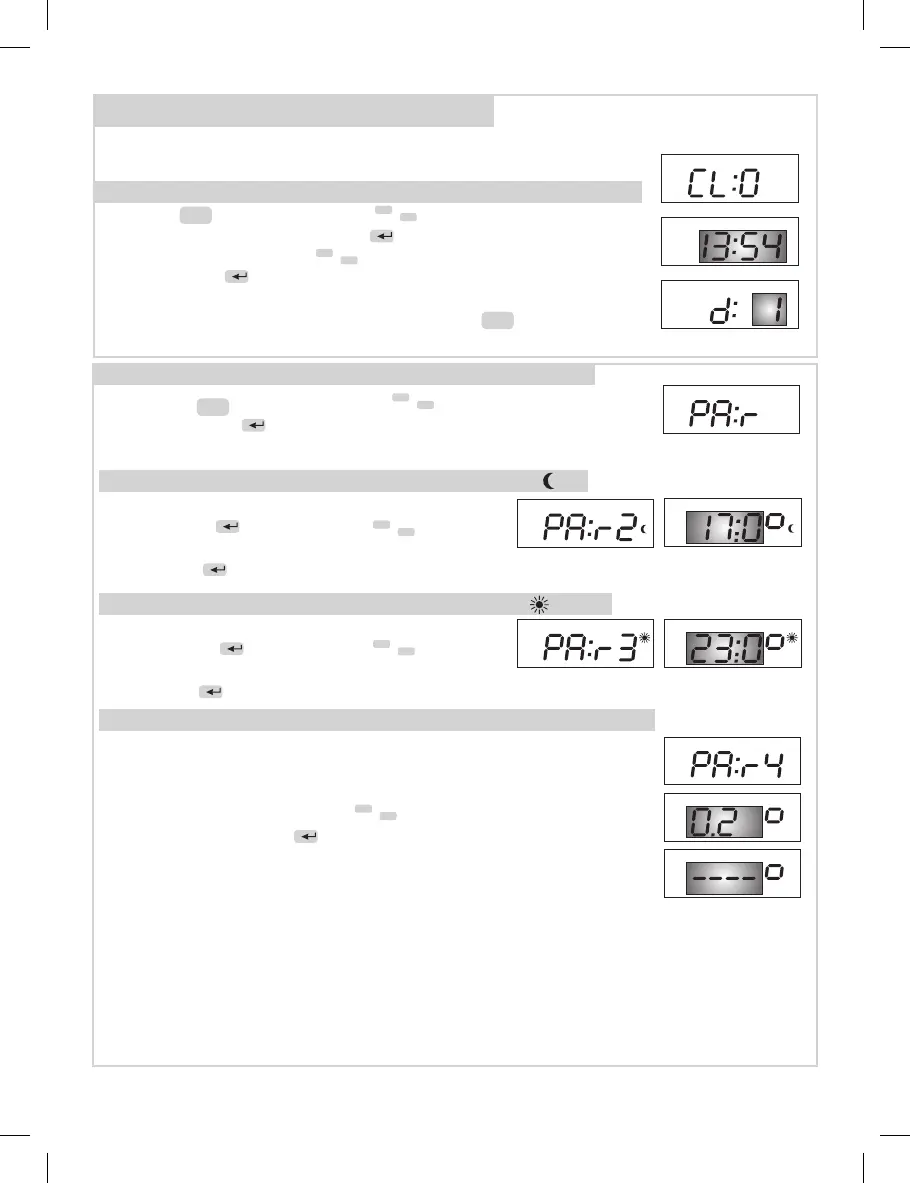
Setting of parameters (constants) - “ PA:r “
PA:r3 comfort temperature (factory setting 23°C)
PA:r 4 Function Open window (factory setting as inactive --.--)
PA:r2 economic temperature (factory setting 17°C)
2. PROCEED DURING PROGRAMMING
Before the programming itself, it is necessary to set present day, time and
parameters (constants), namely in following way.
Press the
Fce
button, by pressing
/
-
+
select CL:O
(CLOCK) function and conrm by
i
. Indication of hours
ashes on the display, use
/
-
+
buttons to set required data
and conrm by
i
button. Use the same method for minutes
and day (d:1 represents Monday, d:2 Tuesday etc. and d:7
Sunday). After the completion of setting, press
Fce
button to
return.
Setting of current day and time - “ CL:O “ function
3
• PA:r4 shows on the display
• this function is from factory set as inacive (--.--).
For activation it is necessary to set the temperature drop
(0.2°C bis 5°C) with using of
/
-
+
buttons.
• Conrm by pressing
i
button
Function „OPEN WINDOW DETECTION“
when the temperature drops by preset value within 4 minutes,
the thermostat switch o the heating to save the energy. It will
be alternately displayed sign „OPEn“ and information about required temperature.
This mode is terminated when the temperature rise again, or after change of required
temperature or after 30 minutes.
Tne next „open window“ mode can occur only after 10 minutes.
Note: Function „open window“ can run after 10 minutes afte rst connection to 230V
socket.


 To Next Page
 Loading...