• press
Fce
and by
/
-
+
buttons select PROG (PROGRAMMING)
function and conrm by pressing
i
button.
• by pressing
/
-
+
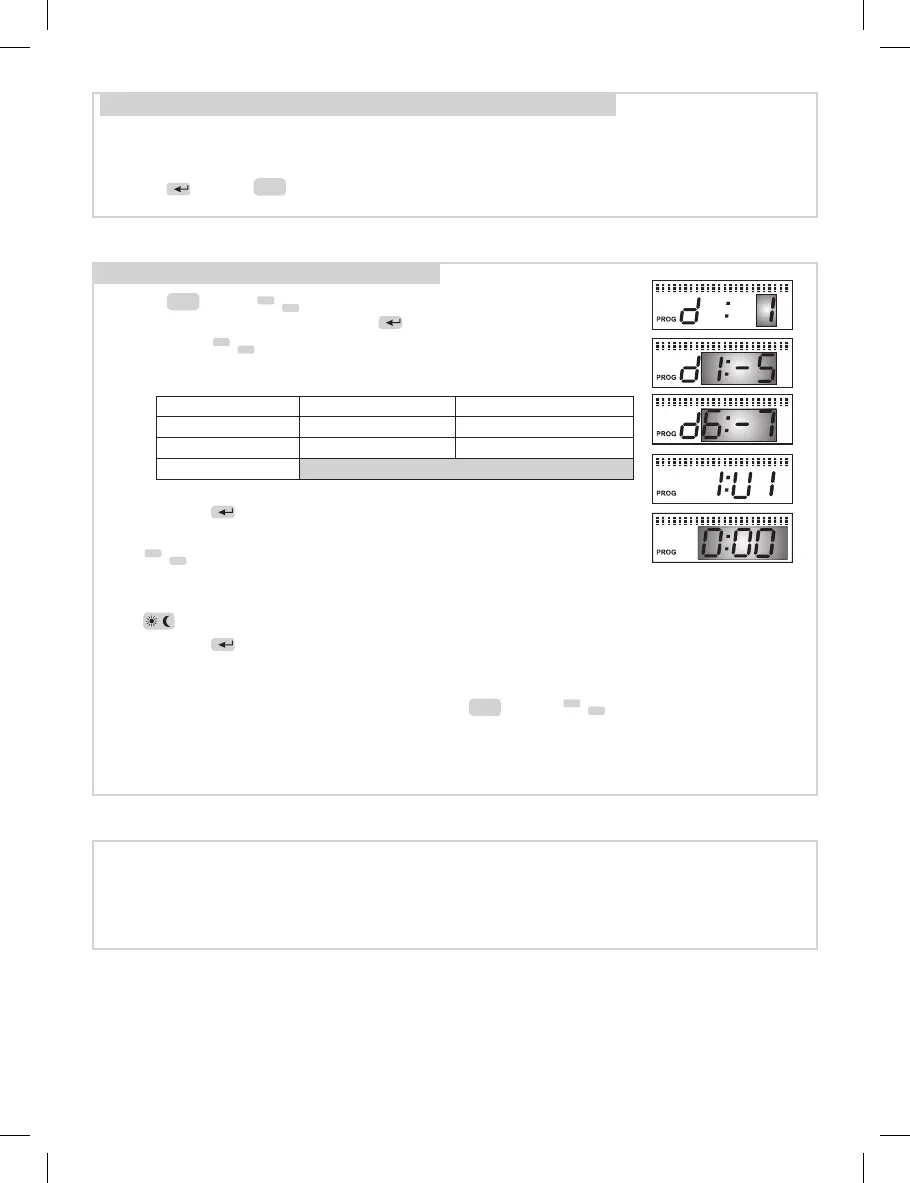
select the day, which should be programmed
according to following table
• conrm by
i
button, the sign 1:U1 shows on display for setting
up of the rst time interval.
• by
/
-
+
buttons set the time of rst change (min.step of 30
min).
• assign comfort or economic temperature to the setting time by repeated pressing
of button.
• conrm by
i
, display automatically shows symbol 1:U2 the second time interval in
the rst day.
• use the same procedure for the setting of further time intervals (max. 4).
• leave the programming regime by pressing
Fce
and by select the AUTO
function and TS10 starts to work according to the program set.
Programming function “PROG”
d:1 Monday d:5 Friday d1:5 Monday to Friday
d:2 Tuesday d:6 Saturday d6:7 Saturday to Sunday
d:3 Wednesday d:7 Sunday
TABLE: SELECTION OF DAY TO BE PROGRAMMED
d1:7 whole week
d:4 Thursday
Status indication of TS10:
AUTO (or MANU) is shown = connected device is switched on
AUTO (or MANU) ashes = connected device is switched o
PA:r9 Firmware version
4
/
-
+
• PA:r9 shows on the display
• Firmware version for information only
• press
i
button
Fce
button to return.


 To Next Page